Trades and contractors
Subcontractor Payment and Retainage Tracker, Excel
Every subcontractor invoice carries its own retainage and payment status, and a waiver never gets forgotten before a check goes out.
Refund policy
Refunds within 30 days, for any reason. Reply to your receipt and the payment goes back in full. You keep the files; there is nothing to return.
$19
Request to buyThis is not a checkout. It opens an email to the shop, which replies with a payment link. No mail app? Write to hello@wedgepress.com.
What it looks like
What it does
What you get
- An Excel workbook with five working sheets: Setup, Contracts, Payments, Subcontractor Summary and Lien Waiver Checklist.
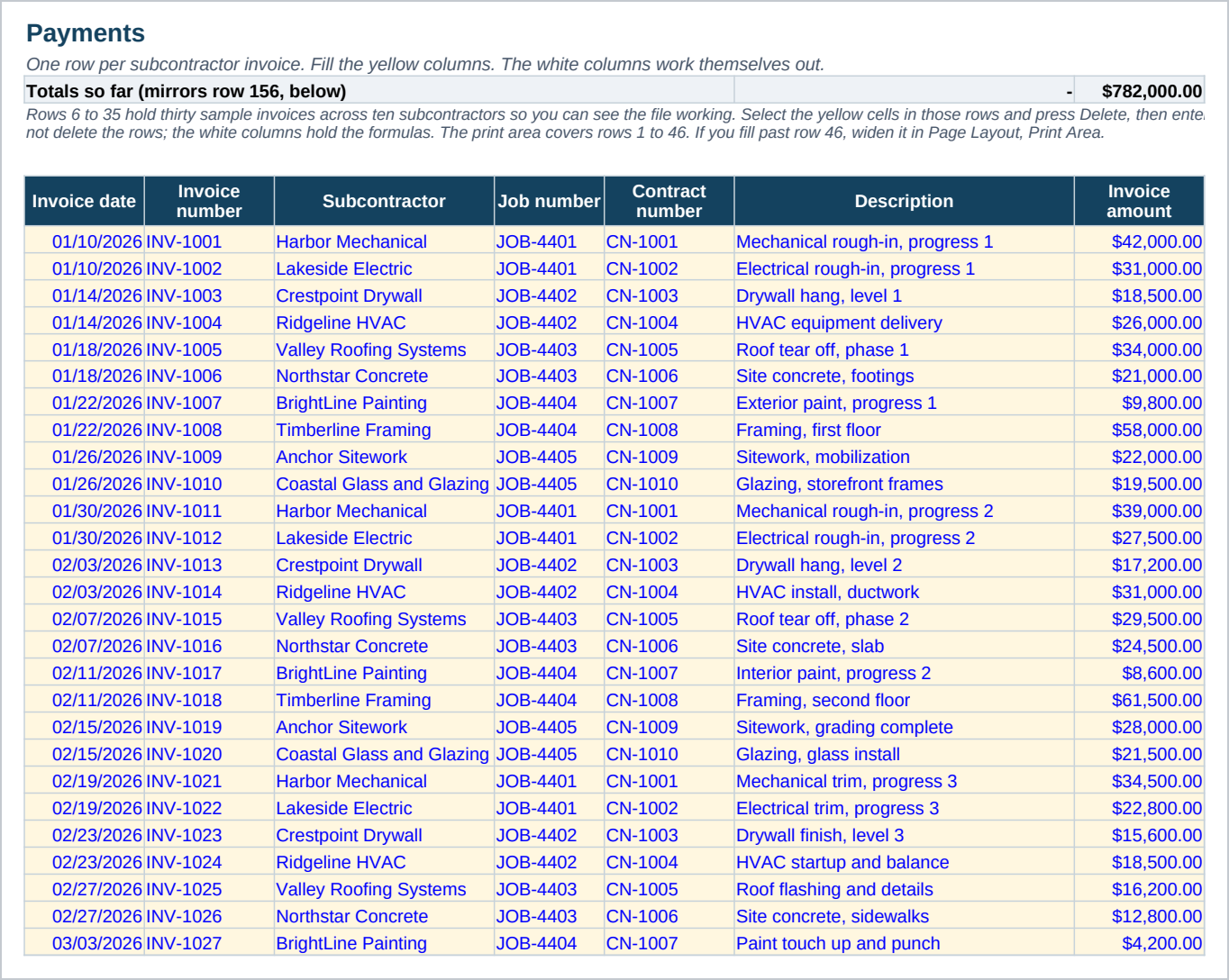
- A hundred and fifty row payment log that works out retainage, net payable and a due date from the invoice date and your own payment terms.
- A Ready to pay column that reads Hold, waiver missing on an approved invoice until a waiver is on file, and Ready once it is.
- Twenty contract slots that roll up invoice total to date, paid to date and balance to finish straight from the Payments rows.
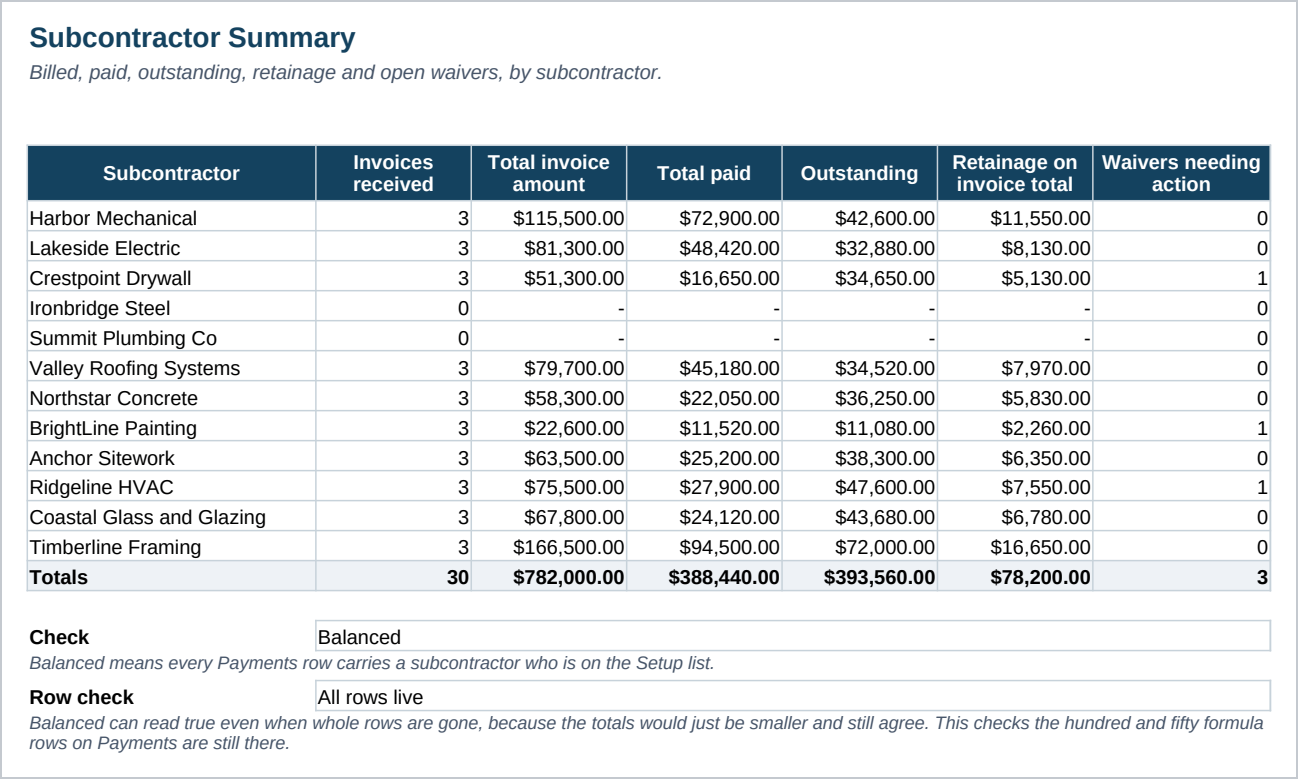
- A subcontractor summary with billed, paid, outstanding, retainage on invoice total and open waivers for up to twelve subcontractors.
- An eight step lien waiver checklist with a Done column and a one line reason for each step. It contains no waiver forms.
- Ten sample contracts and thirty sample invoices already filled in, across ten subcontractors and all four invoice statuses.
- A Start Here guide with the numbered steps and the Google Sheets import.
Who it is for
- A general contractor paying two to twelve subcontractors or vendors across several jobs at once.
- A contractor who currently tracks retainage and waivers in a notebook, a spreadsheet that does not add up, or an email thread.
- Not a fit for a contractor who needs the waiver documents themselves; this file does not contain any.
What it is not
- Not a source of lien waiver forms. It contains no waiver documents; the checklist points to where one comes from instead.
- Not legal advice. Waiver wording and requirements differ by state and by job; your own attorney or your state's own form is the source.
- Not accounting software. It does not post to a ledger or touch your bank account.
- One retainage percent for every contract and every invoice. It does not support a different rate per subcontractor.
- No macros and no add ins. It is a plain workbook, which is why it opens in Google Sheets.
Refunds
Refunds within 30 days, for any reason. Reply to your receipt and the payment goes back in full. You keep the files; there is nothing to return.