Small Business Bookkeeping Spreadsheet, Google Sheets and Excel
An income and expense tracker for one business and one year, with the totals by month, by quarter and by category worked out for you.
Refund policy
Refunds within 30 days, for any reason. Reply to your receipt and the payment goes back in full. You keep the files; there is nothing to return.
What it looks like
What it does
What you get
Eight connected sheets in one file, built in Excel and made to import into Google Sheets:
- Start Here - The instructions, the color key, the import steps and the license.
- Setup - Your business name, the year the records cover, and the mileage rate. Three entries that the rest of the workbook reads.
- Categories - The income and expense lists behind every dropdown, with five spare rows in each. Rename a line here and both summaries follow it.
- Income - 500 rows. Date, client or source, description, category, amount, how it was paid, reference, notes.
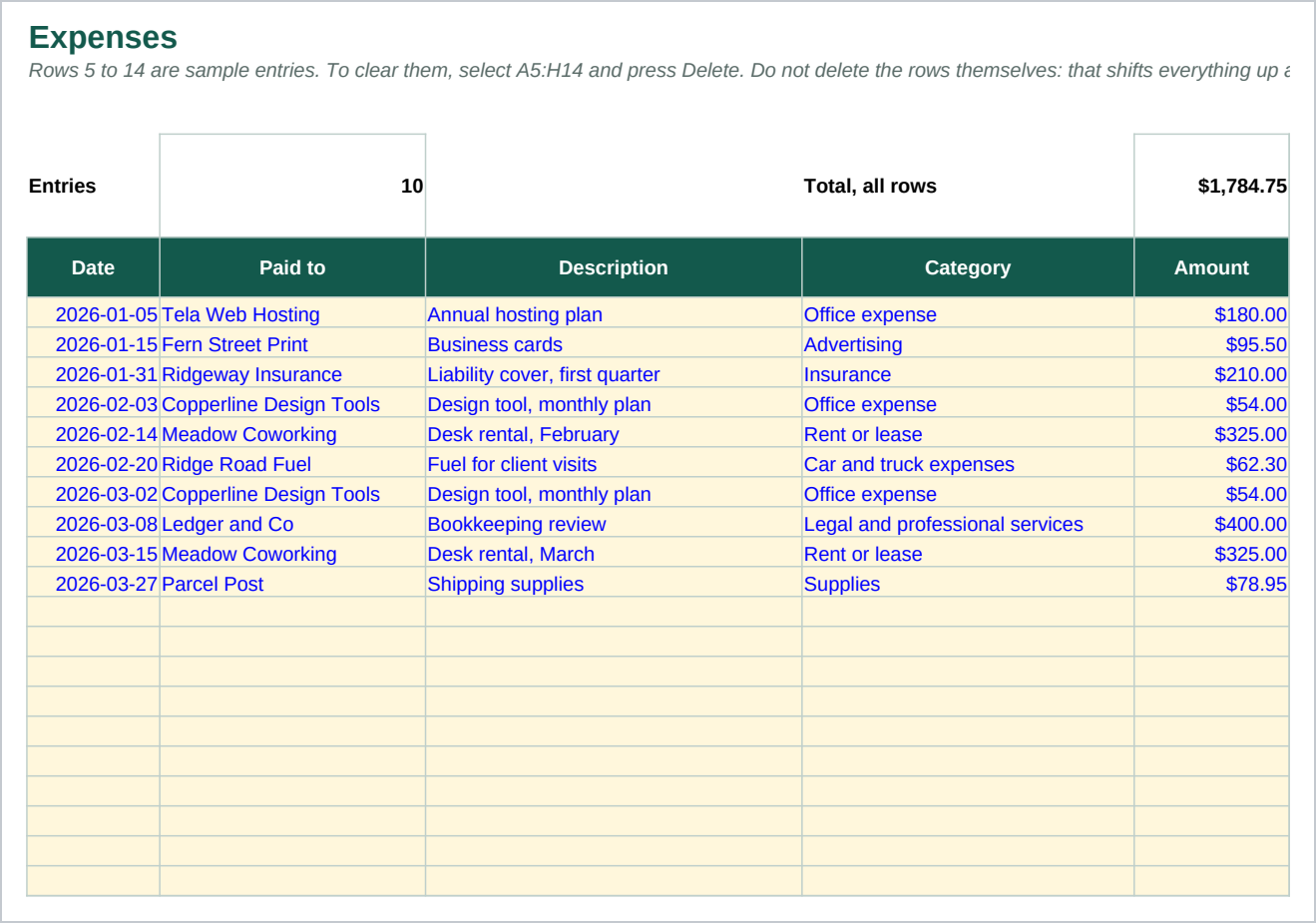
- Expenses - 500 rows of the same shape, plus a receipt reference box that stays red until you fill it in.
- Mileage - 300 rows. Type the miles. The rate and the amount are calculated from Setup.
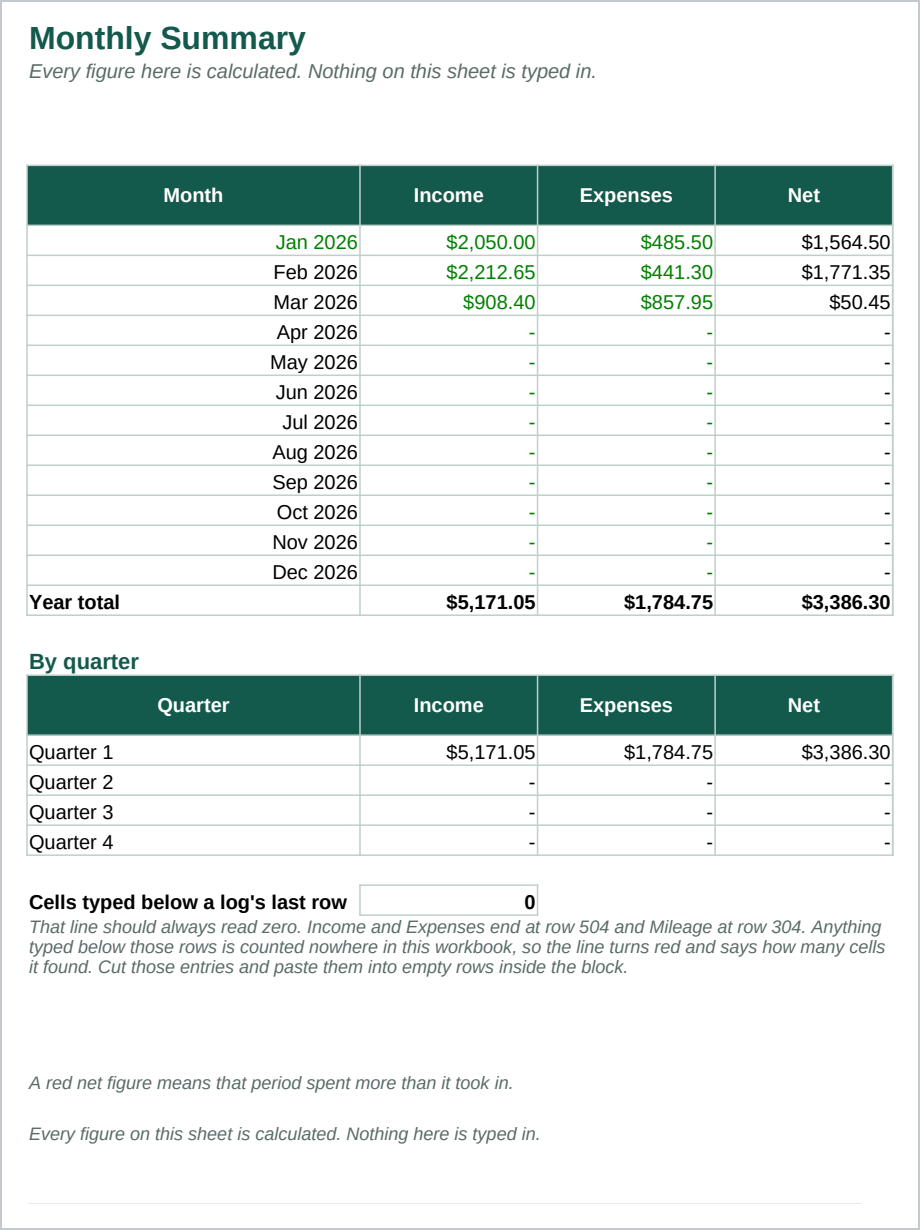
- Monthly Summary - Twelve months of income, expenses and the difference between them, then the same four quarters, then the year, with a column chart. Every figure here is calculated. Nothing on this sheet is typed in.
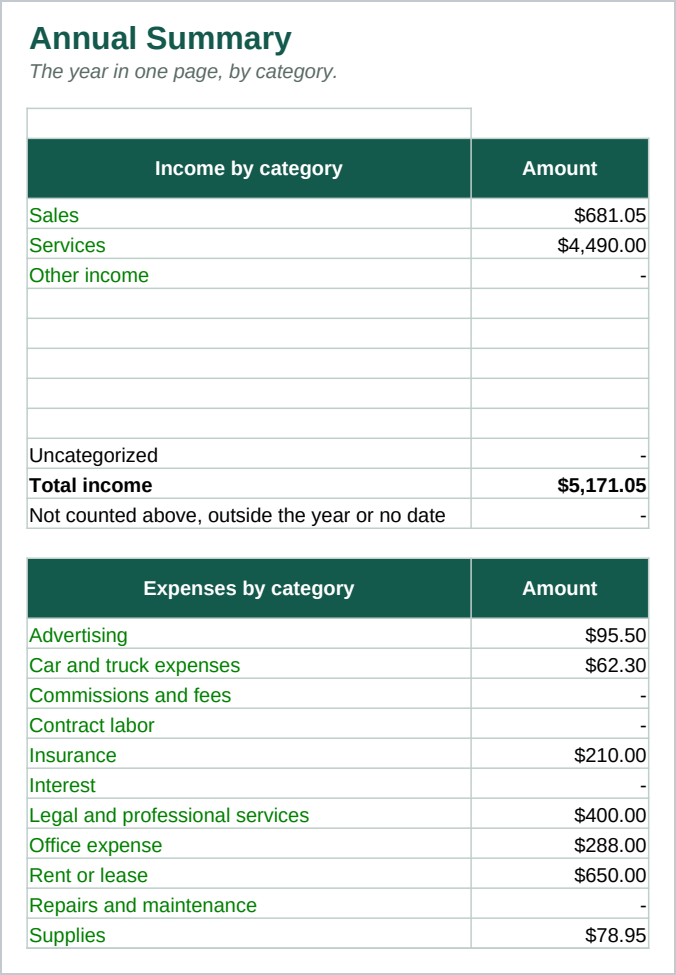
- Annual Summary - The year by category on one printable page, with a bar chart and mileage on its own line. Each block ends with an Uncategorized line that turns red if any entry in the log does not match a category, so nothing is ever quietly dropped.
You type each payment in as it happens, or paste a batch in from a statement you downloaded yourself. The summaries are built from formulas, so they move as you type. Not one total in the file is a typed number. The formulas use only functions that behave the same way in Excel 2016 and later and in Google Sheets.
Mileage is deliberately kept out of the expense total. Recording a journey on the Mileage sheet and its fuel receipt on the Expenses sheet would otherwise count the same journey twice, so the Annual Summary shows mileage on its own line and says so.
Who it is for
A sole proprietor, a freelancer, or a single owner business that keeps its own books and hands a summary to an accountant at the end of the year. It fits an operation with up to a few hundred entries a year and one bank account.
It is not built for a business running a payroll, or one that has to value stock at year end. If either of those is you, this is the wrong file and you should not buy it.
What it is not
This is not accounting software. If that is what you want, buy that instead. It does not connect to a bank or a card, it does not pull in statements by itself, and it reconciles nothing. You type your entries in, or paste them in.
It calculates no tax and prepares no return. The category names follow the headings on a common US sole proprietor tax form, so your records line up with what your accountant asks for, and every one of those names is yours to edit. It does not tell you what you may claim. It is a place to record what your accountant tells you is deductible. Confirm every figure and every category with them.
It stores no receipts. The receipt column holds your own reference number, so you can find the paper or the file when you need it.
It is two files: a spreadsheet and a guide. Nothing runs, nothing updates by itself, and nothing is hosted anywhere.
Refunds
Refunds within 30 days, for any reason. Reply to your receipt and the payment goes back in full. You keep the files; there is nothing to return.