Roofing Estimate Calculator with Waste and Markup, Excel
Nine connected sheets that turn roof measurements into a priced estimate, keep waste allowance and markup as separate lines, and produce a clean one page quote to hand the customer.
Refund policy
Refunds within 30 days, for any reason. Reply to your receipt and the payment goes back in full. You keep the files; there is nothing to return.
What it looks like
What it does
What you get
One Excel workbook with nine sheets:
- Start Here - How to use it in eight steps, inside the workbook.
- Settings - Your company details, labor rate, default waste percent, markup percent and tax rate. Eleven typed cells, B3 to B13, that the rest of the file reads from. Four of them, B6 to B9, are per job: customer name, job address, quote reference and quote date.
- Pitch Table - The slope factor for every pitch from flat to 12/12, looked up for you.
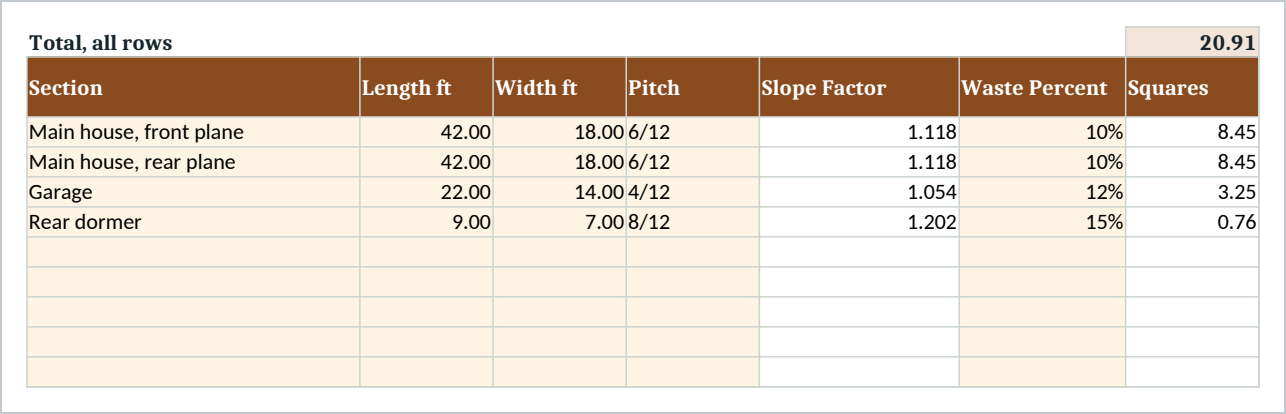
- Roof Sections - One row per roof plane. Enter length, width and pitch; squares and squares to order calculate themselves.
- Materials - Unit costs you set once. Rows marked By Square take their quantity straight from the roof, so shingles and underlayment are never retyped.
- Labor - Hours per task, at your default rate or a per row override.
- Other Costs - Permit, disposal, rental and travel, each on its own line.
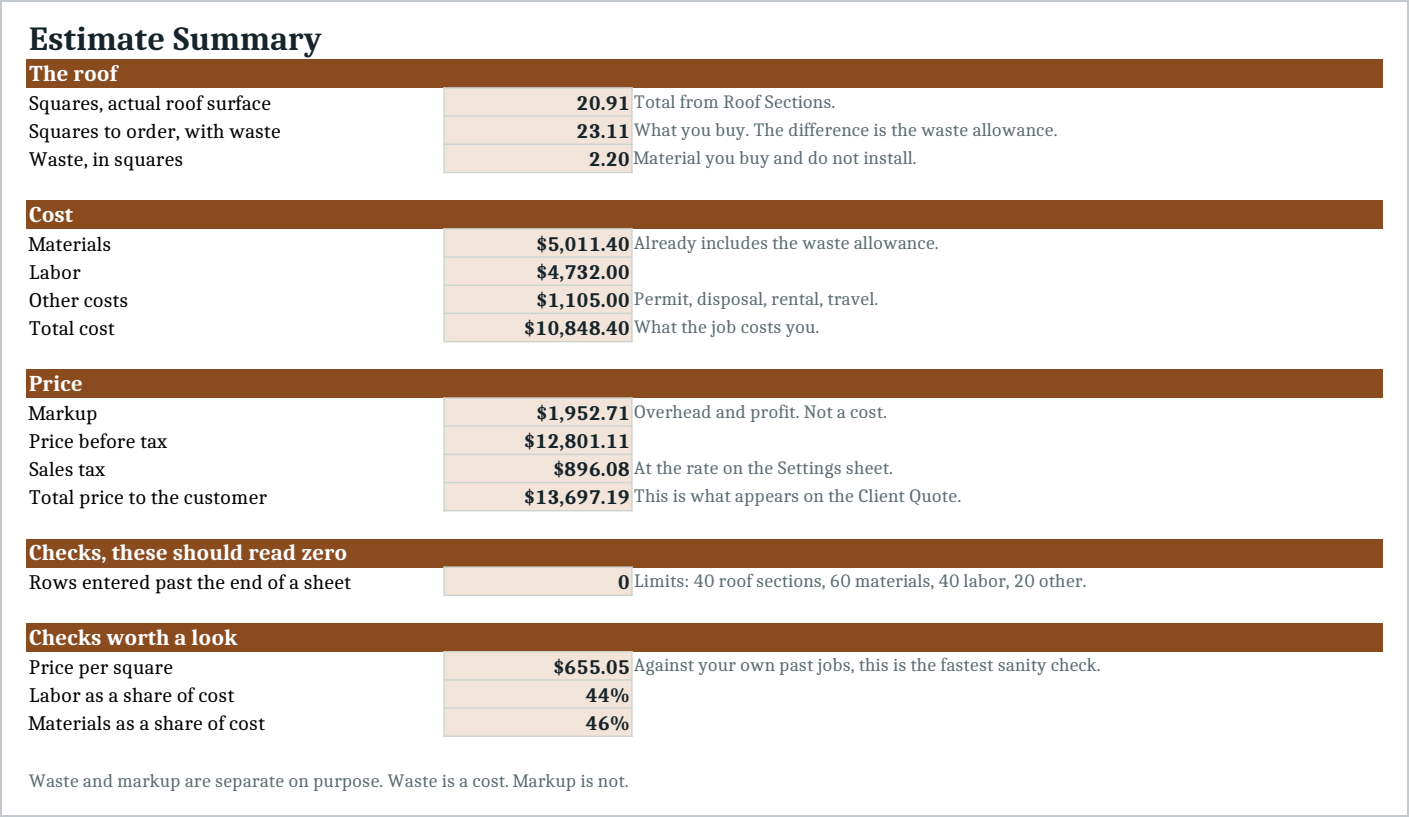
- Estimate Summary - Cost, markup and tax as separate lines, plus price per square and the labor and material shares.
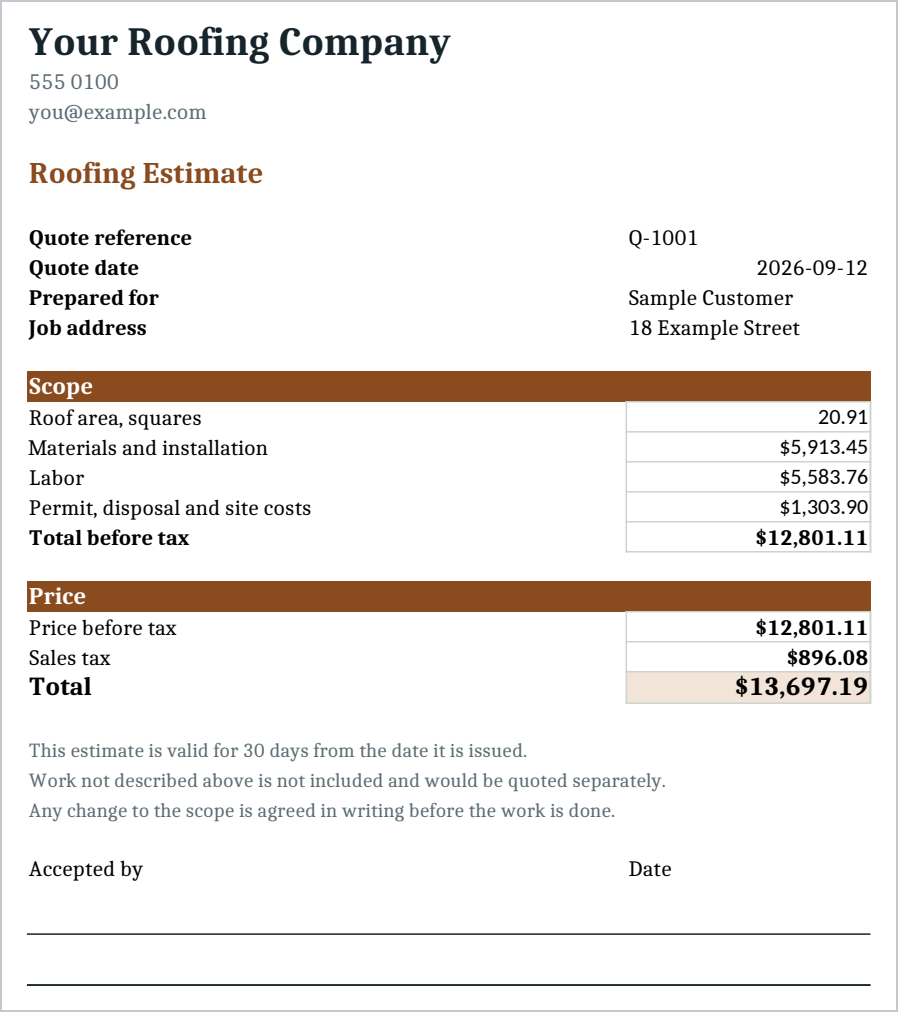
- Client Quote - A one page quote with your details, the scope, the price and a signature line.
Every total is a formula, so nothing is a number somebody typed in and hoped stayed right. The file arrives with a complete sample job, a four plane roof of about 21 squares, so you can see it working before you put your own numbers in.
Waste and markup are kept apart on purpose. Waste allowance is material you buy and do not install. Markup is what covers your overhead. When those are one number, a job that comes in over tells you nothing, because you cannot tell whether you priced the work wrong or ordered badly. Kept apart, a finished job tells you which.
Who it is for
A roofing contractor or a general contractor who writes their own estimates, usually in the evening, usually in a spreadsheet they built badly themselves. It suits residential tear off and reroof work on asphalt shingles, on jobs of up to about forty roof planes.
What it is not
This is not estimating software and it does not measure a roof for you. There is no aerial measurement, no supplier price feed, no customer records and no invoicing.
It does not know local code and it does not know your market. The prices in the sample are sample numbers and every one of them is yours to replace.
Sales tax is applied as one rate to the marked up total. Tax treatment varies by state and by what is being taxed, so check it matches your own rules before you send a quote.
You need Excel, or Google Sheets, to open it. Import instructions are in the guide.
Refunds
Refunds within 30 days, for any reason. Reply to your receipt and the payment goes back in full. You keep the files; there is nothing to return.