Painting Estimate and Quote Calculator, Excel and Google Sheets
A set of connected worksheets that turns room measurements into a paint list, a labor estimate, and a one-page quote you can hand to a client.
Refund policy
Refunds within 30 days, for any reason. Reply to your receipt and the payment goes back in full. You keep the files; there is nothing to return.
What it looks like
What it does
What you get
Six connected worksheets:
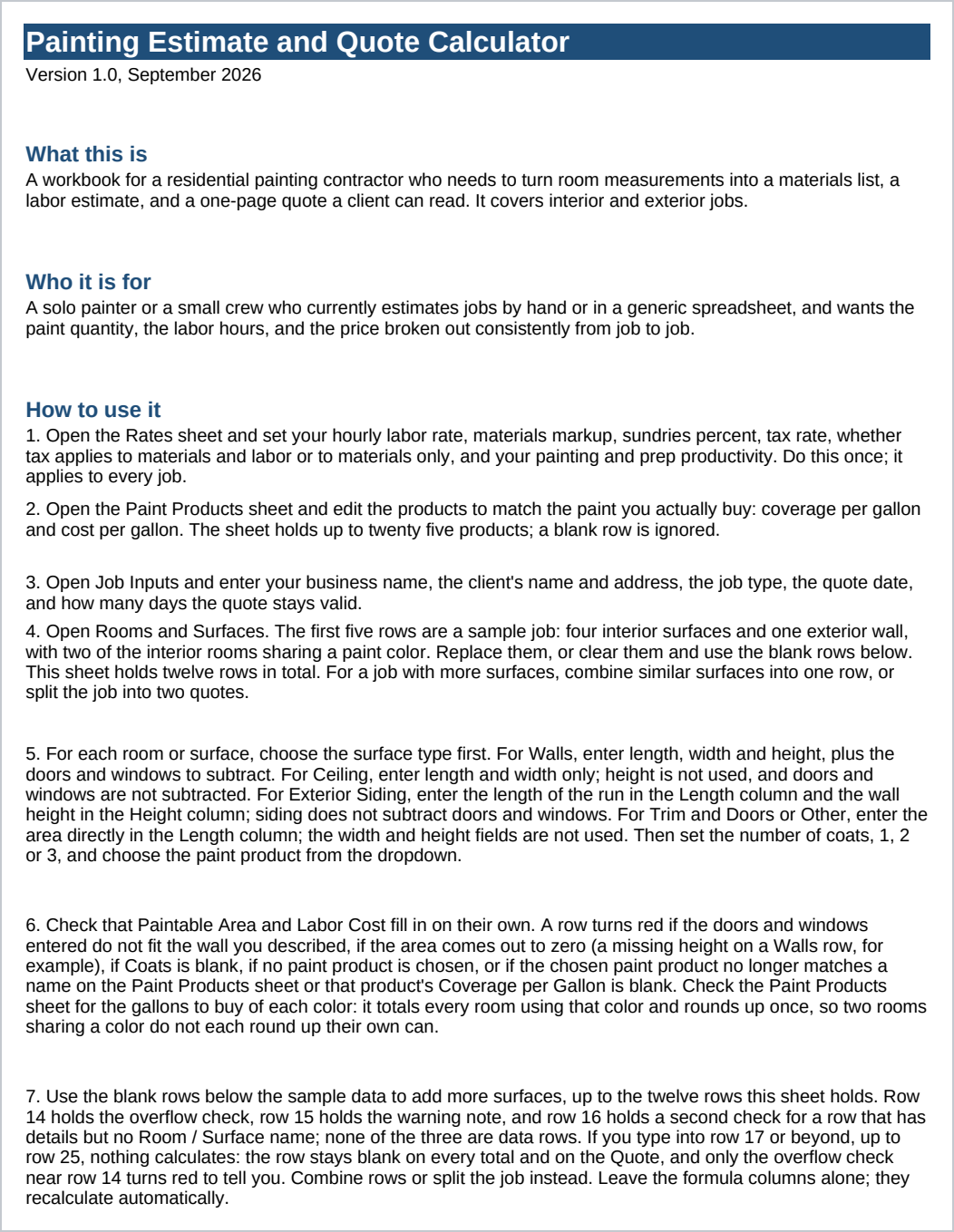
- Start Here - what the workbook does, how to use it, and the Google Sheets import steps.
- Rates - your hourly labor rate, materials markup, sundries percent, tax rate and what it applies to, and your painting and prep productivity, together on one sheet.
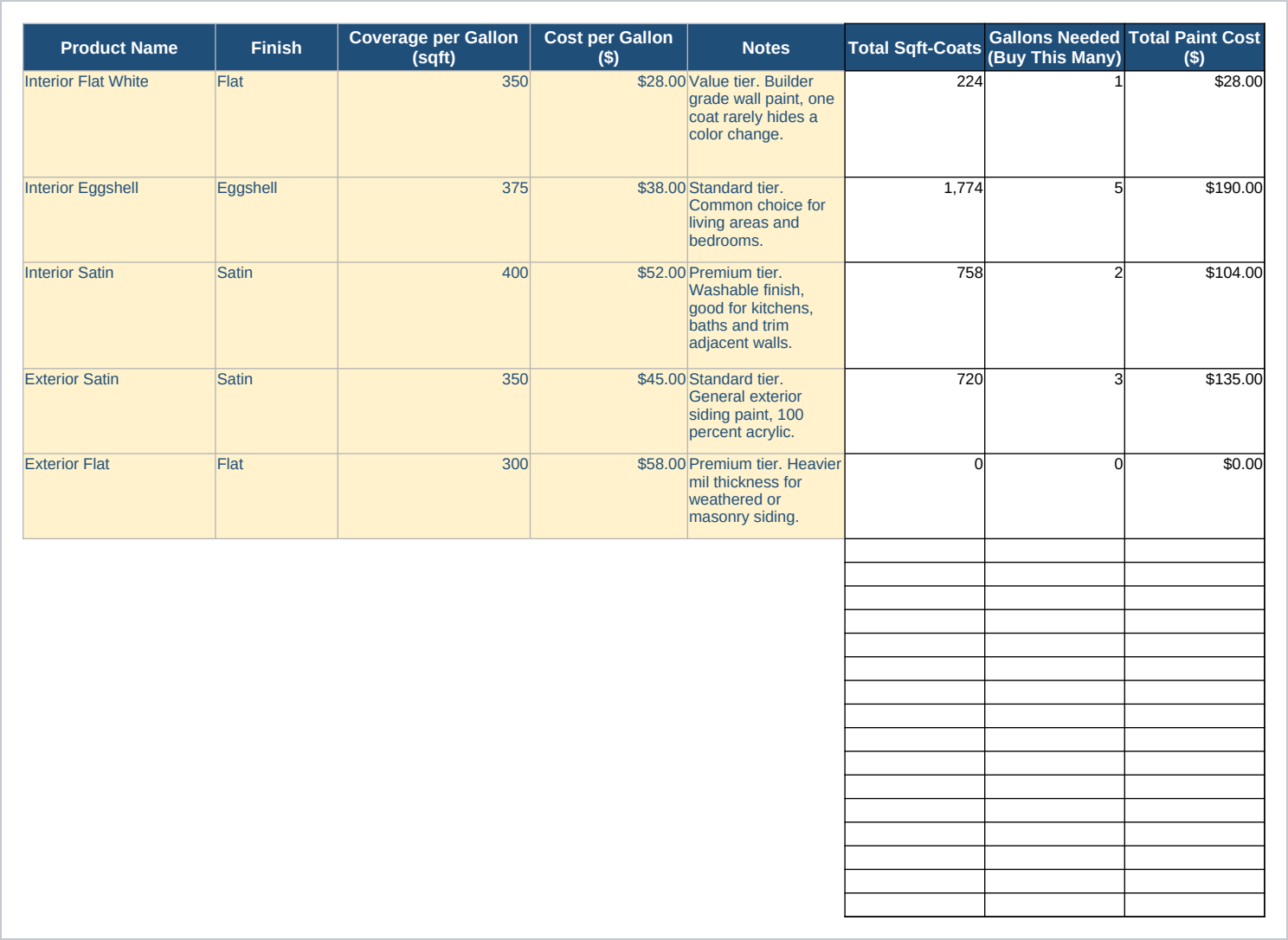
- Paint Products - up to twenty five editable rows for the products you actually buy, with coverage per gallon, cost per gallon, and the total gallons and cost needed across every room using each one.
- Job Inputs - client name, job site address, job type, quote date and validity, and your own business name and contact details.
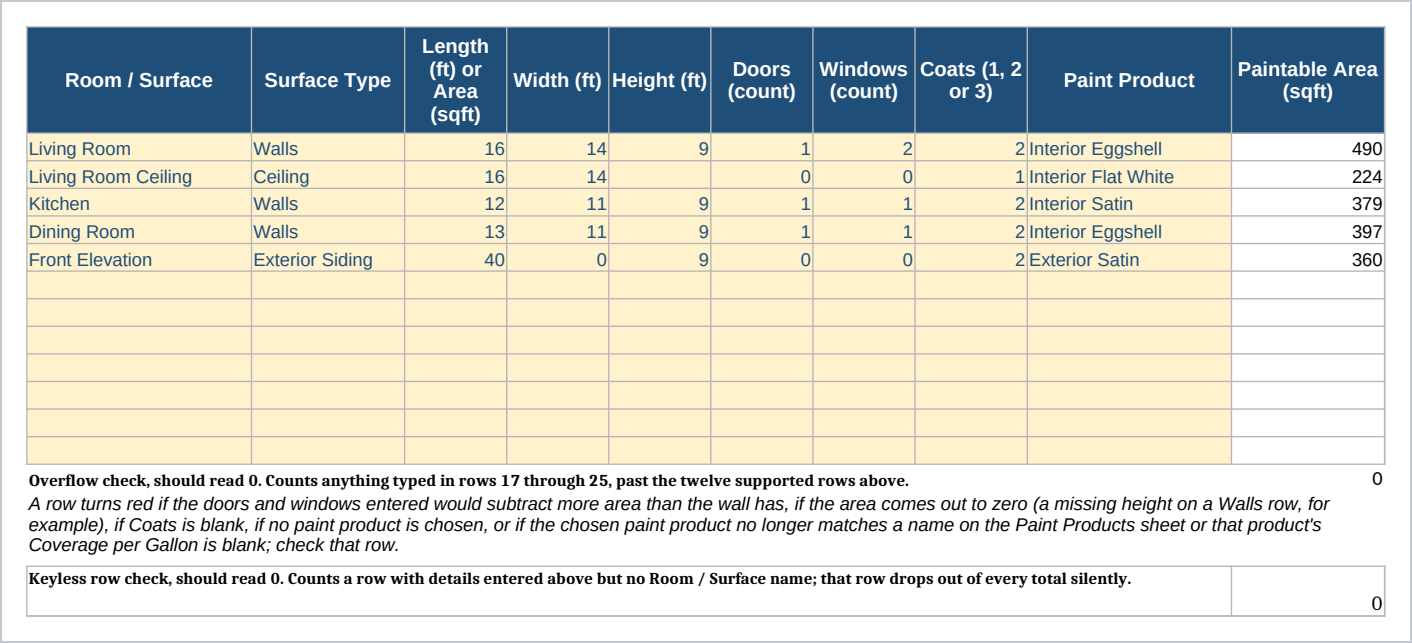
- Rooms and Surfaces - one row per room or surface, twelve per job. Choose a surface type (walls, ceiling, exterior siding, trim and doors, or a direct area entry), enter length, width, height, doors and windows to subtract, coats (1 to 3), and a paint product, and the sheet computes paintable area, paint cost, prep hours, and labor cost.
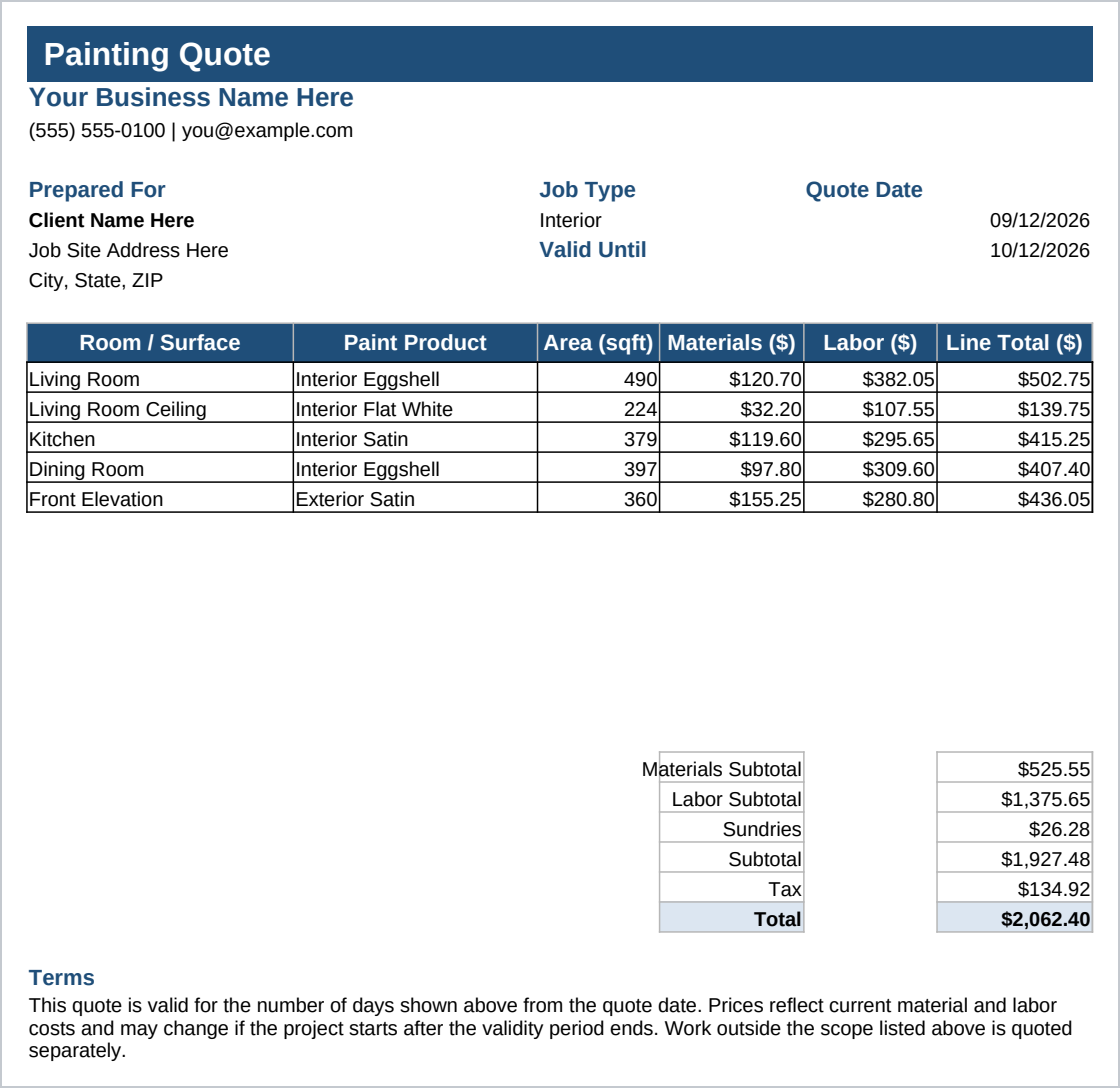
- Quote - a one-page, client-facing quote that pulls every number from the sheets above, formatted to print on Letter paper.
Set your rates and your paint products once. From there, each job is a few rows on Rooms and Surfaces and the Quote sheet fills itself in. A sample job across five rows, four interior surfaces plus one exterior wall, with two rooms sharing a paint color, is already filled in so you can see it working before you clear it.
Who it is for
A solo painter or a small painting crew, typically one to six painters, who currently estimates jobs by hand or in a generic spreadsheet and wants the paint quantity, the labor hours, and the client price worked out the same way every time. Built for interior and exterior residential work: rooms, walls, ceilings, and exterior siding.
It is not built for a large commercial painting operation estimating dozens of trades at once, and it does not do a takeoff from blueprints; you still measure the job yourself.
What it is not
This is not accounting software, and it does not connect to your bank, bookkeeping software, or a payment processor. It does not send the quote to the client or track whether it was opened or accepted; you handle that yourself. It does not calculate paint color matching, and it does not price primer as its own line. A door or window subtracted from a wall is an unpainted opening, not a billed line, and openings are not subtracted on a siding row; trim and doors can be priced as their own row with the Trim and Doors surface type, where you enter the area directly. It does not cover specialty surfaces like cabinetry, staining, or wallpaper removal. Rooms and Surfaces holds twelve rows per job; a bigger job needs fewer combined rows or a second quote. You need Excel or Google Sheets, and you still measure the job and enter your own numbers.
Refunds
Refunds within 30 days, for any reason. Reply to your receipt and the payment goes back in full. You keep the files; there is nothing to return.