Nonprofit Grant Tracker and Deadline Calendar, Excel and Google Sheets
One row per grant, from the first note about a funder through to the last report. It holds what you asked for, what was awarded, whether the money is restricted, and every report date the award letter names.
Refund policy
Refunds within 30 days, for any reason. Reply to your receipt and the payment goes back in full. You keep the files; there is nothing to return.
What it looks like
What it does
Free grant trackers exist, and most are one list of applications. Three things here are not in them: the reporting calendar, the restricted and unrestricted split carried through to the totals, and a funder record worth keeping.
What you get
Six connected worksheets in one Excel file:
- Start Here - What each sheet does, the steps in order, and how to open the file in Google Sheets.
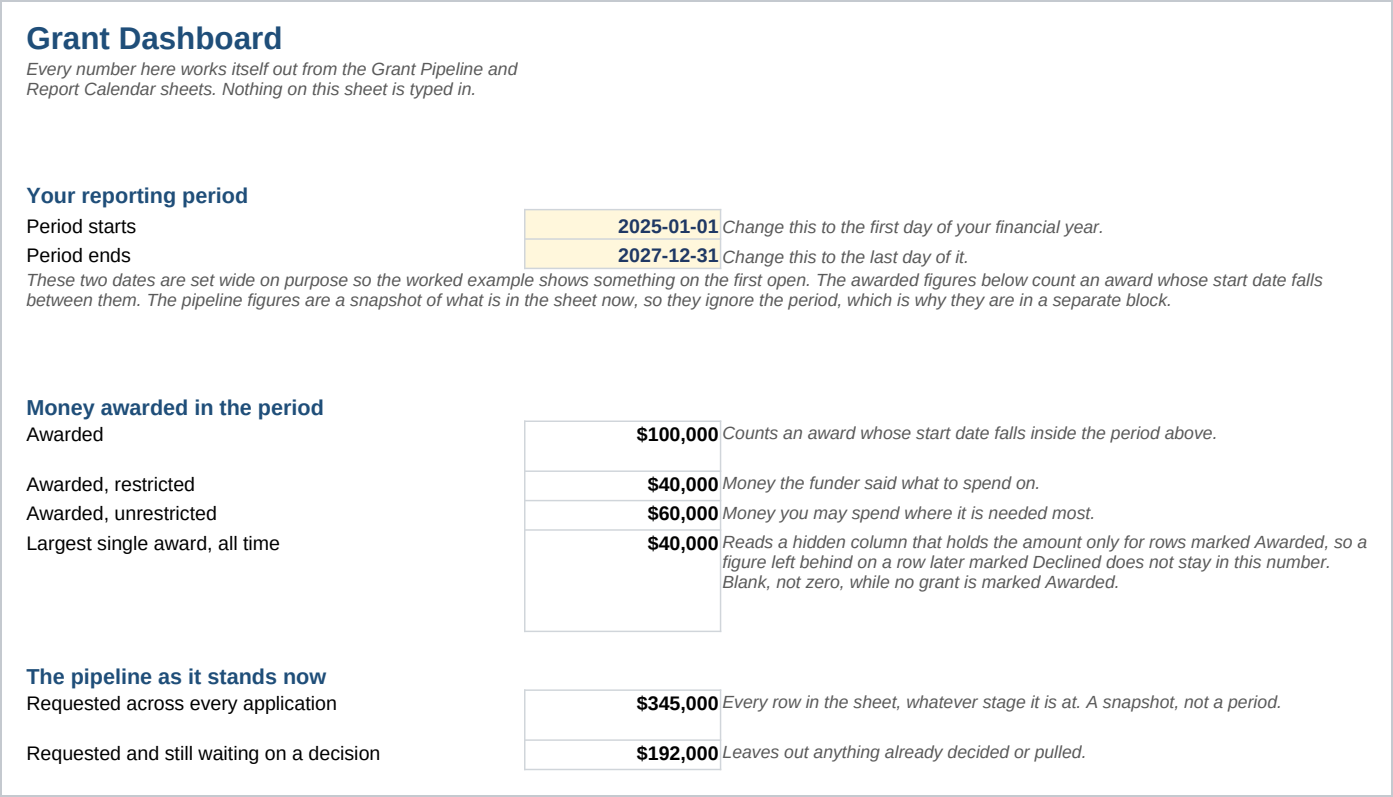
- Dashboard - Totals for a reporting period you set, counts by stage, the restricted and unrestricted split, a bar chart of the stages, and six counts of what needs attention, from decisions past their date to awarded grants with a report outstanding. Every figure works itself out, and the matching rows turn red on the working sheets.
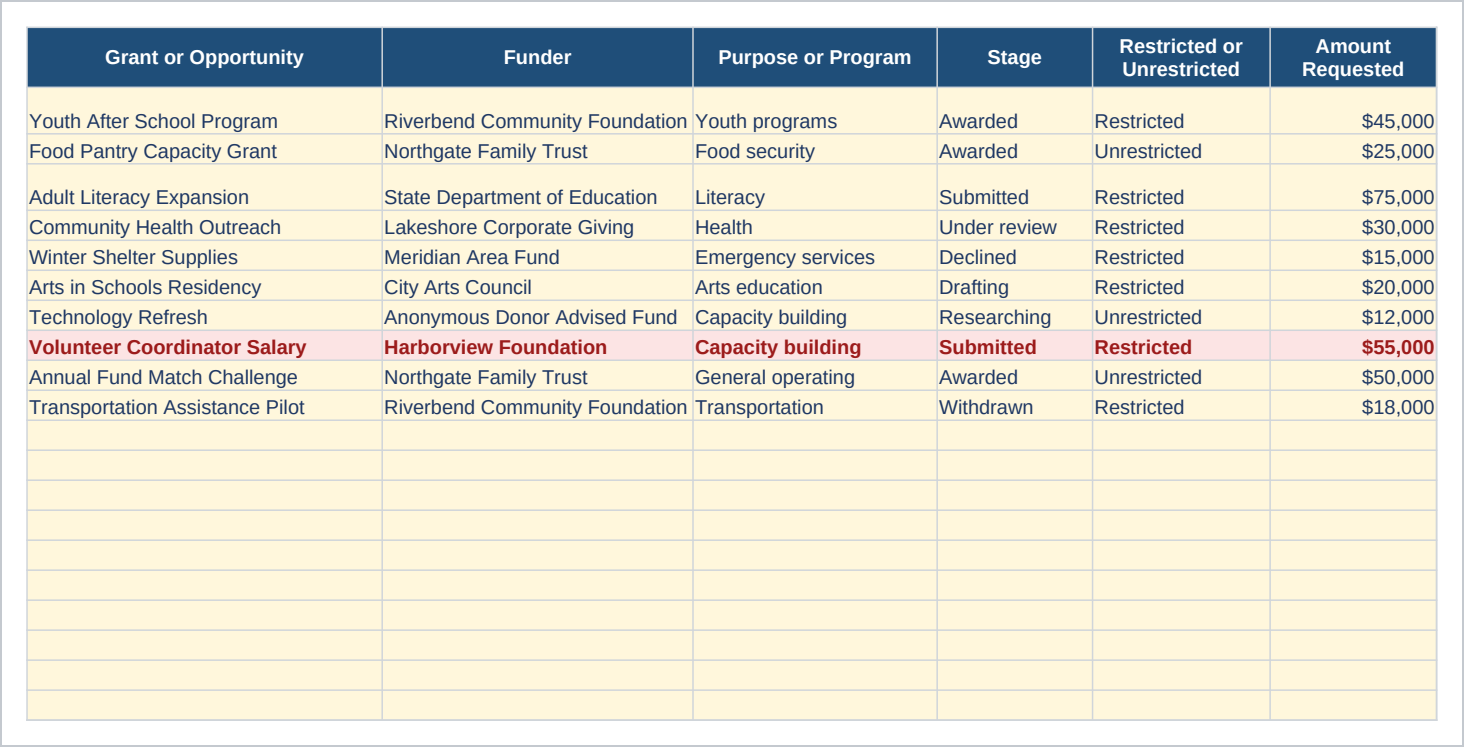
- Grant Pipeline - One row per application, with seven stages, the amount requested, the amount awarded, the decision date you expect, and a column that turns red when that date passes.
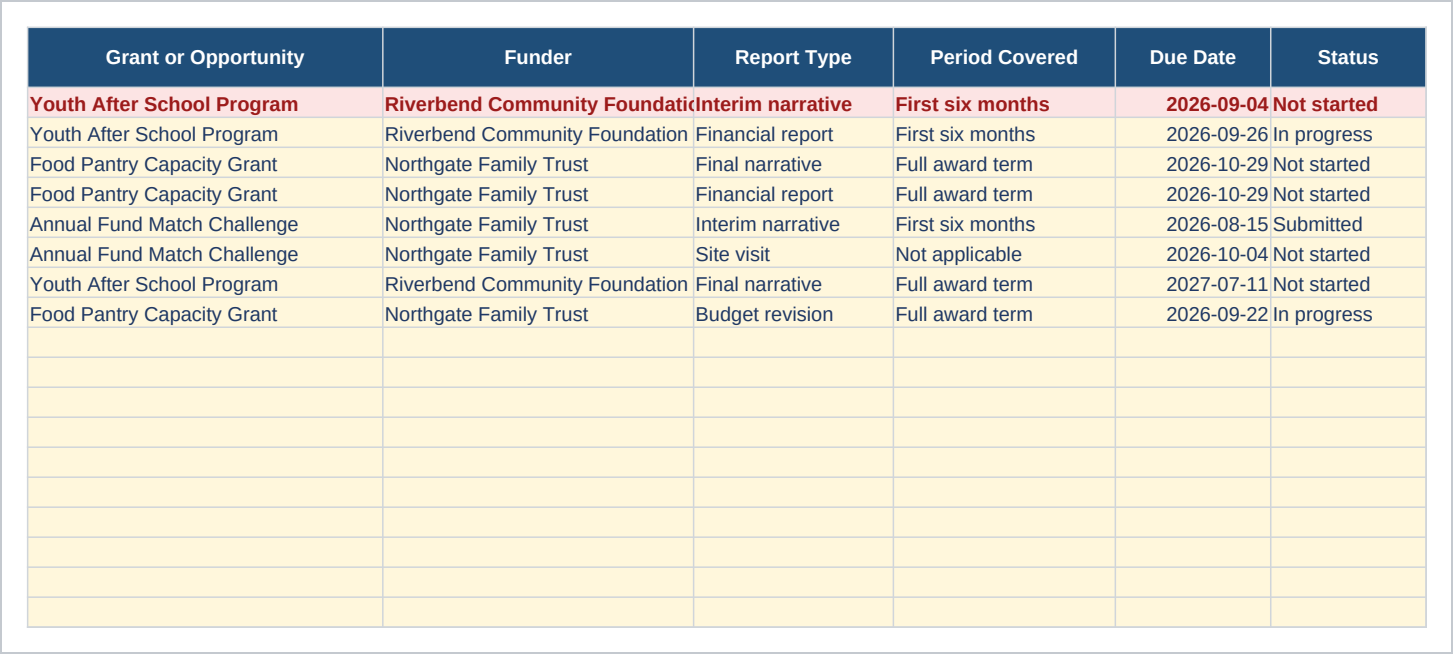
- Report Calendar - One row per report due. Interim, final, financial, budget revision, site visit and other, each with a due date, a status and a link back to the grant it belongs to.
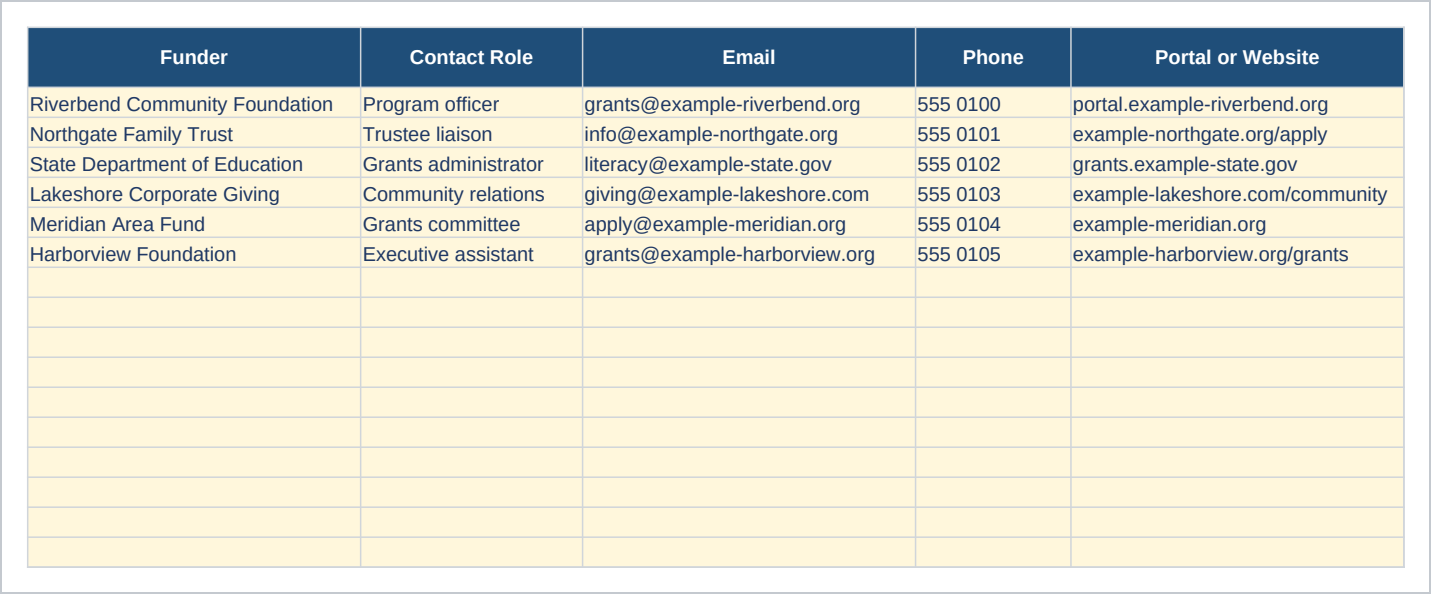
- Funder Contacts - The contact role, the portal address, the usual deadline and the usual grant range, so next cycle does not start with a hunt through old email.
- Lists - The words the dropdowns use, so two people on the same team record a stage the same way.
The file opens on the Start Here sheet. Ten example grants are already in the pipeline, so the dashboard shows real totals before you type anything; the guide says which cells to clear when you put your own in. Every formula uses only functions that work the same way in Excel and in Google Sheets, and the Start Here sheet gives the import steps.
Who it is for
A development coordinator, an executive director who also writes the grants, or a part time grants consultant, at a nonprofit making three to forty applications a year with one to three people touching them. Above that a team needs a database with permissions per user, and this is a spreadsheet.
What it is not
This is not grant management software and it is not a donor database. It does not connect to a funder portal, fill in an application, or send you a reminder by email. Nothing here is automated: the warning colors appear when you open the file, because that is when the dates are worked out. You enter the grants, the amounts and the report dates, and you keep them current. It does not track individual donors or gifts, and it holds no accounting ledger, so it will not reconcile to your books.
Refunds
Refunds within 30 days, for any reason. Reply to your receipt and the payment goes back in full. You keep the files; there is nothing to return.