Trades and contractors
Job Costing Workbook for Contractors, Budget Against Actual, Excel
A cost log and a job list that roll up into cost to date, payment and percent of contract used for every job you run at once.
Refund policy
Refunds within 30 days, for any reason. Reply to your receipt and the payment goes back in full. You keep the files; there is nothing to return.
$29
Request to buyThis is not a checkout. It opens an email to the shop, which replies with a payment link. No mail app? Write to hello@wedgepress.com.
What it looks like
What it does
What you get
- An Excel workbook with five working sheets: Setup, Jobs, Costs, Job Detail and Dashboard.
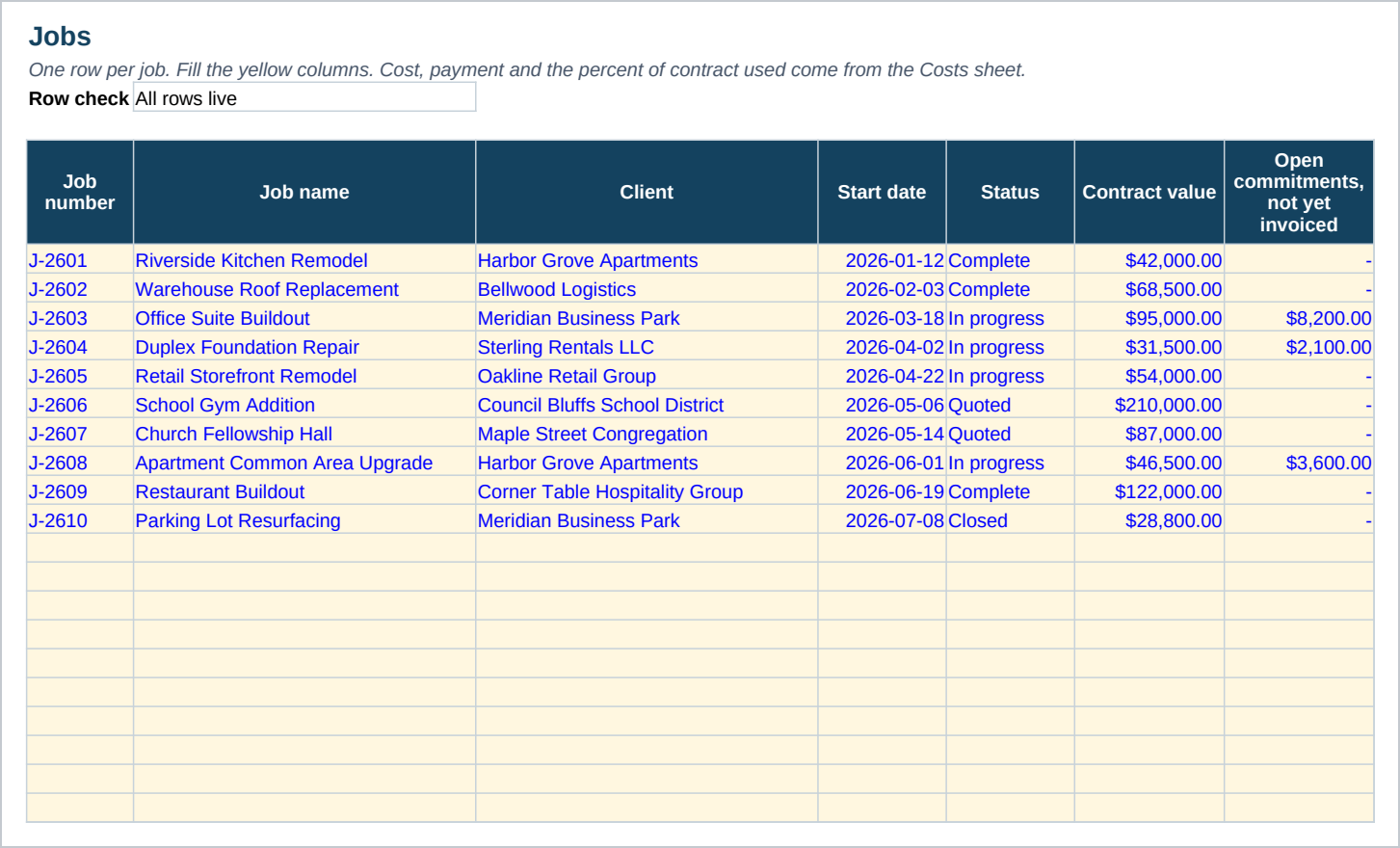
- A Jobs sheet with room for forty jobs, each one showing cost to date, paid, unpaid, remaining against contract and percent of contract used.
- Budget against actual on the same Jobs sheet: an estimated cost you set when the job is bid, a variance against what it has actually cost, and a percent of that estimate used, plus change orders that adjust the contract value they are checked against.
- A Costs sheet with room for two hundred cost entries, split by five cost types and ten categories you can rename.
- A red warning cell on any job at or over a threshold you set, default ninety percent of contract value.
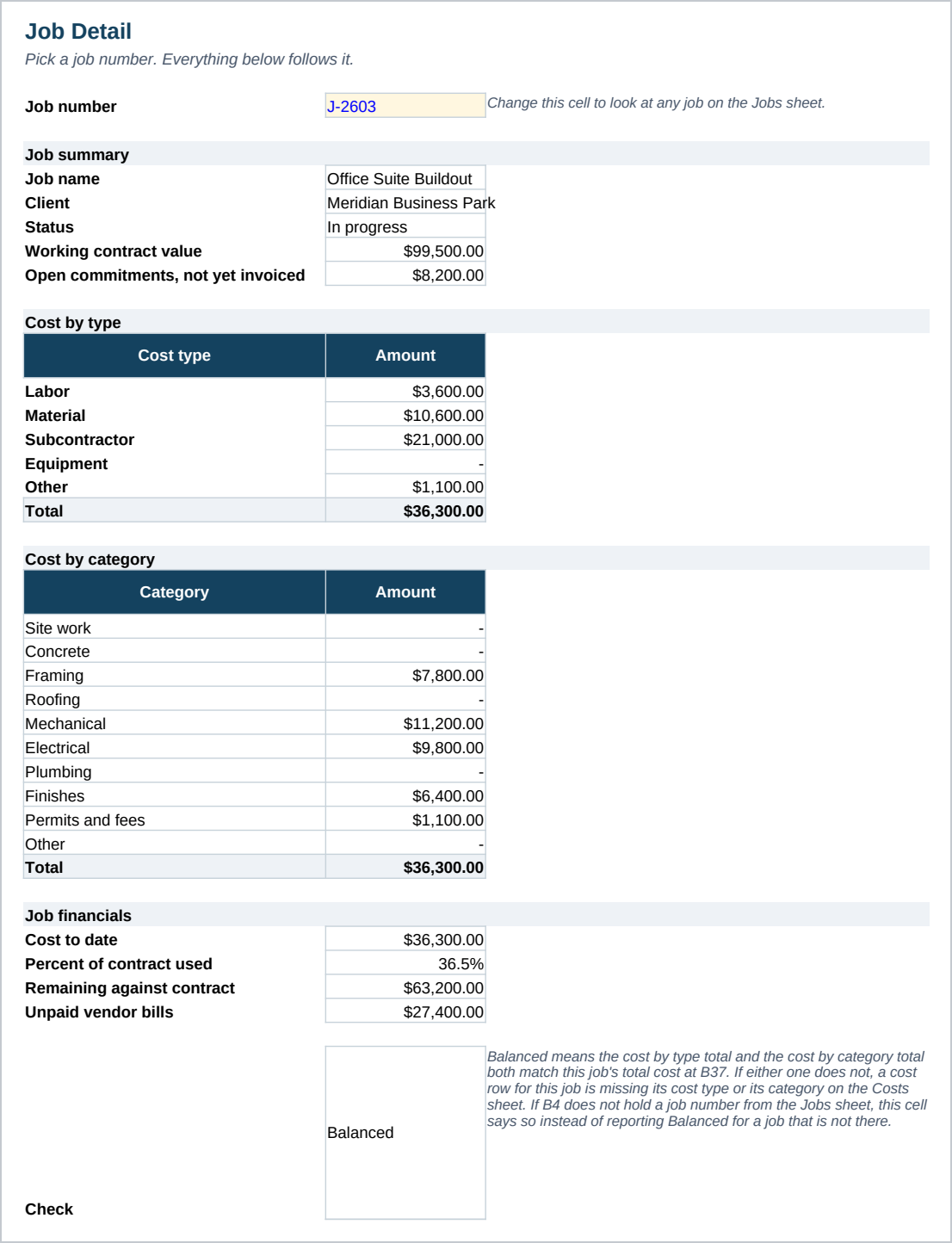
- A Job Detail sheet that breaks one chosen job down by cost type and by category, with a check cell that flags the totals if any of them ever stop matching the job's real cost.
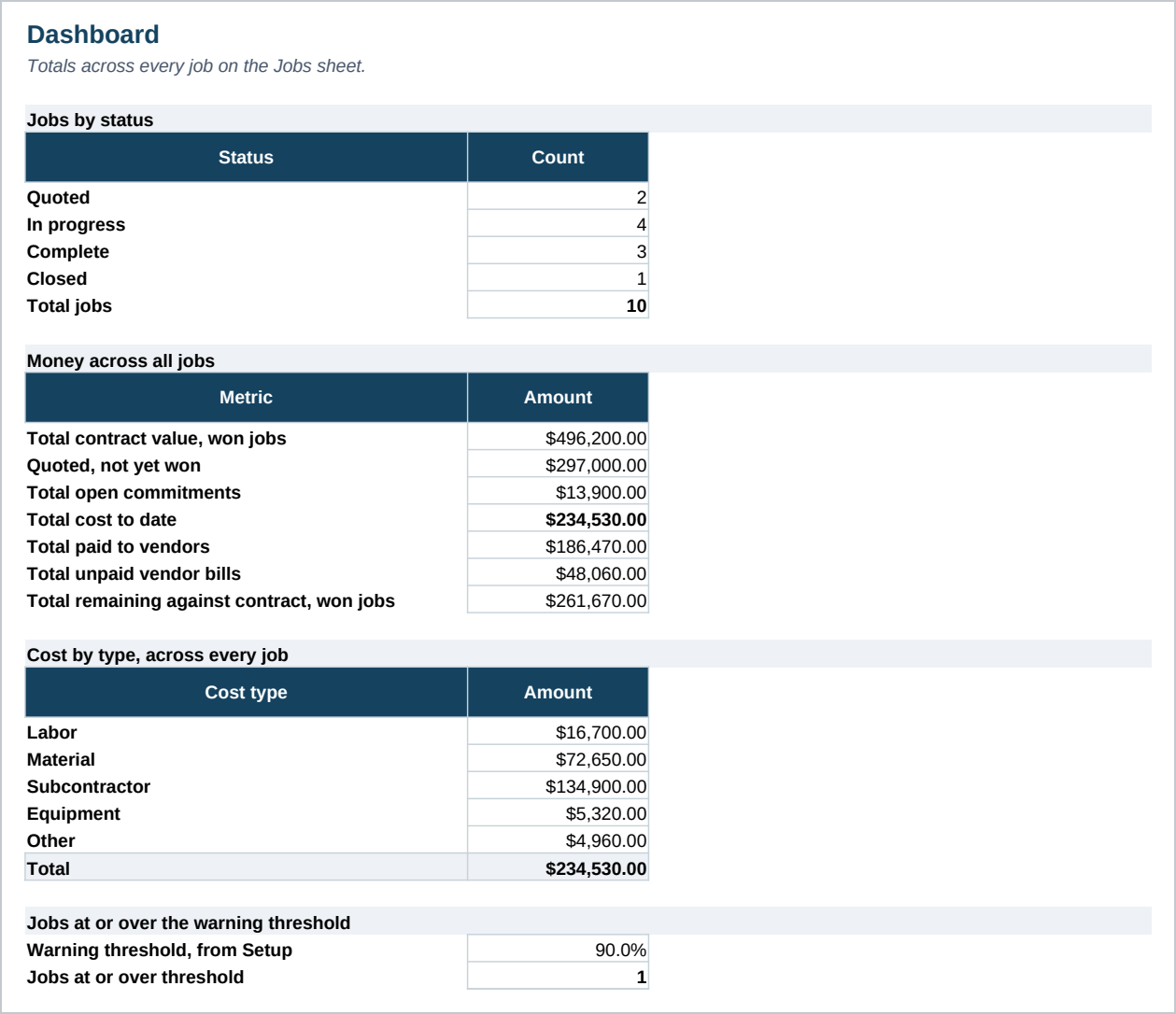
- A Dashboard with job counts by status, totals for contract value split into won and quoted work, cost, payment and cost by type, and a count of jobs over threshold.
- Ten sample jobs and thirty seven sample cost rows already filled in, so every formula is visible before you clear it.
- A Start Here guide with the steps and the Google Sheets import.
Who it is for
- General contractors and trade shops running up to forty jobs at a time.
- Anyone tracking job cost in a notebook, a stack of invoices, or a spreadsheet rebuilt from scratch each month.
- A shop that wants to see cost against contract value without opening an accounting system.
What it is not
- Not accounting software. It does not connect to your bank, run payroll or post to a ledger.
- Every money column here is money going OUT to vendors and subcontractors. Paid to vendors, Unpaid vendor bills and Open commitments are all costs on your side of the job. This file never tracks what a client owes you.
- Not invoicing software. It records what a job cost, not what you billed for it.
- No automatic import from a bank, a card or a supplier. Every cost row is typed in by hand.
- No macros and no add ins. It is a plain workbook, which is why it opens in Google Sheets.
Refunds
Refunds within 30 days, for any reason. Reply to your receipt and the payment goes back in full. You keep the files; there is nothing to return.