Invoice Tracker with Receivable Aging, Google Sheets and Excel
A spreadsheet that logs invoices you have already sent and sorts what is still owed into 30, 60 and 90 day aging buckets.
Refund policy
Refunds within 30 days, for any reason. Reply to your receipt and the payment goes back in full. You keep the files; there is nothing to return.
$19
Request to buyThis is not a checkout. It opens an email to the shop, which replies with a payment link. No mail app? Write to hello@wedgepress.com.
What it looks like
What it does
What you get
Six connected sheets in one file, built in Excel and made to import into Google Sheets:
- Start Here - Instructions, the color key, the import steps and the license.
- Setup - Business name, the report date every aging figure reads, your usual
terms, and the follow up threshold in days.
- Clients - Client names and default terms behind the Invoices dropdown.
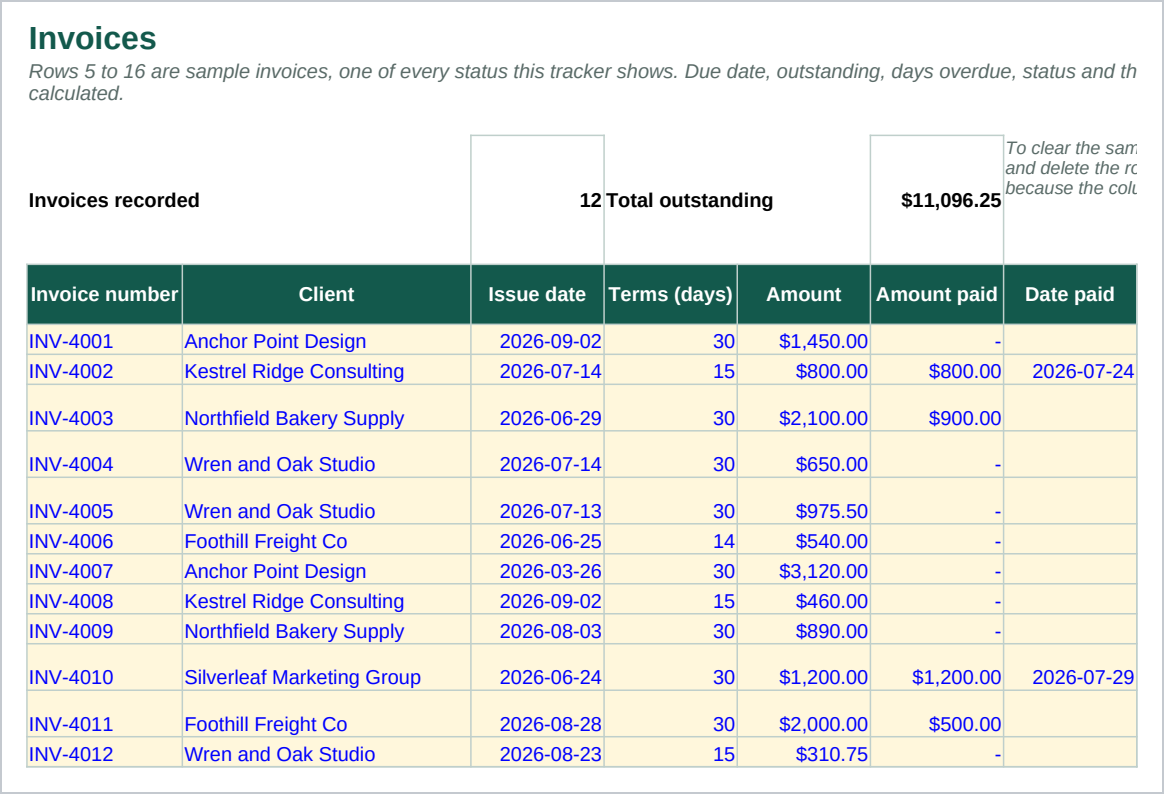
- Invoices - 500 rows: invoice number, client, issue date, terms, amount, amount
paid, date paid and notes, with due date, outstanding, days overdue, status and aging bucket worked out for you.
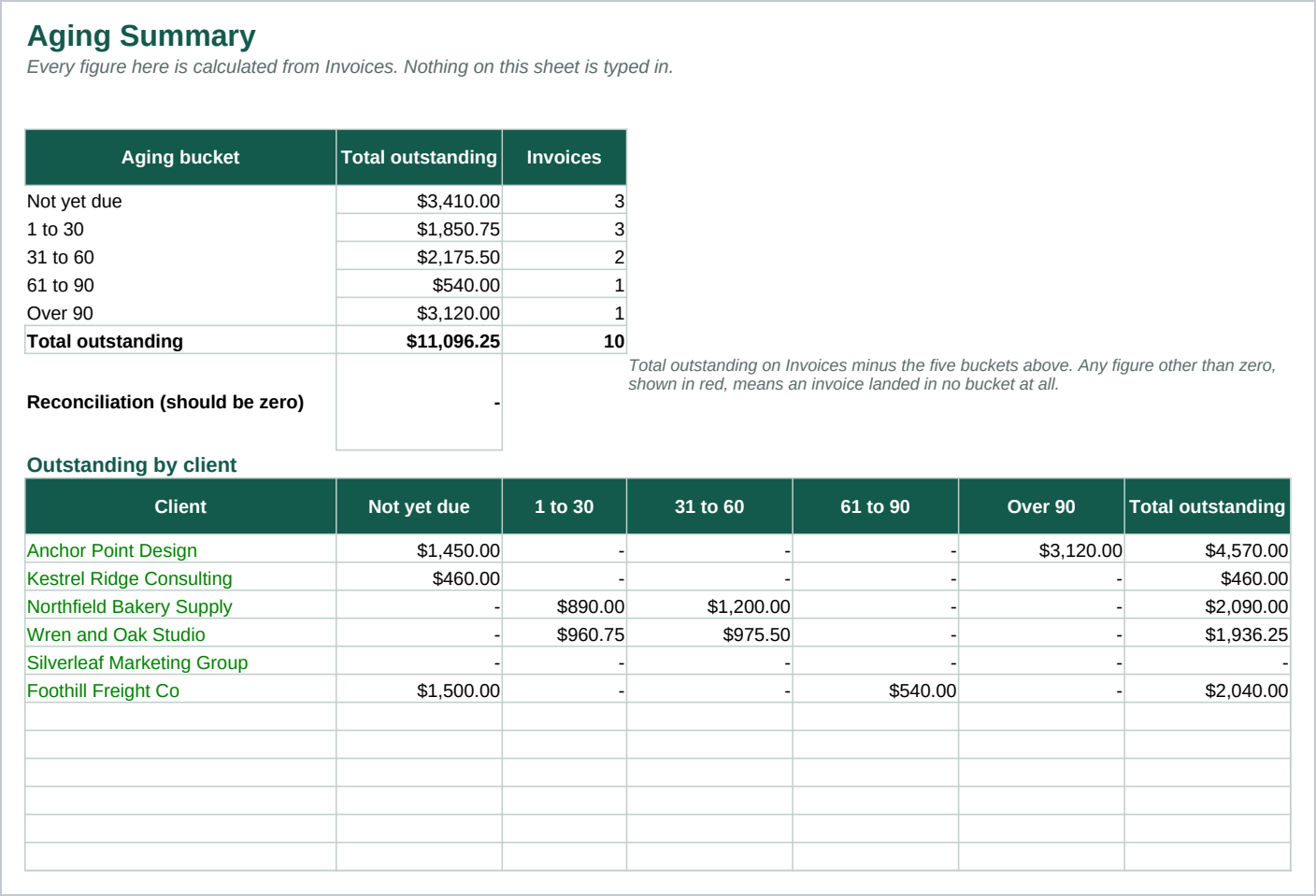
- Aging Summary - Outstanding across five aging bands, not yet due through over 90
days late, in total and by client, with a reconciliation check.
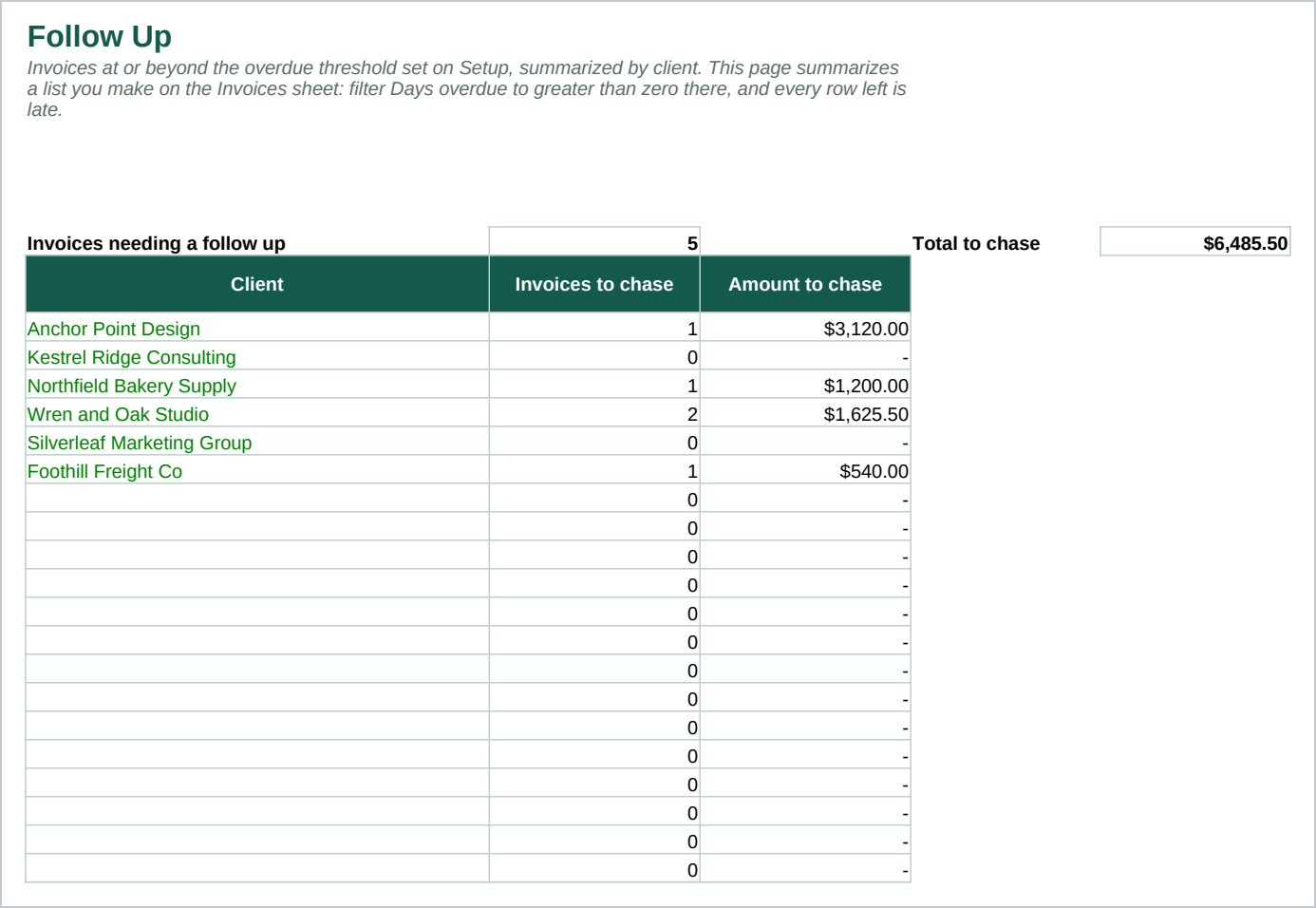
- Follow Up - A count and a total of what needs chasing, by client, built with
COUNTIFS and SUMIFS rather than a filtered list.
A plain invoice list tells you what you billed and whether it is paid. This adds the aging view: which invoices are 1 to 30, 31 to 60, 61 to 90 or over 90 days late, and what each client owes in total. That view, and the balance by client, is what a plain list does not have.
Every calculated figure is a formula, not a typed in number, so it moves the moment you edit a row: 2,727 of them, built only from functions that work the same way in Excel 2016 and later and in Google Sheets.
Who it is for
A freelancer or small service business that sends its own invoices and wants to see, at a glance, which are unpaid and how late each one is. It fits a business invoicing a handful of repeat clients, with up to a few hundred invoices a year.
It is not for a business wanting a tool that creates or emails invoices for it, or one wanting its payments reconciled without typing anything in. If either is what you are after, this is the wrong file.
What it is not
This is not accounting software, and it does not connect to a bank, a card, or any payment service. Buy that instead if that is what you want.
It does not create or send invoices. It records invoices you have already sent from wherever you send them now; it does not know about one until you type it in.
It sends nothing and chases nobody. Follow Up only totals what is already recorded here; no message goes out and no client is contacted.
It makes no promise about payment timing: it records what you type and sorts it by how late it is, nothing more. It calculates no tax and gives no tax, legal or accounting advice.
Refunds
Refunds within 30 days, for any reason. Reply to your receipt and the payment goes back in full. You keep the files; there is nothing to return.