Fundraising Event Budget and Sponsor Tracker, Excel
Seven connected sheets that plan an event's budget, track every sponsor from pledge to payment, and show what the event returned once every cost was counted.
Refund policy
Refunds within 30 days, for any reason. Reply to your receipt and the payment goes back in full. You keep the files; there is nothing to return.
$24
Request to buyThis is not a checkout. It opens an email to the shop, which replies with a payment link. No mail app? Write to hello@wedgepress.com.
What it looks like
What it does
What you get
One Excel workbook with seven sheets:
- Start Here - How to use it, in eight steps, inside the workbook.
- Settings - Event name, date, ticket price and expected attendance. Four cells the summary reads from.
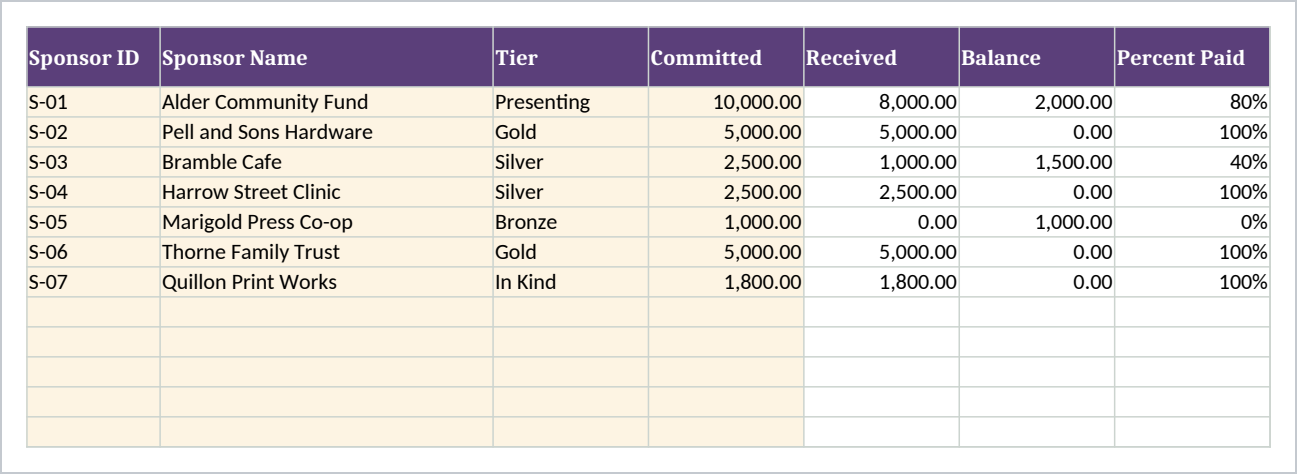
- Sponsors - Tier, amount committed, contact, benefits delivered. Amount received, balance, percent paid and status work themselves out.
- Income - One row per amount as it arrives: sponsorship, tickets, auction, raffle, donations.
- Expenses - One row per cost, with budgeted and actual side by side and the variance calculated.
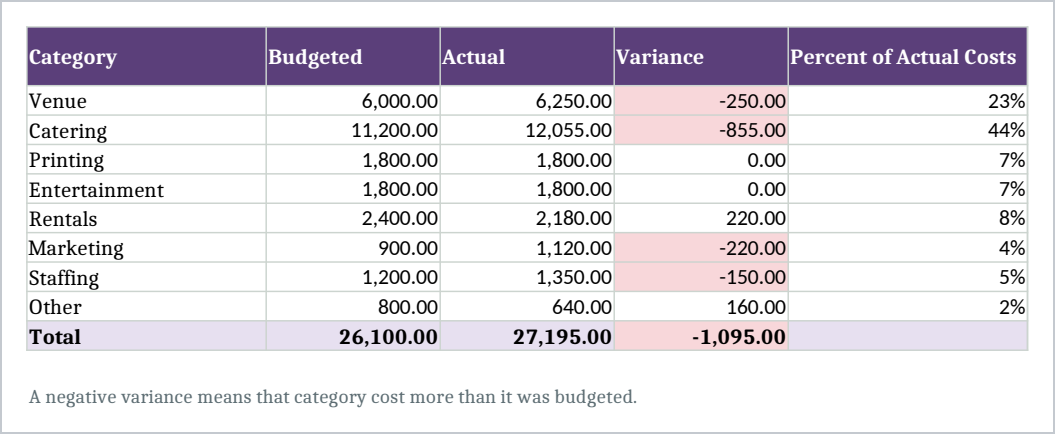
- Budget Summary - All eight expense categories, budgeted against actual, with each category's share of the real cost.
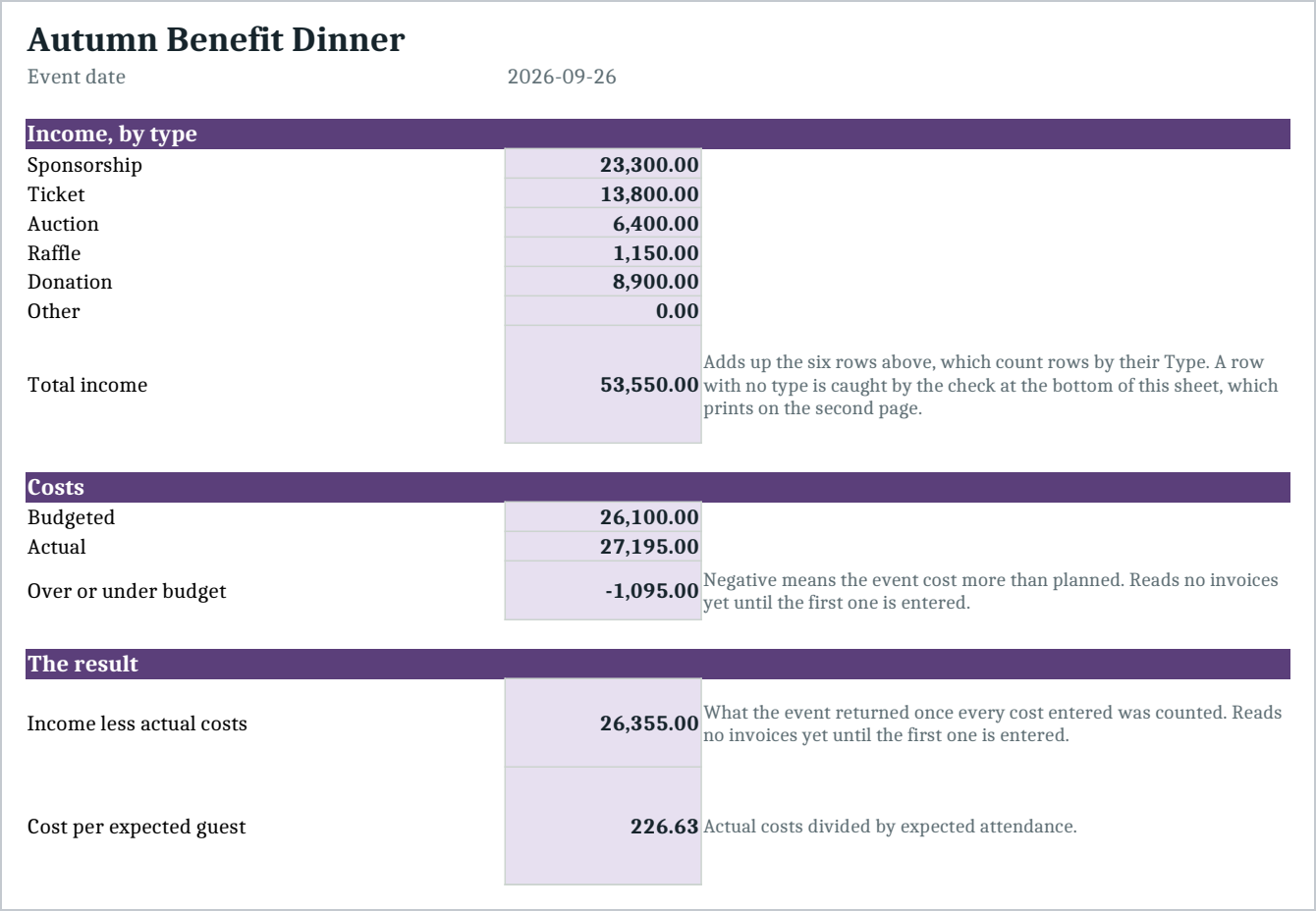
- Event Summary - Income by type, costs, the result, cost per expected guest, the ticket count that covers costs, and the sponsor gap.
You fill in the budget before the event and the actual numbers as invoices arrive. Every total is a formula, so nothing is a number somebody typed in and hoped stayed right. The file arrives with a complete sample event so you can see it working before you put your own numbers in.
It also keeps two things apart that most committees keep in one column: sponsorship committed and sponsorship received. The gap between them is shown on the summary sheet, and any sponsor who has paid less than they promised is marked Short.
Sponsors holds 60 rows, Income 300 and Expenses 200, which is far more than one event needs. Every sheet has a print area set, and the summary carries four check rows that should always read zero, including one that tells you if you have typed past the end of a sheet.
Who it is for
A small nonprofit or a volunteer committee running one or two events a year, where the budget currently lives in somebody's head and three different documents. It suits a gala, a dinner, an auction night or a community fundraiser with up to a few hundred guests and up to about sixty sponsors.
It is not built for an organization that already runs a dedicated event platform, and it will feel thin next to one.
What it is not
This is not ticketing software. It does not sell tickets, take payments, check guests in or run an auction. There is no guest list, no table seating, no name badges and no email.
It is not accounting software and it does not do fund accounting. If the event money sits in a restricted fund, that belongs in your books rather than here.
It knows nothing until you type it. What the summary shows is a summary of what is in the file, so it is only ever as complete as the Expenses sheet you keep.
You need Excel, or Google Sheets, to open it. Import instructions for Google Sheets are in the guide.
Refunds
Refunds within 30 days, for any reason. Reply to your receipt and the payment goes back in full. You keep the files; there is nothing to return.