Etsy and Shopify Seller Fee and Profit Tracker, Google Sheets
A place to log the orders you already made on Etsy and Shopify and see what each one actually kept, after the marketplace's fees, your shipping cost and your cost of goods.
Refund policy
Refunds within 30 days, for any reason. Reply to your receipt and the payment goes back in full. You keep the files; there is nothing to return.
$24
Request to buyThis is not a checkout. It opens an email to the shop, which replies with a payment link. No mail app? Write to hello@wedgepress.com.
What it looks like
What it does
What you get
Six connected sheets, built in Excel and made to import into Google Sheets:
- Start Here - The instructions, the color key, the import steps and the license.
- Setup - Your shop name and the dates these records cover.
- Fee Settings - Etsy and Shopify's rates, one editable row each: listing fee,
transaction fee, payment processing fee, fixed fee per order, and offsite ads where it applies. There is room for five channels in all, so three rows are free for anywhere else you sell.
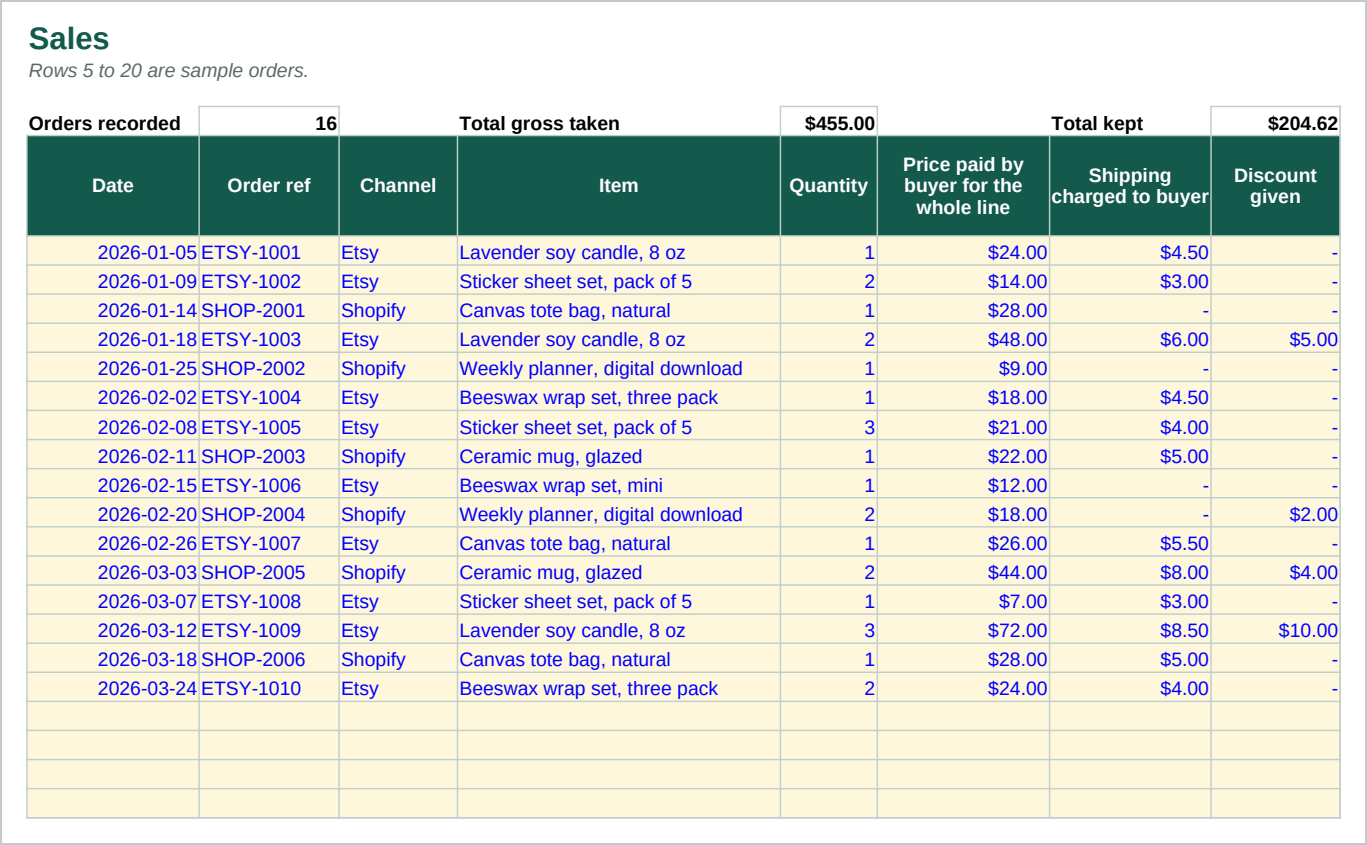
- Sales - 300 rows. One row per order: date, channel, how many units, what the buyer
paid for the whole line, what you charged for shipping, any discount, your cost of goods, and the actual shipping label cost. Gross taken, channel fees, costs, kept, margin and kept per unit calculate for every row.
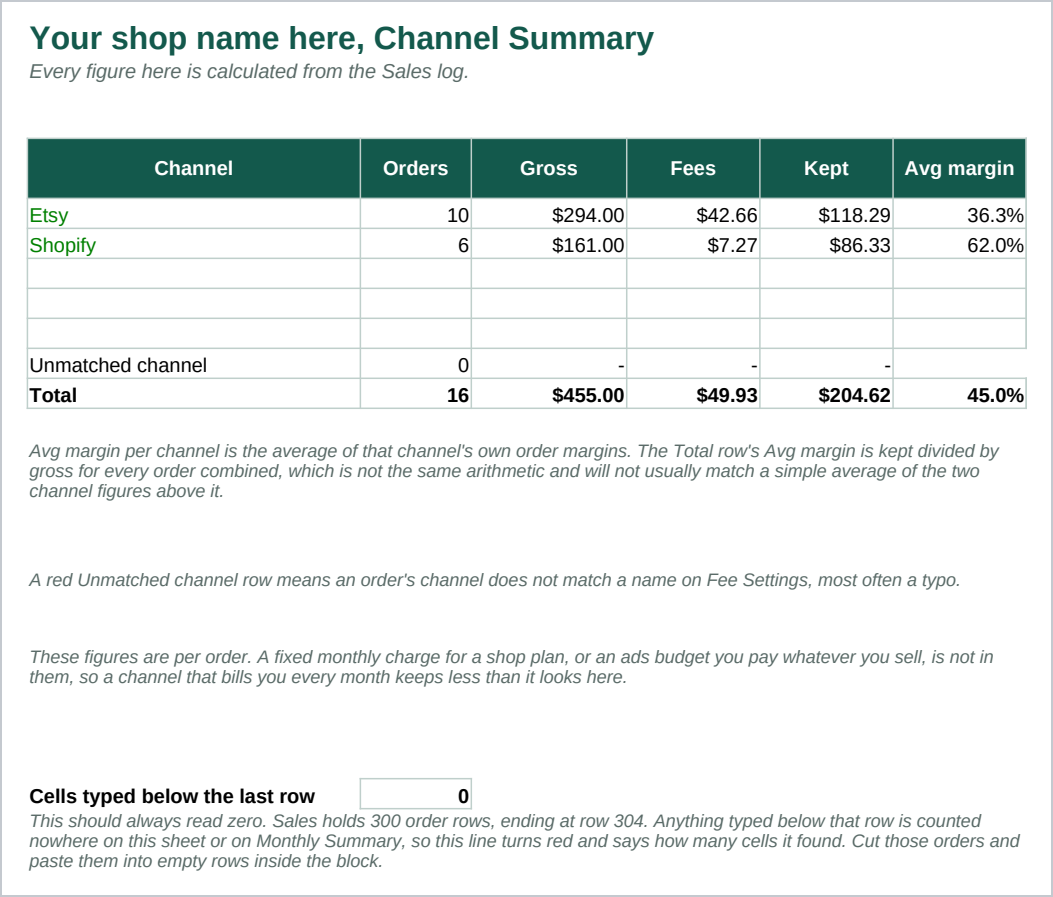
- Channel Summary - Orders, gross, fees, kept and average margin, by channel, with
a chart, so you can see which channel is costing more once its fees are counted.
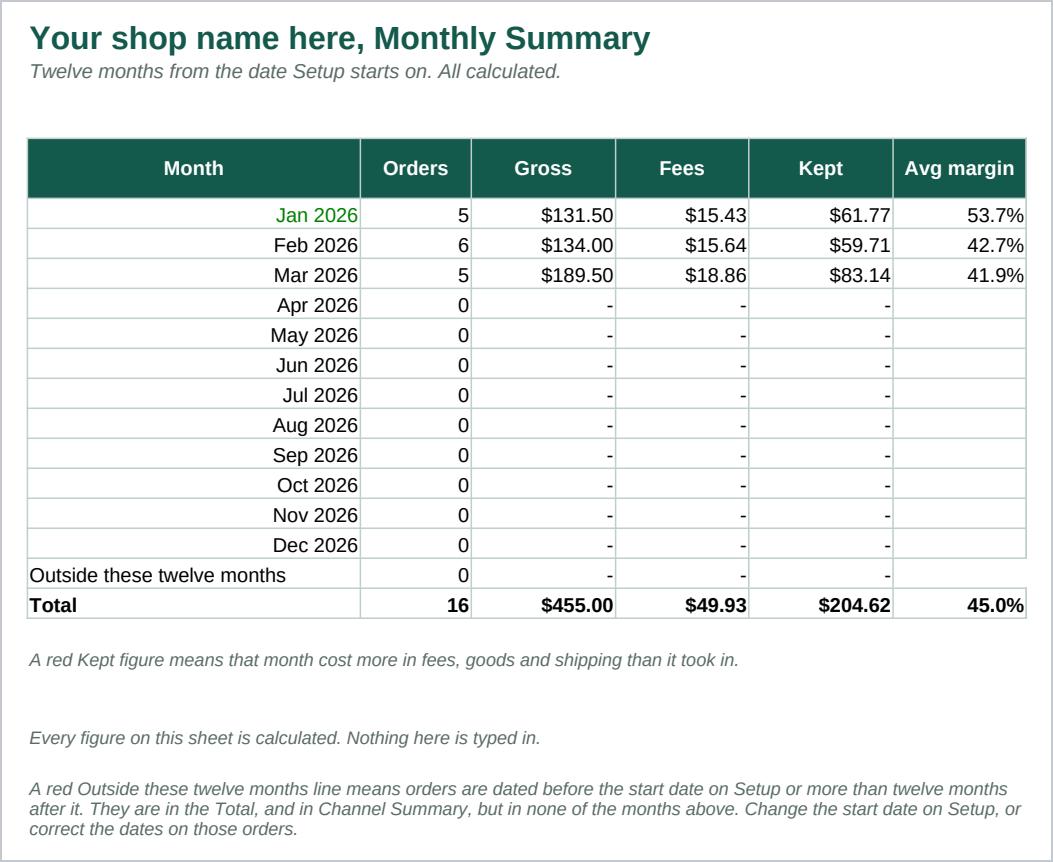
- Monthly Summary - The same figures by month, with a chart, so a trend shows up
rather than one order pulling your attention.
You type each order in as it settles, or paste a batch in from your order history. The fee figures come from Fee Settings by matching the channel name on each row, so a third channel later needs one new row there and nothing else. Over 1,600 formulas, none typed in.
Who it is for
Someone selling physical or digital products on Etsy, Shopify, or both, who wants to know what a sale kept once every fee and cost is counted, not just what it sold for. It suits a shop with up to a few hundred orders in the period you are tracking.
It is not built to price anything. If what you want is help setting a price before you list an item, that is a different question from this one.
What it is not
This is not accounting software, and it is not a pricing calculator. It does not connect to Etsy or Shopify, does not sync with either marketplace, and imports nothing on its own: you type or paste your orders in.
It does not know your real fees. Fee Settings opens with sample rates. Confirm the exact numbers with Etsy and Shopify yourself, because marketplace fees change and this file does not track them.
It does not say what a listing should sell for, and it never suggests a price. It only works out what an order already kept, from the numbers you type in for that order.
It is two files: a spreadsheet and a guide. Nothing runs, nothing updates by itself, and nothing is hosted anywhere.
Refunds
Refunds within 30 days, for any reason. Reply to your receipt and the payment goes back in full. You keep the files; there is nothing to return.