Donor and Pledge Tracker with Lapsed Donor Report, Excel
One workbook for every gift a nonprofit receives and every pledge still being paid off, with a dedicated report for donors who gave last year but have not given yet this year.
Refund policy
Refunds within 30 days, for any reason. Reply to your receipt and the payment goes back in full. You keep the files; there is nothing to return.
What it looks like
What it does
What you get
Seven connected worksheets in one Excel file:
- Start Here - What each sheet does, the steps in order, and how to open the file in Google Sheets.
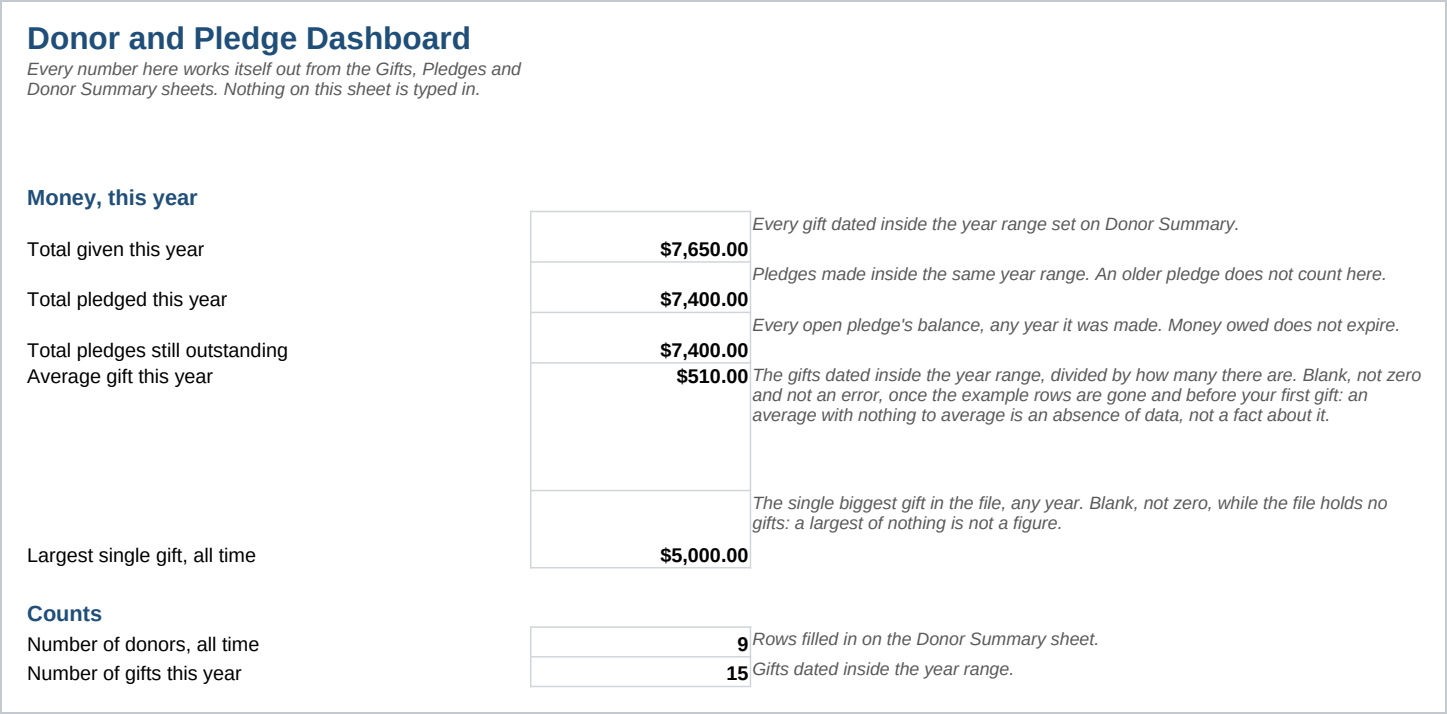
- Dashboard - This year's totals, counts, and a giving level breakdown, worked out from the other sheets. Nothing typed.
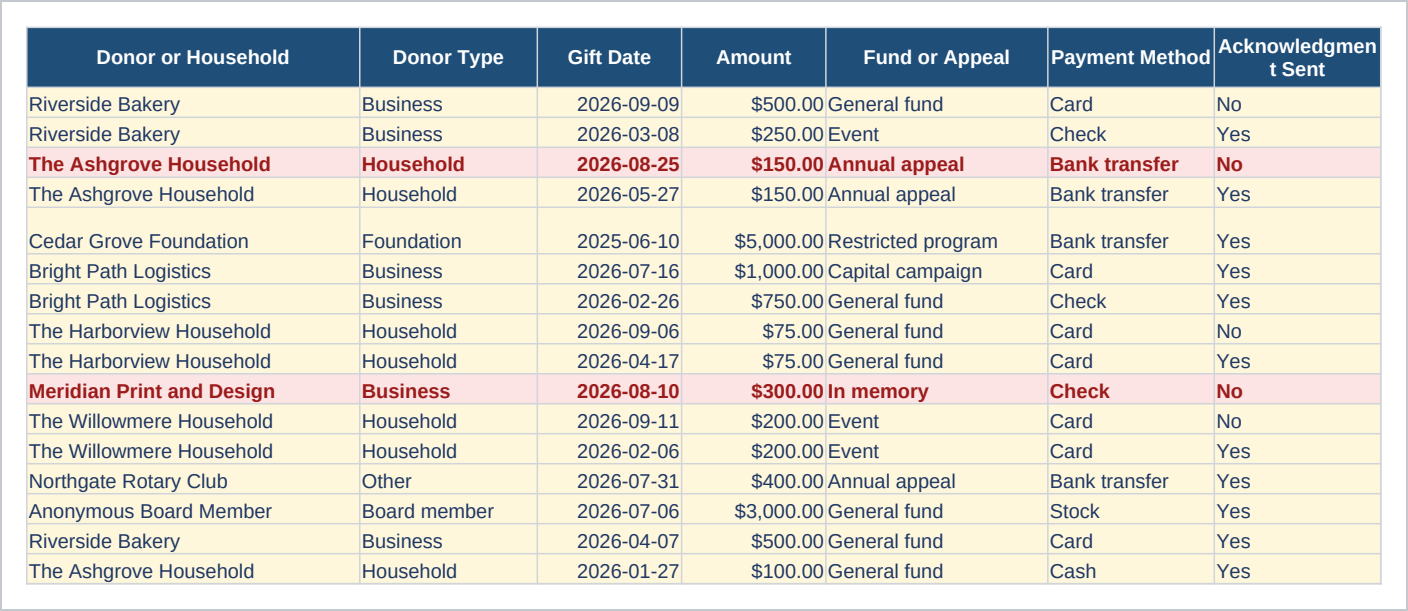
- Gifts - One row per gift received, with the fund, the payment method, and a column that flags a thank you not yet sent.
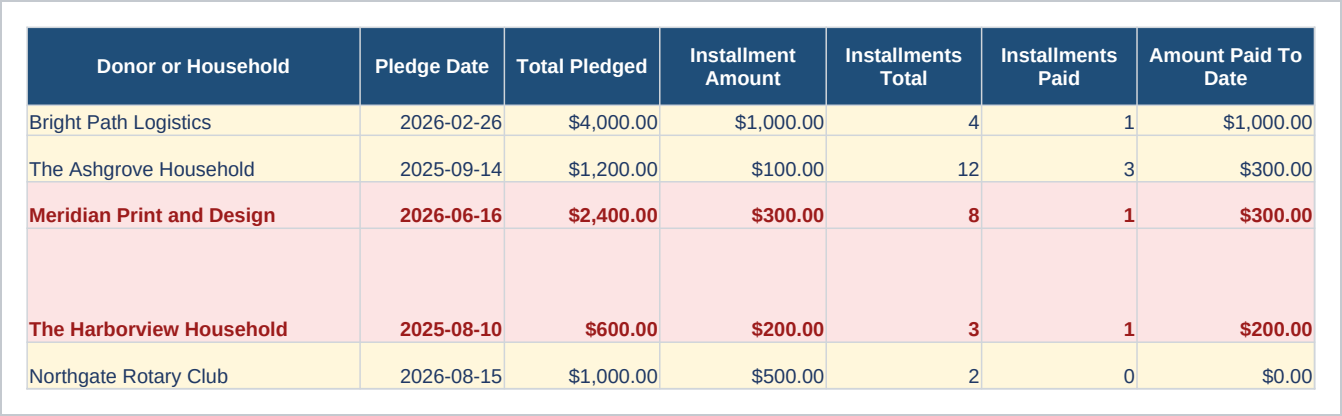
- Pledges - One row per pledge, with installments paid, installments remaining, and a column that adds up gifts from the same donor, under the same fund, dated on or after the pledge date, so what has actually arrived against the promise sits next to what was promised.
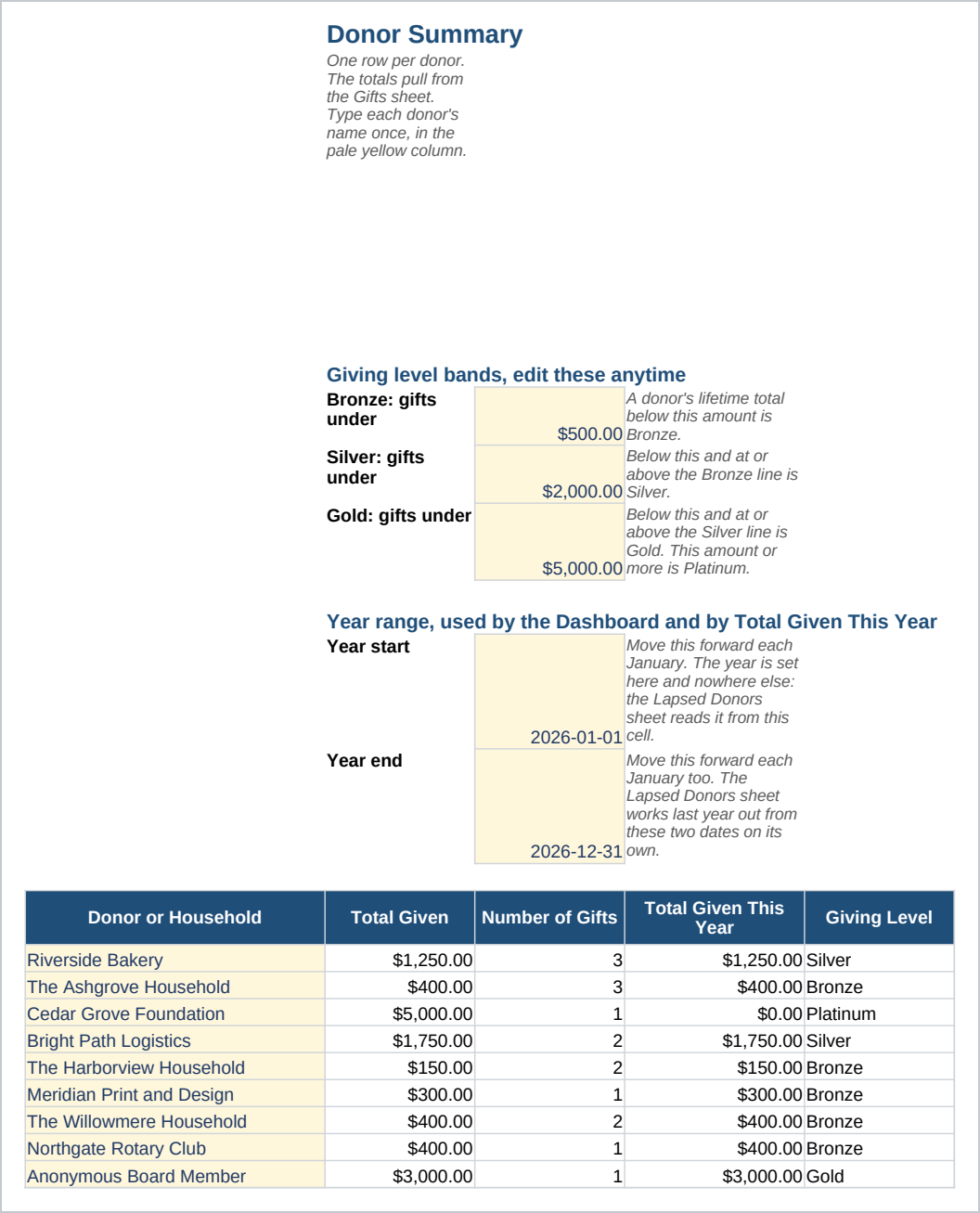
- Donor Summary - One row per donor, with the total given, the number of gifts, and a giving level worked out from bands you can change.
- Lapsed Donors (LYBUNT) - Donors who gave last year but have not given this year, listed by name with last year's total next to this year's. LYBUNT is a fundraising word for exactly that gap.
- Lists - The words the dropdowns use, so two people on the same team record a gift the same way.
Enter a gift as it arrives, log a pledge when a donor commits to installments, and check the Dashboard and the Lapsed Donors sheet on the same day each week.
Who it is for
A development coordinator, a treasurer, or an executive director who also logs gifts, at a nonprofit with up to about fifty donors. It suits an organization with one to three people touching gifts and pledges. Above that, a team usually needs a database with permissions per user, and this is a spreadsheet.
What it is not
This is not donor database software and it does not connect to a payment processor. It does not send a thank you for you, it does not process a card payment, and it does not calculate a tax receipt. Nothing here is automated: the flags and the totals appear because the file works them out when it opens, and you keep every gift and pledge row up to date yourself. It holds no accounting ledger and it will not reconcile to your books. The Lapsed Donors sheet only checks the date ranges you set. It does not know why a donor stopped giving, and it will not contact anyone for you.
Refunds
Refunds within 30 days, for any reason. Reply to your receipt and the payment goes back in full. You keep the files; there is nothing to return.