Trades and contractors
Construction Project Budget Tracker, Budget Against Actual, Excel
One project, one workbook. What you budgeted, what you actually spent, what changed along the way, and what is still owed.
Refund policy
Refunds within 30 days, for any reason. Reply to your receipt and the payment goes back in full. You keep the files; there is nothing to return.
$29
Request to buyThis is not a checkout. It opens an email to the shop, which replies with a payment link. No mail app? Write to hello@wedgepress.com.
What it looks like
What it does
What you get
- An Excel workbook with six working sheets: Setup, Budget, Costs, Change Orders, Dashboard and Cash Flow.
- Twelve cost categories you rename once, which then drive every drop down and every total in the file.
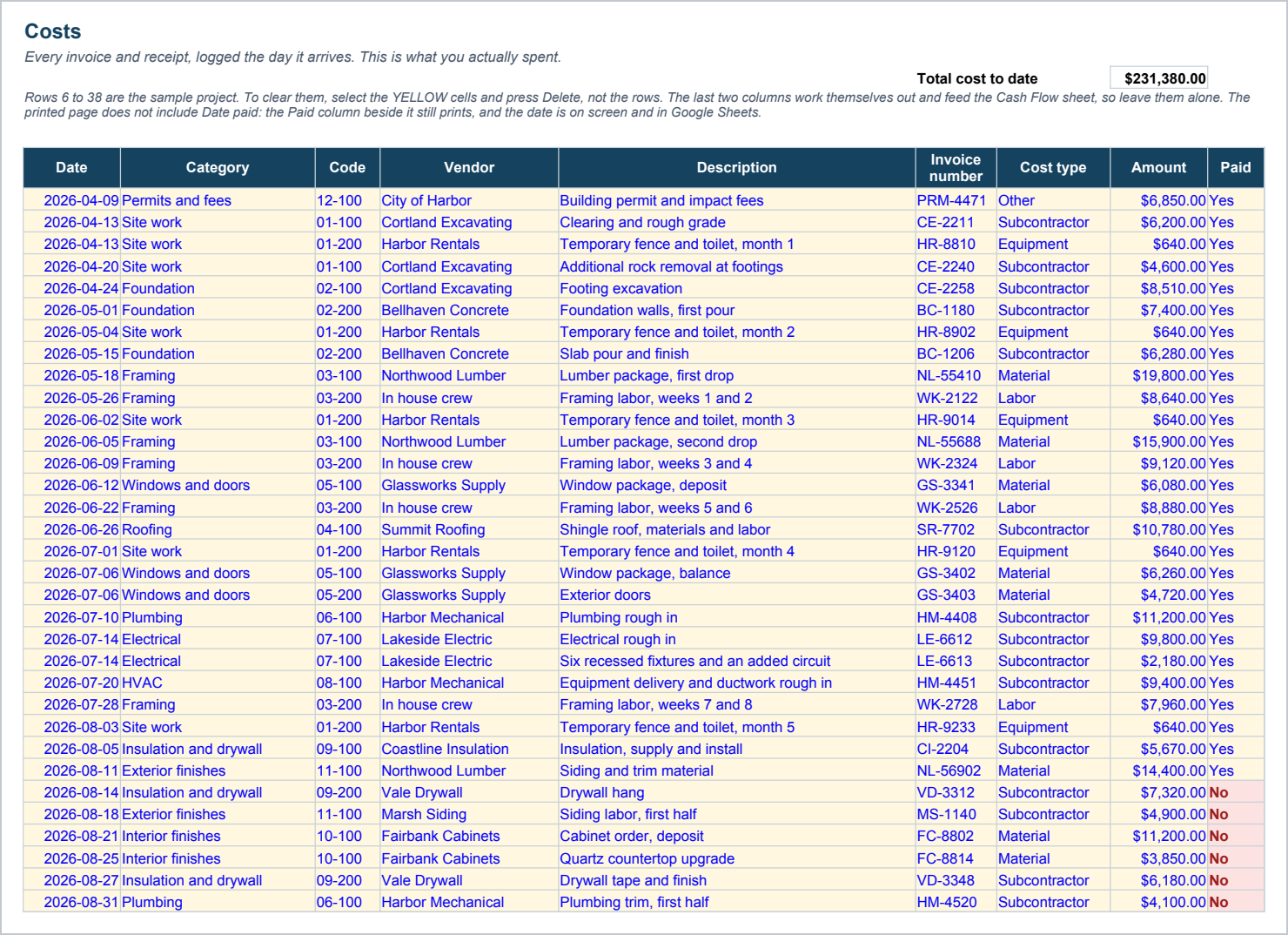
- A budget sheet with sixty line item rows, and a cost log with two hundred, so a whole house fits.
- Change orders kept apart from the budget, split into approved, pending and rejected, so the number you sold is still there at the end of the job.
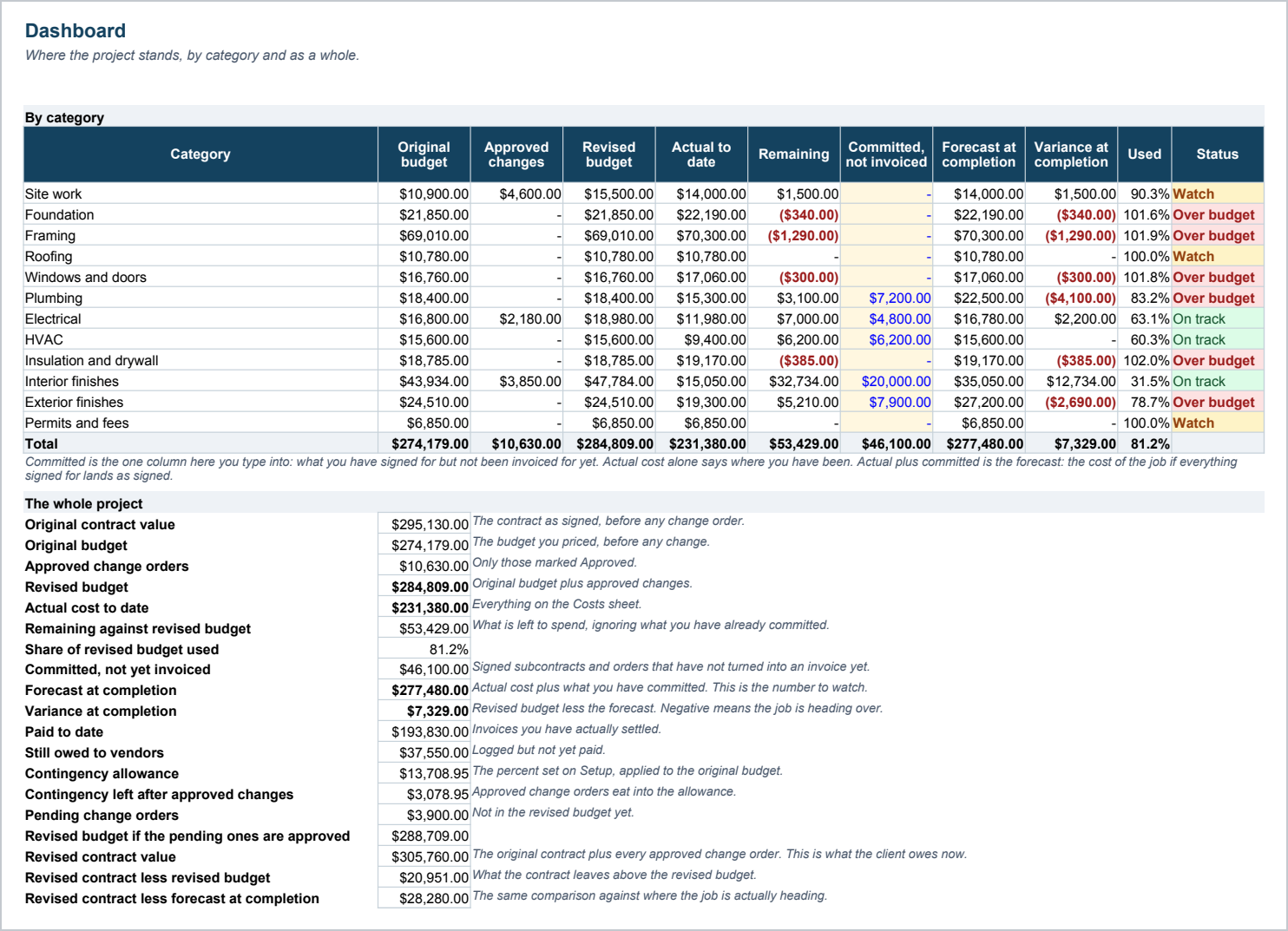
- A dashboard that shows original budget, approved changes, revised budget, actual, remaining and percent used for every category, with an On track, Watch or Over budget flag on each.
- A contingency allowance that shows how much of it the approved change orders have used up.
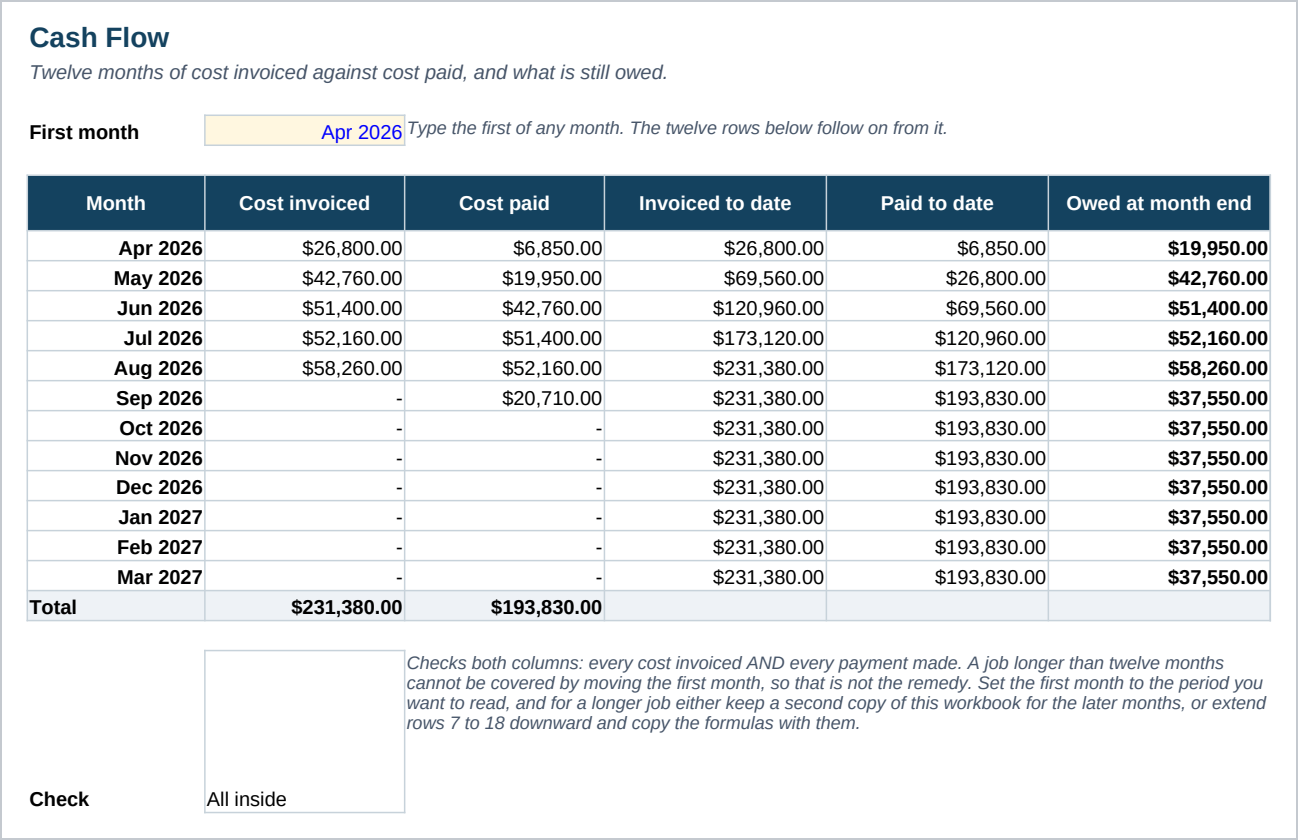
- A twelve month cash flow showing cost invoiced against cost paid, and the balance still owed at each month end.
- A split of actual cost by labor, material, subcontractor, equipment and other.
- A sample new build already filled in, twenty budget lines and thirty three cost rows, so you can see every formula working before you clear it.
- A Start Here guide with the numbered steps and the Google Sheets import.
Who it is for
- A contractor running one larger project at a time.
- An owner builder who is paying the invoices and wants to know where the money went.
- A project manager who has to answer the question of what is left in a category, today.
What it is not
- Not accounting software. It does not connect to your bank, your payroll or your accounting system.
- Not estimating. This tracks a budget you already have. Pricing a job from the takeoff up is a different tool.
- Not a multi job tool. It is built for one project at a time, on purpose, so the dashboard stays readable.
- No macros and no add ins. It is a plain workbook, which is why it opens in Google Sheets.
Refunds
Refunds within 30 days, for any reason. Reply to your receipt and the payment goes back in full. You keep the files; there is nothing to return.