Trades and contractors
Construction Crew Timesheet Template, Excel and Google Sheets
A daily timesheet and a weekly summary that splits every person's hours into regular, overtime and double time, and prices each band at its own rate.
Refund policy
Refunds within 30 days, for any reason. Reply to your receipt and the payment goes back in full. You keep the files; there is nothing to return.
$19
Request to buyThis is not a checkout. It opens an email to the shop, which replies with a payment link. No mail app? Write to hello@wedgepress.com.
What it looks like
What it does
What you get
- An Excel workbook with five working sheets: Setup, Crew, Timesheet, Weekly Summary and Job Labor.
- A Crew sheet for twenty people, each one a base rate and an optional burden override turned into a loaded rate and an overtime rate.
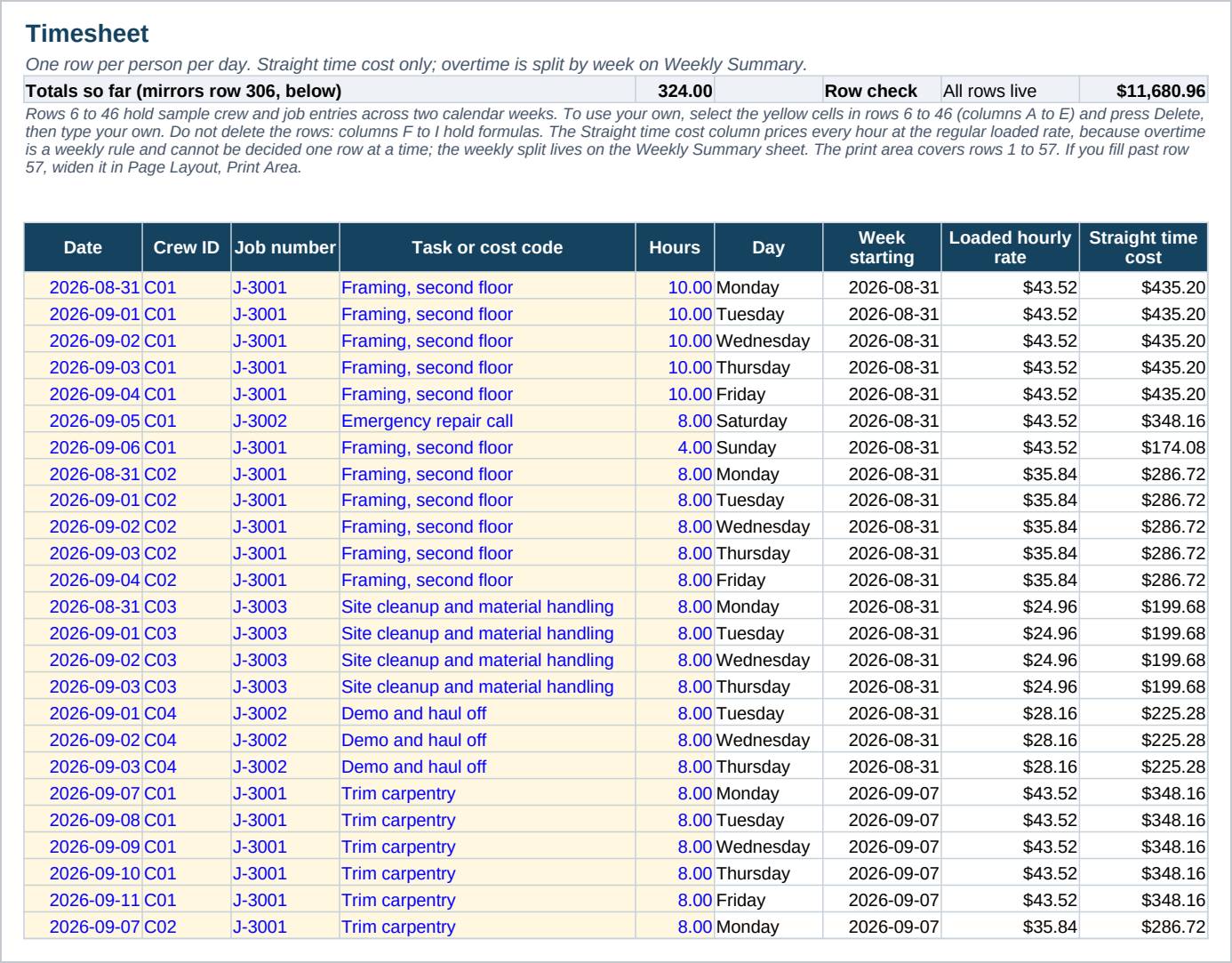
- A Timesheet with room for three hundred rows, one per person per day, priced at straight time.
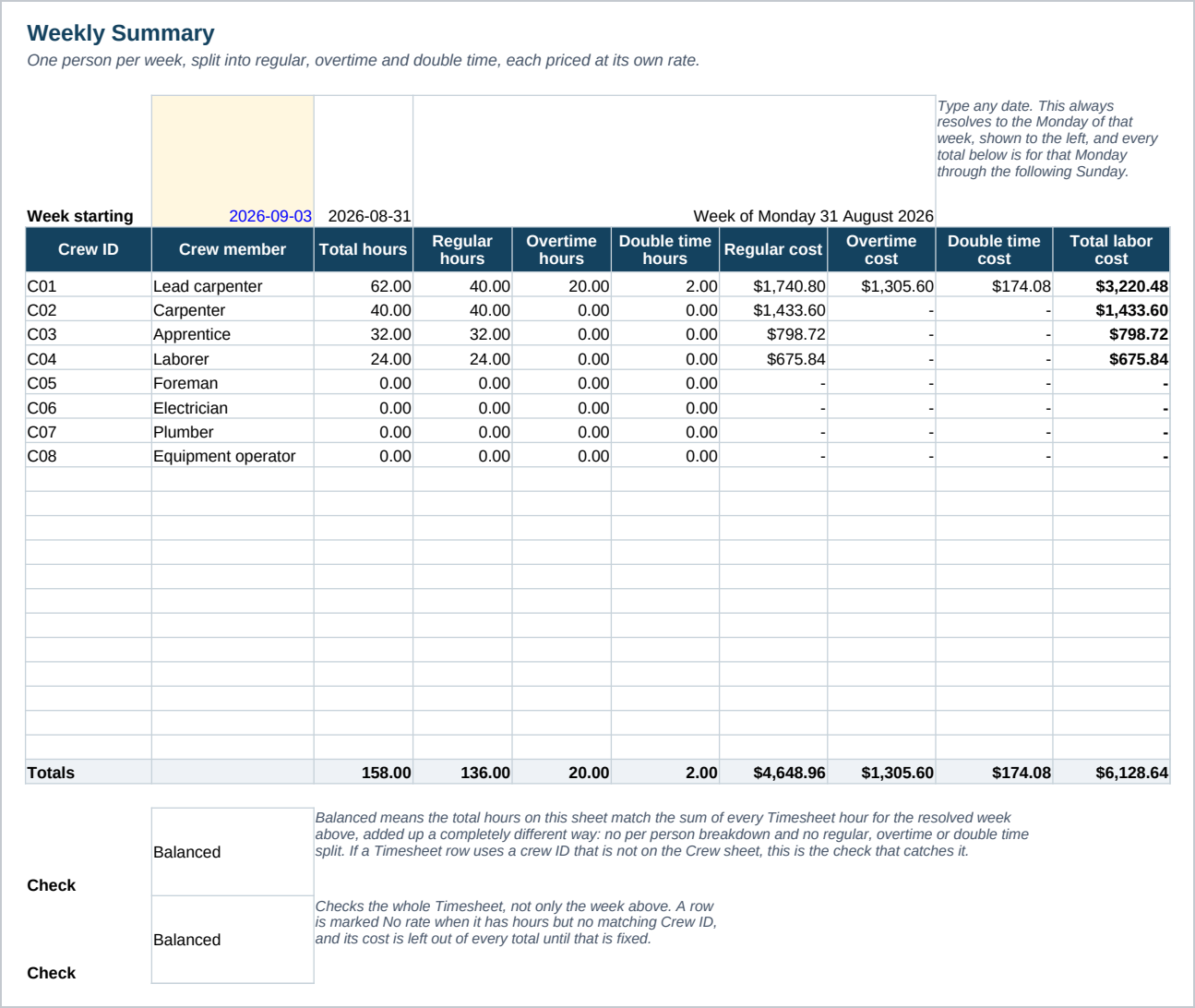
- A Weekly Summary that splits hours at a threshold you set, default forty for overtime and sixty for double time, and costs each band separately.
- A Job Labor sheet that rolls hours and straight time labor cost up by job, pulled straight from the Timesheet. Overtime and double time premium is a weekly rule and is not spread across jobs.
- Eight sample crew role labels and about forty sample Timesheet rows across two weeks, with one person over forty hours so the overtime split has something to show.
- A Start Here guide with the steps and the Google Sheets import.
Who it is for
- Small crew contractors who currently work out overtime by hand at the end of the week.
- A shop with two to twenty people on the payroll who wants labor cost by job without opening a payroll system.
- Anyone rebuilding the same weekly hours sheet from scratch every pay period.
What it is not
- Not payroll software. It does not calculate withholding, file taxes or pay anyone.
- Not a time clock. Hours are typed in, not tracked automatically from a punch in and punch out.
- No state specific overtime rules built in beyond a weekly threshold and a double time threshold, both of which you set yourself.
- No macros and no add ins. It is a plain workbook, which is why it opens in Google Sheets.
Refunds
Refunds within 30 days, for any reason. Reply to your receipt and the payment goes back in full. You keep the files; there is nothing to return.