Trades and contractors
Construction Change Order Log and Approval Form, Excel with PDF
A log that keeps a running record of every change order on a job, and a form that gets signed before the extra work starts.
Refund policy
Refunds within 30 days, for any reason. Reply to your receipt and the payment goes back in full. You keep the files; there is nothing to return.
$19
Request to buyThis is not a checkout. It opens an email to the shop, which replies with a payment link. No mail app? Write to hello@wedgepress.com.
What it looks like
What it does
What you get
- An Excel workbook with four sheets: Start Here, Setup, Change Order Log and Summary.
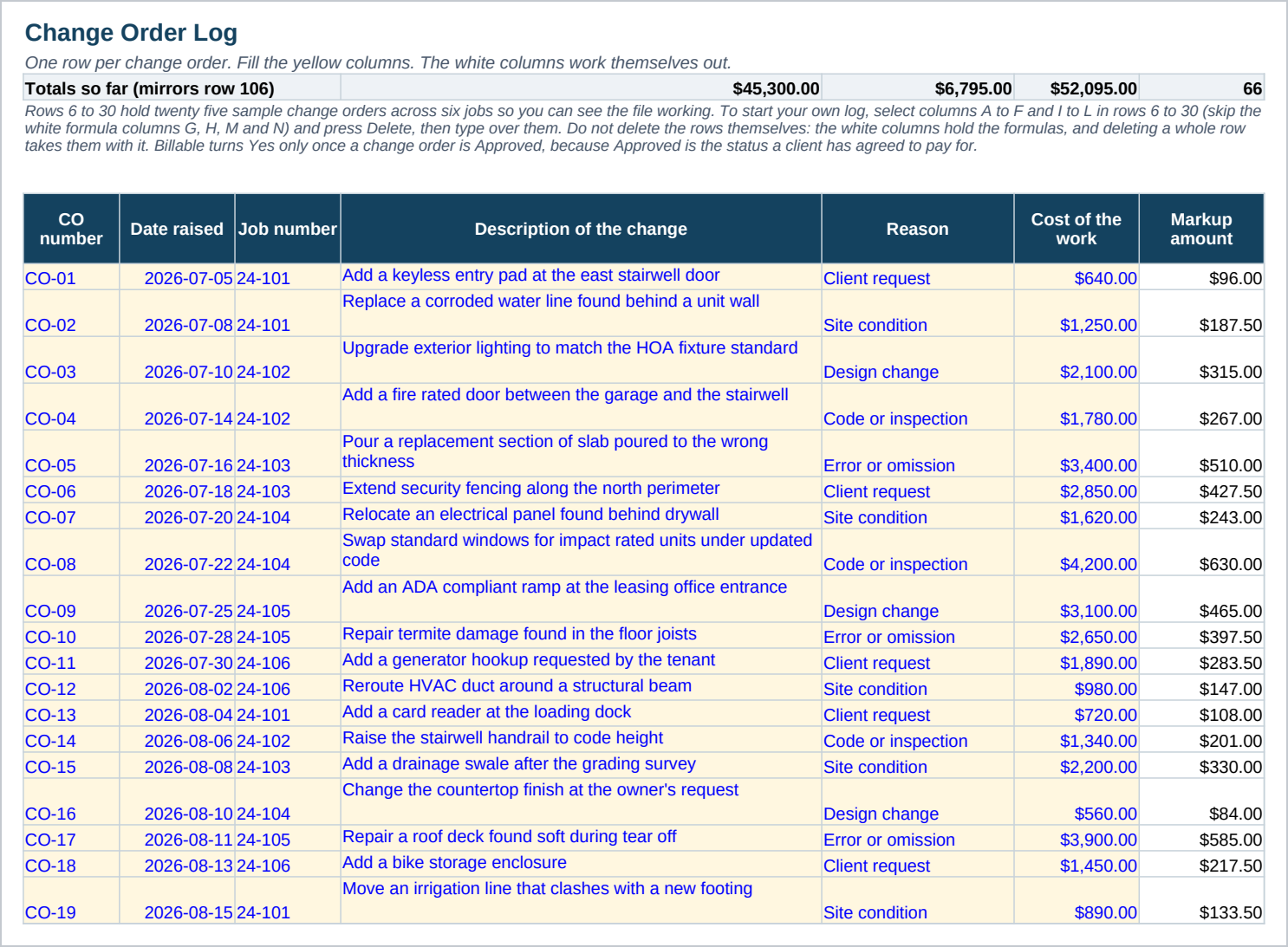
- A log with cost and price kept apart, a markup percent set once on Setup, and a status that moves from Draft to a decision.
- A Days waiting column that counts from the date sent and turns red once a change order has gone two weeks without an answer.
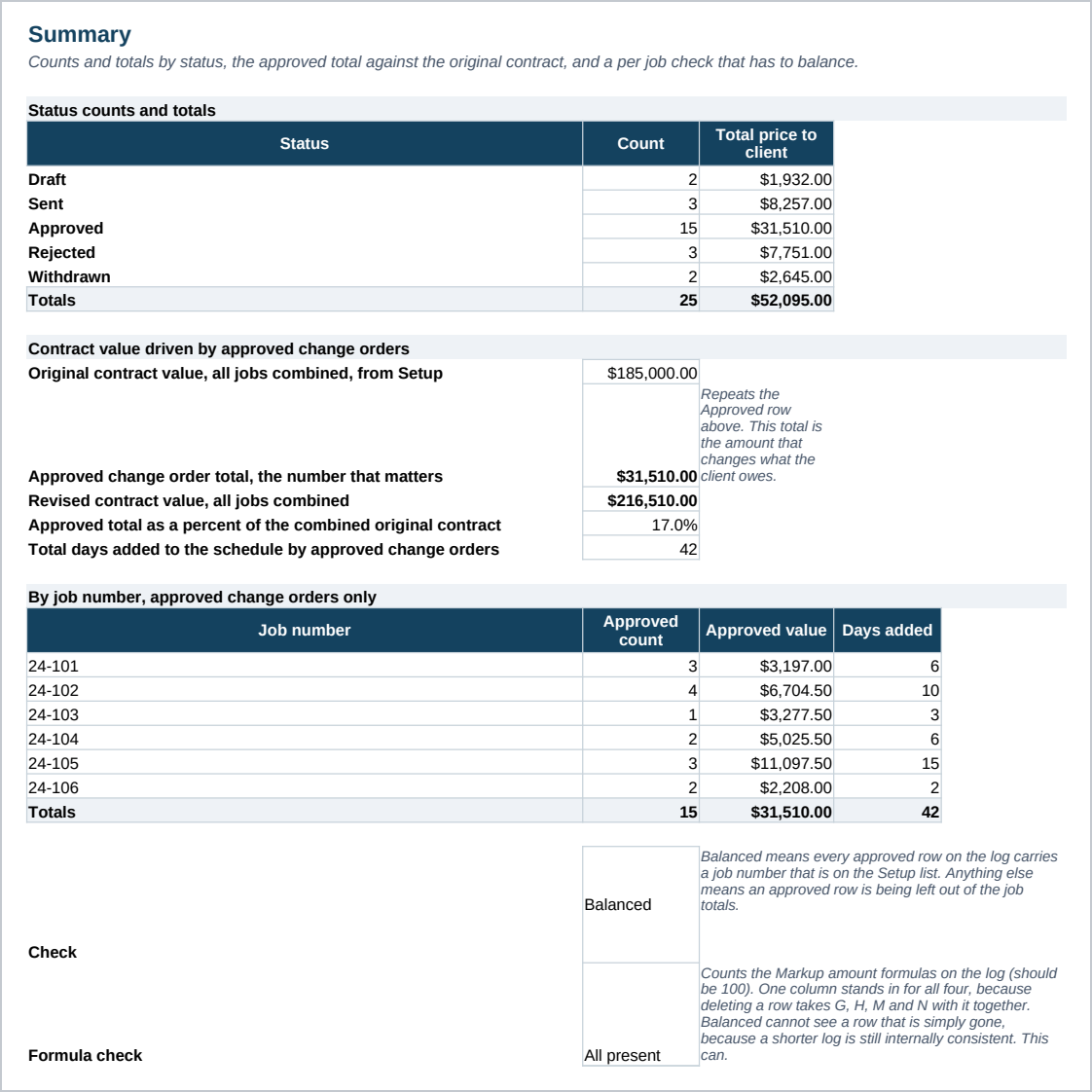
- A Summary sheet with the approved total against the original contract, and a per job check that has to balance.
- A change order PDF: a one page form to fill in and sign, with a description of the change, its effect on the schedule, an item table and two signature blocks, plus a second page of usage notes.
- Twenty five sample change orders across six jobs already filled in, so every formula is working before you clear it.
- A Start Here guide with the numbered steps and the Google Sheets import.
Who it is for
- General contractors and remodelers who agree to extra work on site and need a record of it.
- Small crews running two to six jobs at a time who need one place to see what is approved and what is still waiting.
What it is not
- Not accounting software. It does not connect to your bank, your payroll or your invoicing system.
- Not a contract. The PDF form records a change to a job that already has a signed contract; it does not replace one.
- No client database. The job numbers are yours to name; nobody else's job list fills this in for you.
- No macros and no add ins. It is a plain workbook, which is why it opens in Google Sheets.
Refunds
Refunds within 30 days, for any reason. Reply to your receipt and the payment goes back in full. You keep the files; there is nothing to return.