Clinic Staff Schedule and Wage Calculator, Google Sheets and Excel
A weekly staff schedule and a wage calculator built from the same shift entries, so the schedule and the hours never disagree with each other.
Refund policy
Refunds within 30 days, for any reason. Reply to your receipt and the payment goes back in full. You keep the files; there is nothing to return.
What it looks like
What it does
What you get
Seven connected worksheets in one Excel file:
- Start Here - What each sheet does, the steps in order, and how to open the file in Google Sheets.
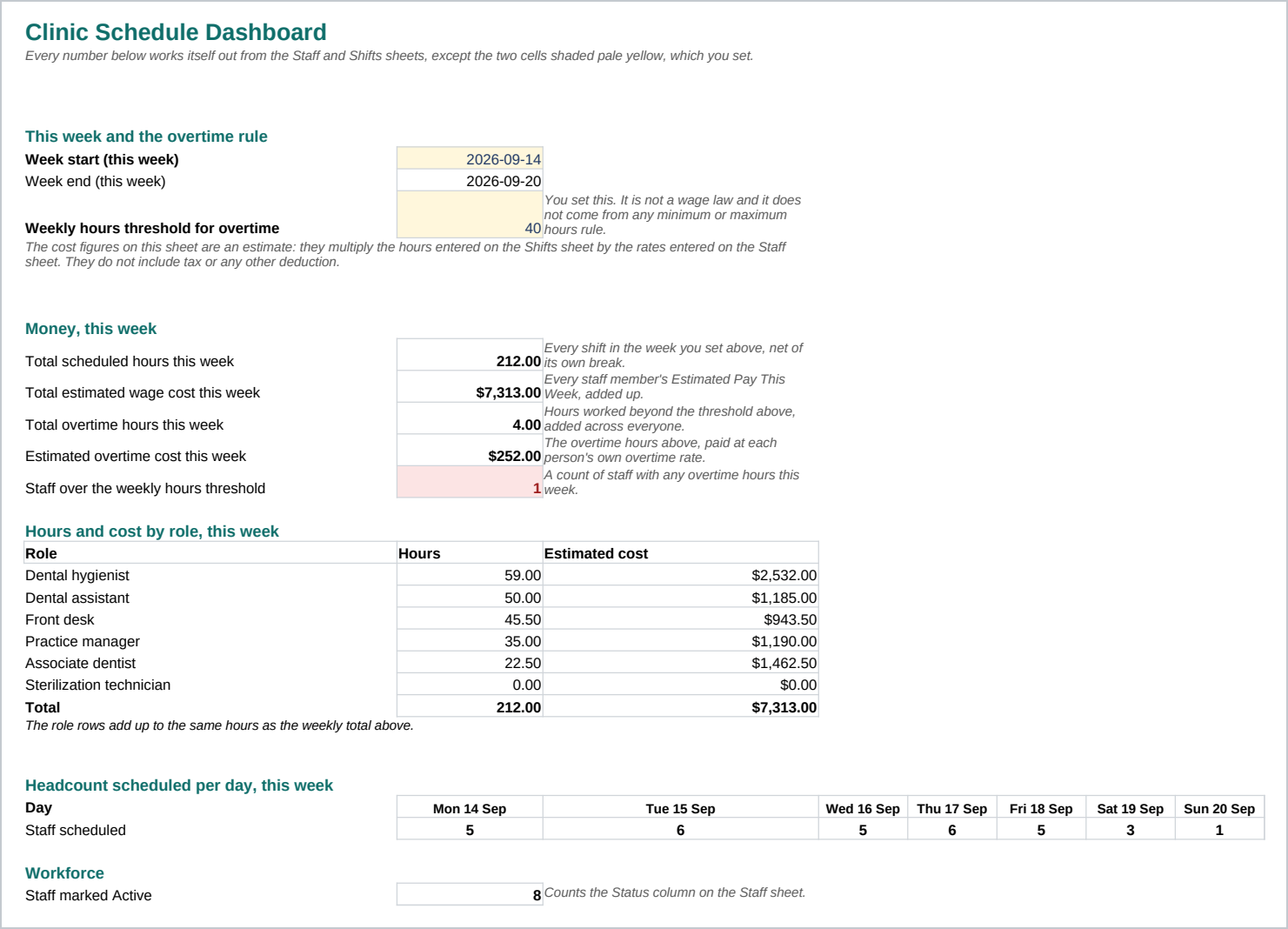
- Dashboard - Total scheduled hours, total estimated wage cost, hours and cost by role, headcount per day, and overtime, all for the week you set. Nothing here is typed in.
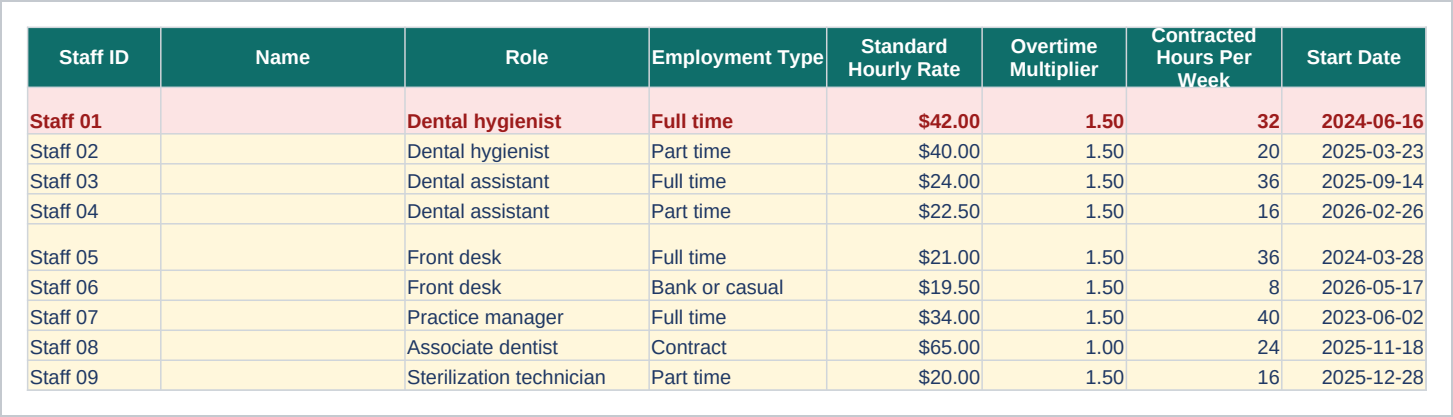
- Staff - One row per staff member, by role and employment type, with the hourly rate and the overtime multiplier you set for each person. A Staff ID column stands in for a name.
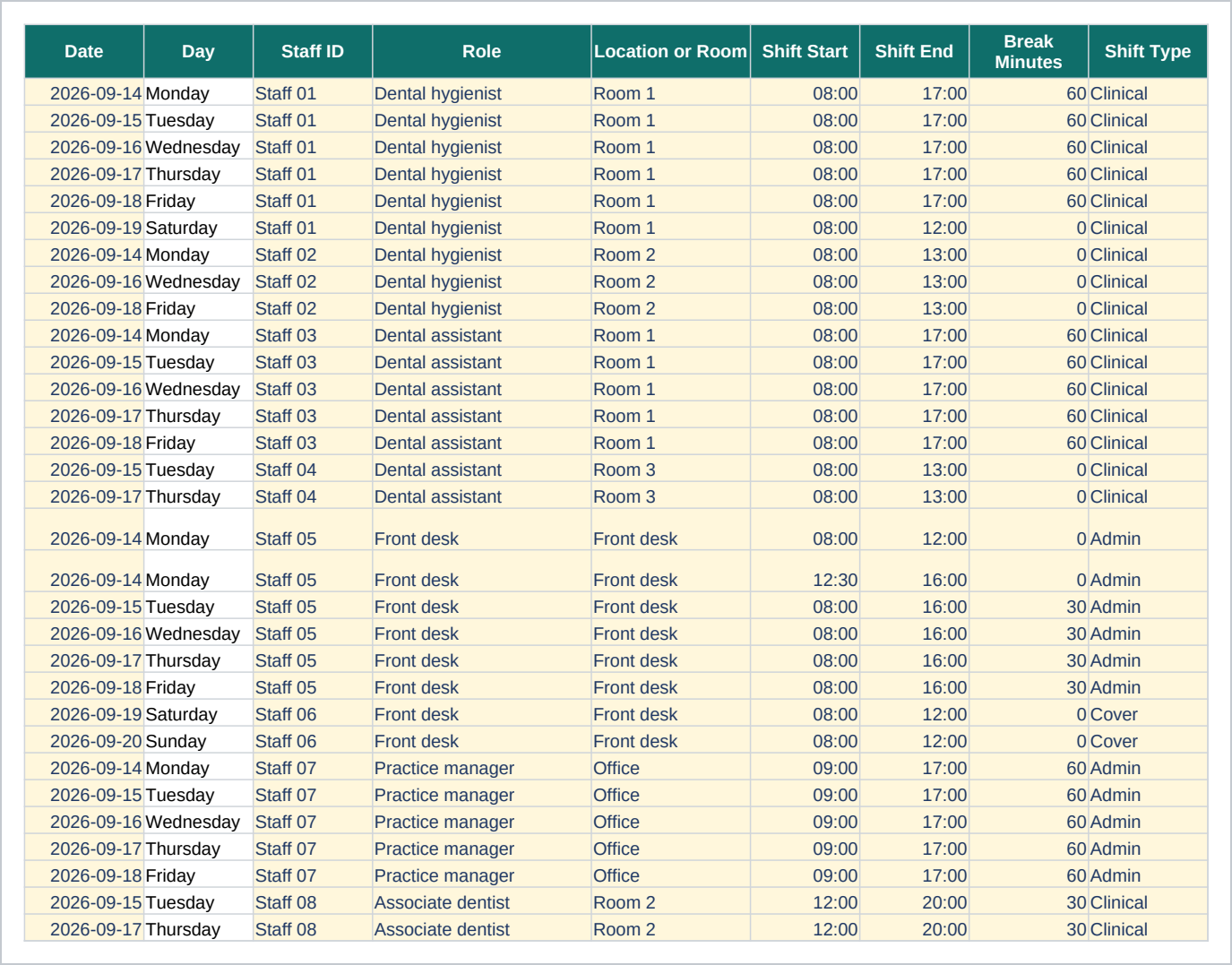
- Shifts - The schedule itself. One row per shift, with the room, the start and end time, and any break. Hours worked, the hourly rate and the shift cost work themselves out.
- Week View - A printable grid: staff down the side, the seven days of the week across the top, ready for the wall.
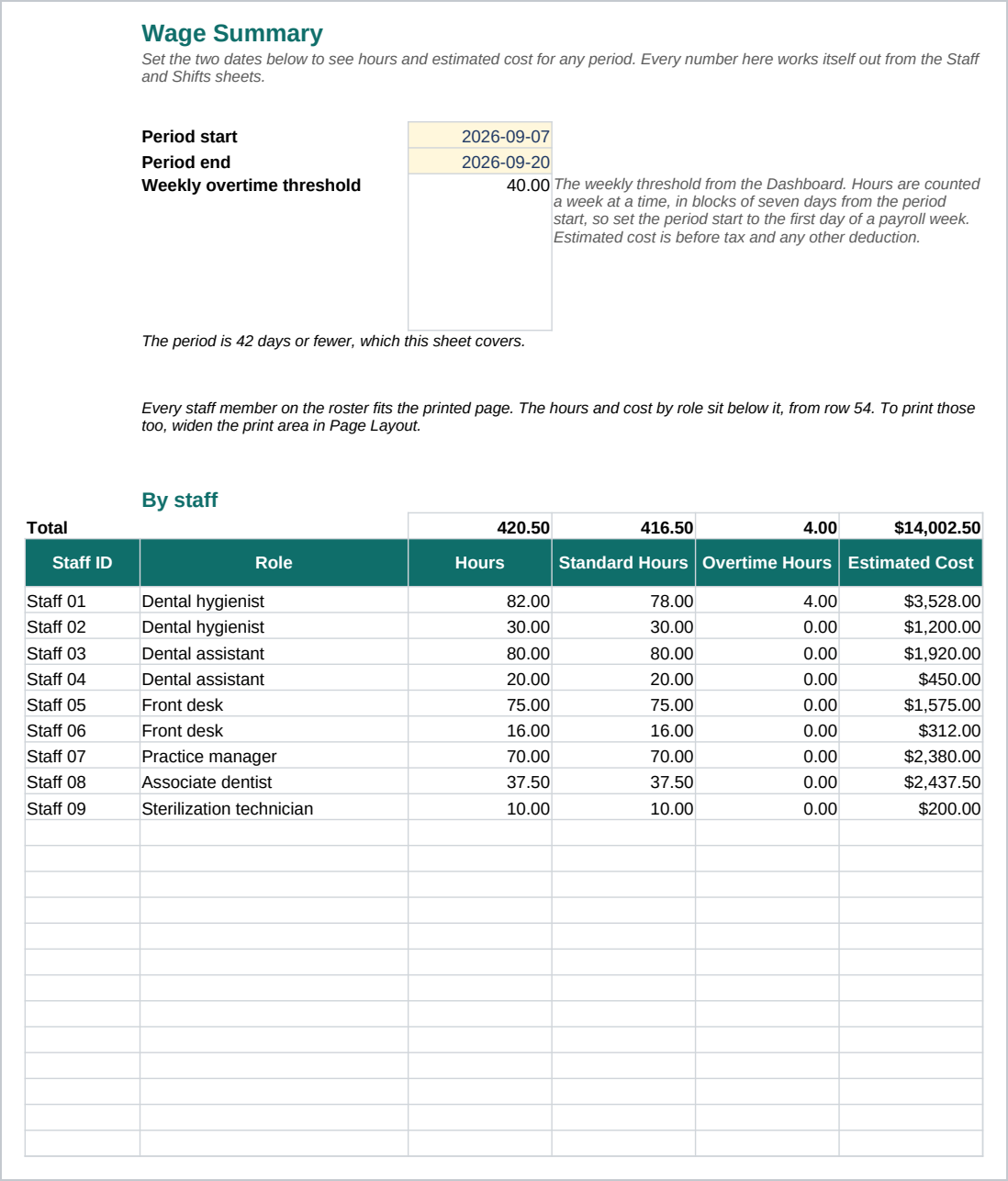
- Wage Summary - Hours and estimated cost by staff and by role for a pay period, with overtime counted a week at a time.
- Lists - The words the dropdowns use, kept in one place so a typed variant cannot slip past a formula.
Enter your staff on the Staff sheet and your shifts on the Shifts sheet. The Dashboard, the Week View and the Wage Summary fill themselves in.
Who it is for
A practice manager or office lead at a clinic with one to four providers and a handful of support staff, who currently builds the week's schedule in one place and works out the hours and the pay somewhere else. It is sized for a small team, roughly five to twenty people on one schedule. A multi location group scheduling across sites and time zones has outgrown a single spreadsheet.
What it is not
This is not payroll software, and it does not calculate tax or any other deduction. The wage figures are a planning estimate: hours you enter times rates you enter, nothing more. The overtime threshold and the overtime multiplier are both numbers you set on the Dashboard and the Staff sheet, not a rule the workbook knows on its own, because overtime and minimum wage rules differ by place and change over time. Check the totals against whatever system actually runs your payroll before anyone is paid from them. There is no field anywhere for a patient name, a date of birth, a record number, or any note about a diagnosis or a treatment, because a schedule has no reason to hold any of that. It does not connect to a time clock, a payroll provider, or an accounting system, and it will not send a reminder. You keep the Shifts sheet up to date yourself.
Refunds
Refunds within 30 days, for any reason. Reply to your receipt and the payment goes back in full. You keep the files; there is nothing to return.