Client Profitability Tracker for Freelancers, Google Sheets and Excel
A workbook that turns hours, invoices, payments and direct costs into one effective hourly rate per client, then ranks every client against that rate without a sort function.
Refund policy
Refunds within 30 days, for any reason. Reply to your receipt and the payment goes back in full. You keep the files; there is nothing to return.
What it looks like
What it does
What you get
Seven connected sheets in one file, built in Excel and made to import into Google Sheets:
- Start Here - The instructions, the color key, the import steps and the license.
- Setup - Your business name, the period this file covers, and your target hourly rate.
- Clients - One row per client: name, agreed rate, how they are billed, and a status.
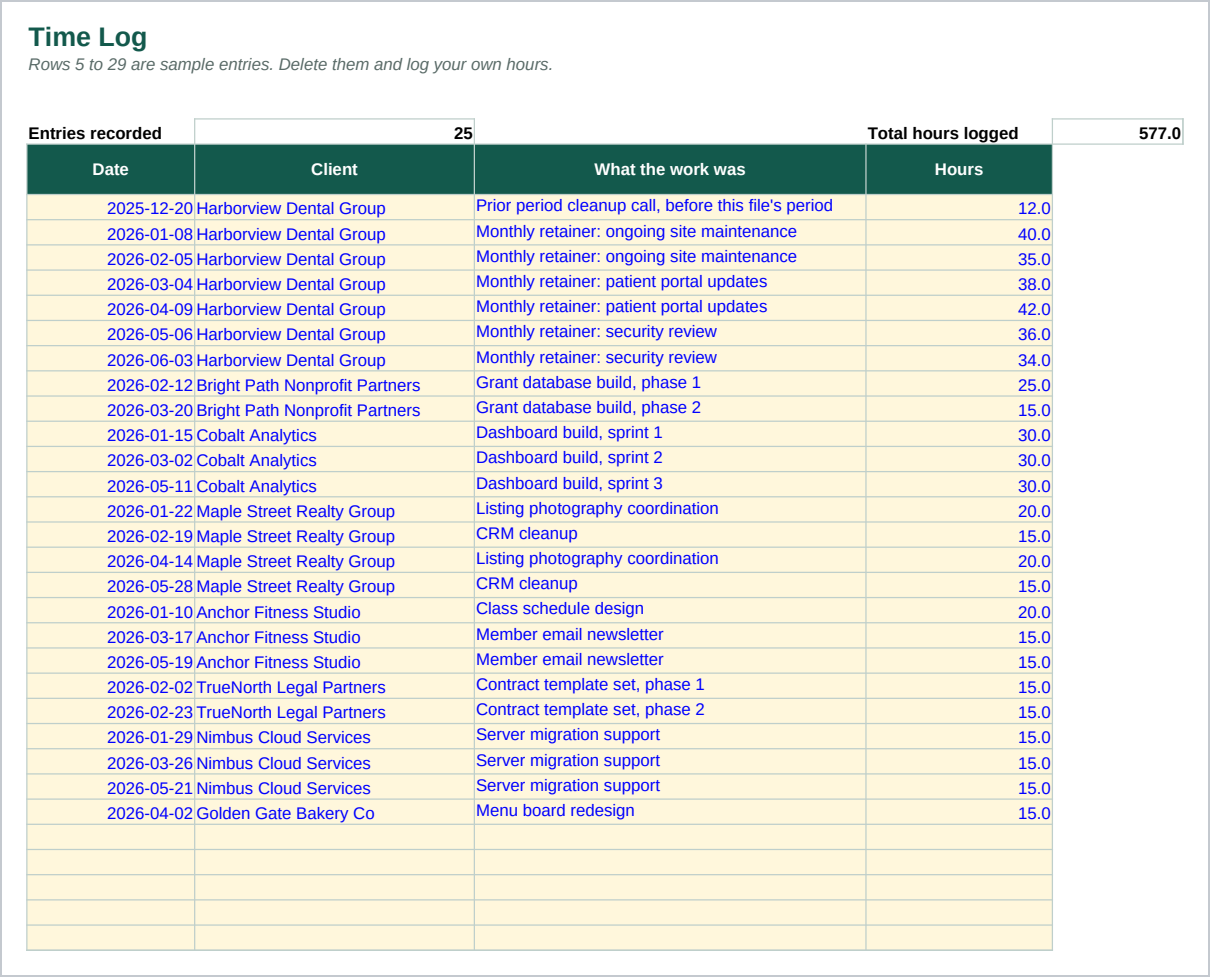
- Time Log - One row per session of work. 400 rows.
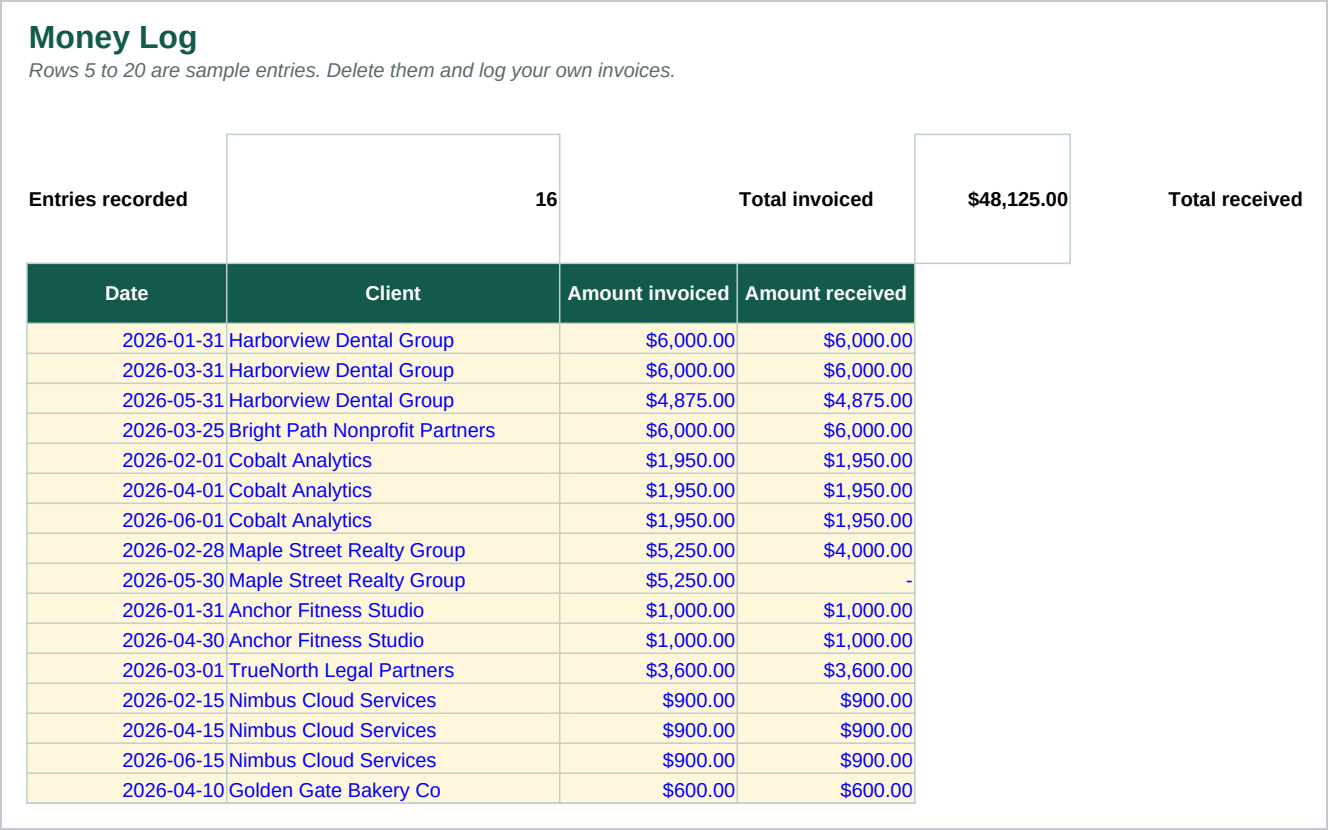
- Money Log - One row per invoice: what was invoiced and what was received. 200 rows.
- Expenses By Client - A direct cost tied to one client: a subcontractor, materials, travel. Optional per row. 100 rows.
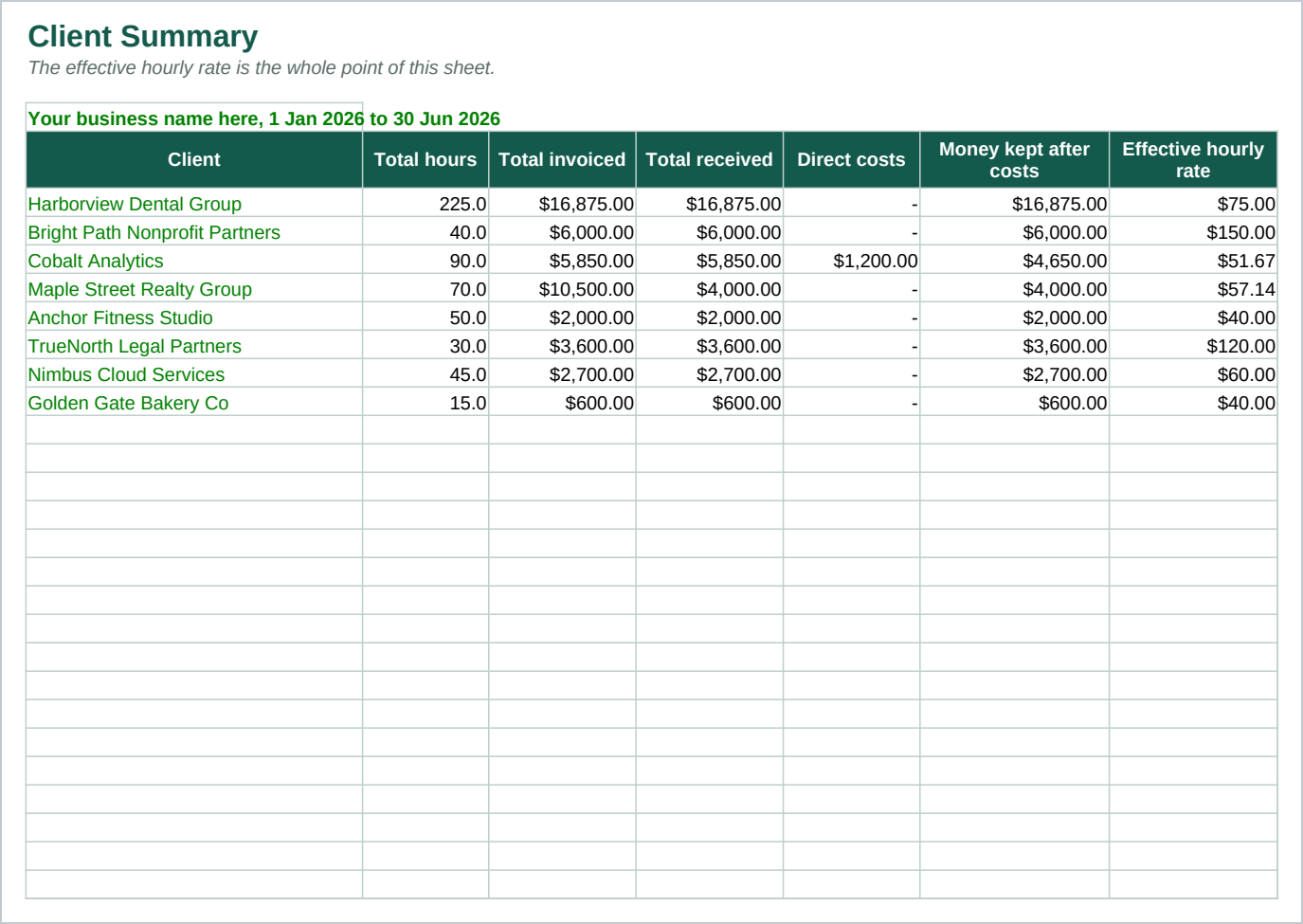
- Client Summary - One row per client, every figure calculated: total hours, total invoiced, total received, direct costs, money kept after costs, an effective hourly rate, and a rank.
Money kept after costs is built from what a client actually paid, not what they were invoiced, so a client who is billed and slow to pay shows up in their own number rather than hiding behind an invoice total. The rank column is built with COUNTIFS rather than a sort, since there is no shared sort function between Excel and Google Sheets. A tie shares a rank, and the sheet says plainly what happens to the rank number right after a tie. The formulas use only functions that behave the same way in Excel 2016 and later and in Google Sheets.
Who it is for
A freelancer, consultant, or solo service business with somewhere between three and thirty clients, doing the work yourself rather than assigning it to a team. It fits anyone billed by the hour, a fixed fee, or a retainer, who wants to compare clients against each other on the same footing instead of by the size of the invoice alone.
It is not built for a business with staff whose hours need tracking separately, or for managing a retainer's hours as a team uses them up over a month. If either of those is you, this is the wrong file.
What it is not
This is not accounting software. It does not connect to a bank or a card, and it does not send invoices. You type in your hours, your invoices, what you were paid, and any direct cost, and the workbook does the arithmetic and the ranking.
It does not recommend keeping or dropping any client. It divides the numbers you type and shows the result: an effective hourly rate and a rank. What you do with that number is your decision, not the sheet's.
It is two files: a spreadsheet and a guide. Nothing runs, and nothing updates by itself.
Refunds
Refunds within 30 days, for any reason. Reply to your receipt and the payment goes back in full. You keep the files; there is nothing to return.