Client Profitability and Retainer Hours Tracker for Agencies, Excel
A workbook that logs hours against every retainer and works out what each client is effectively paying per hour once the month closes.
Refund policy
Refunds within 30 days, for any reason. Reply to your receipt and the payment goes back in full. You keep the files; there is nothing to return.
What it looks like
What it does
What you get
Seven connected worksheets in one Excel file:
- Start Here - What each sheet does, the steps in order, and how to open the file in Google Sheets.
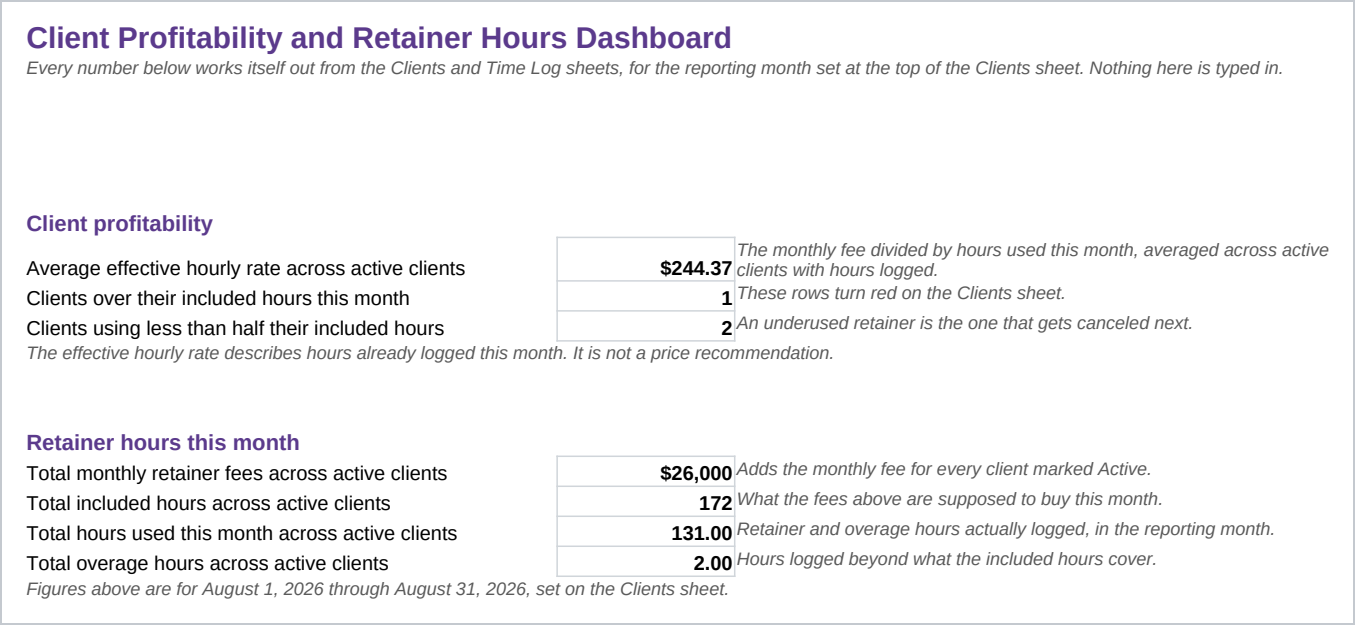
- Dashboard - The effective hourly rate averaged across active clients, which clients are over their included hours or well under half used, and the retainer fee, included hours and overage totals for the month.
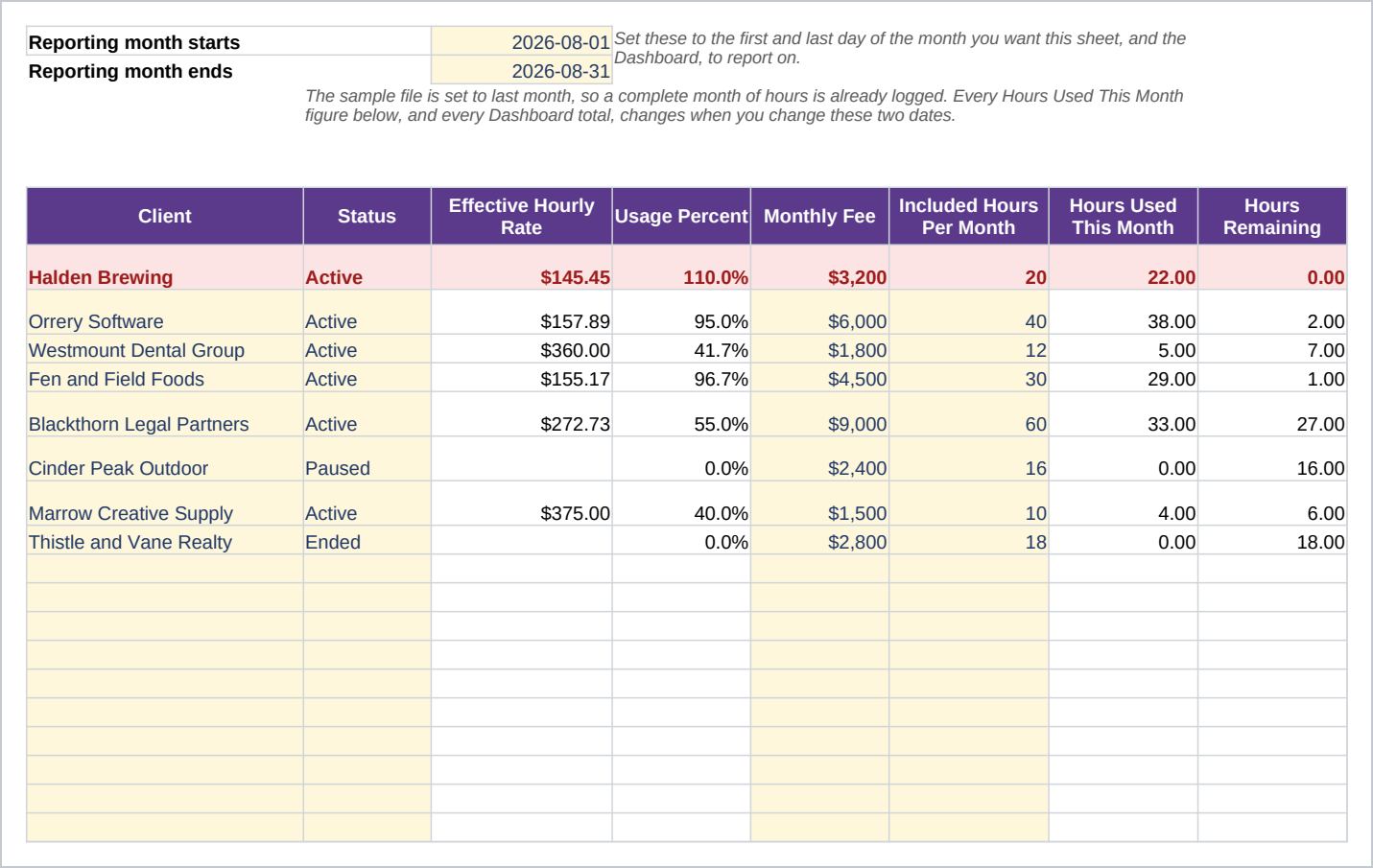
- Clients - One row per client: the fee, the included hours, the rollover rule, and formula columns for hours used, hours remaining, overage, and the effective hourly rate, for the month you set at the top of the sheet.
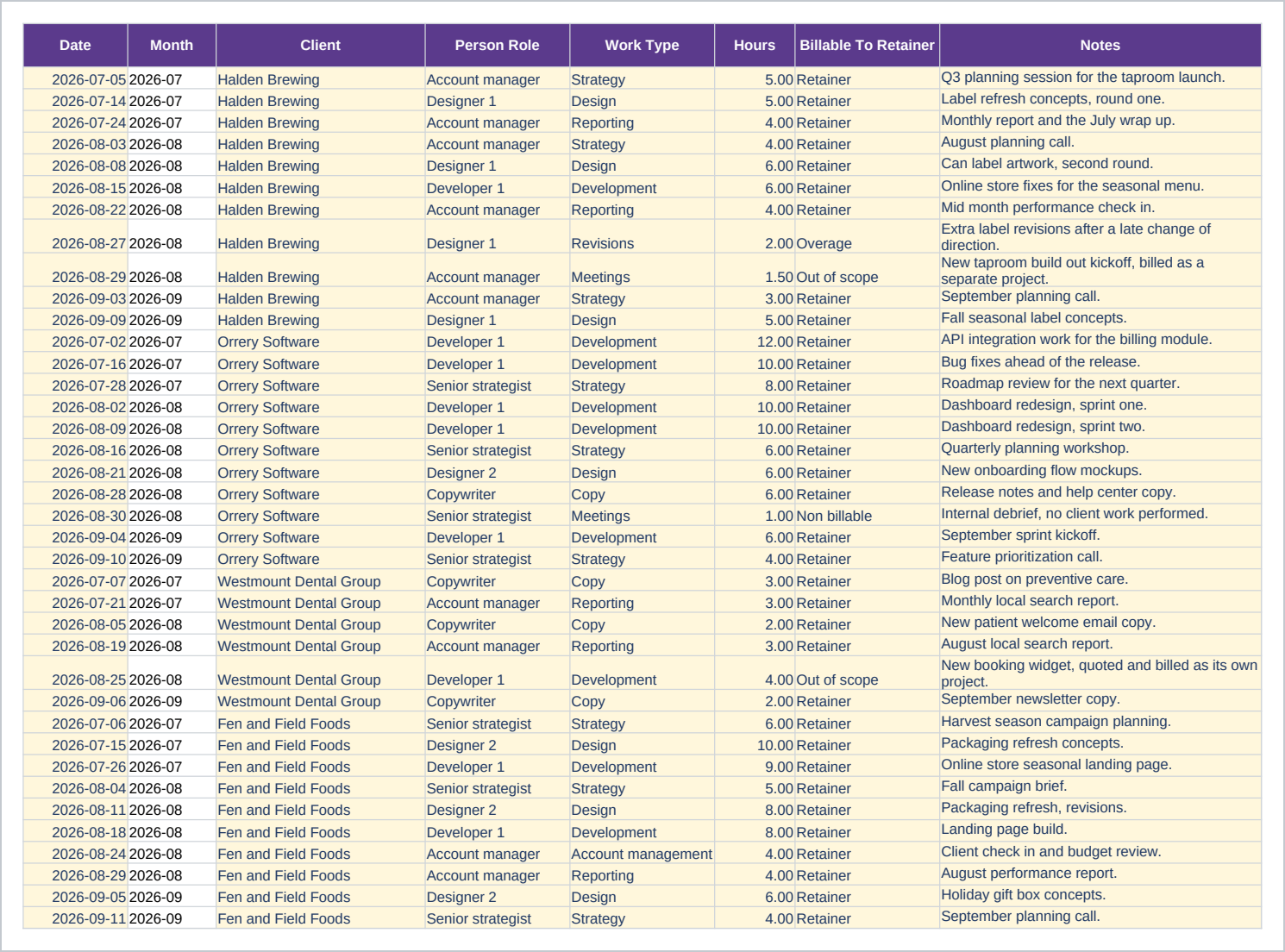
- Time Log - One row per hour logged, tied to a client picked from a dropdown, a role, a work type, and whether the hour counts toward the retainer, the overage, or neither.
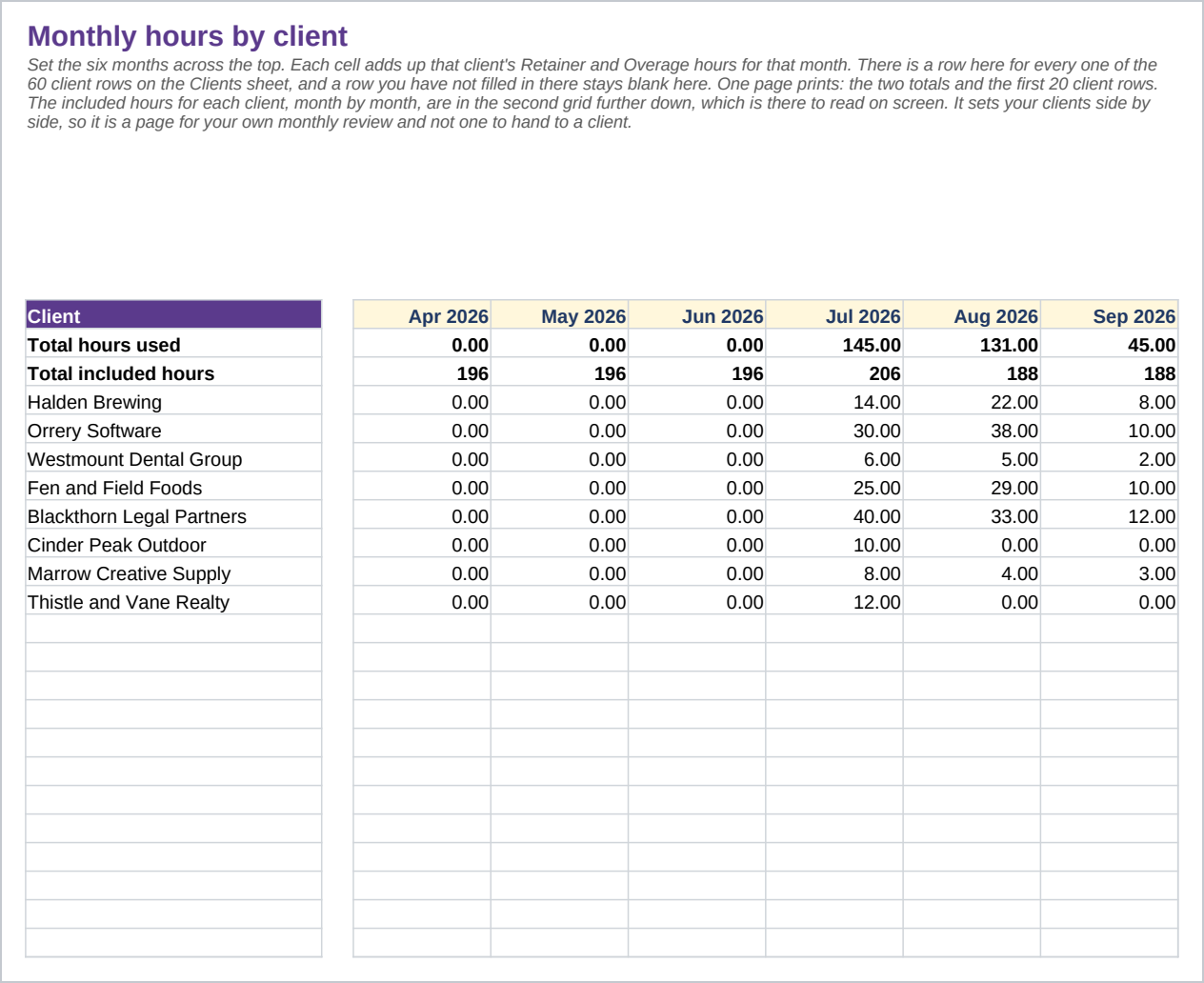
- Monthly Summary - Hours by client across six months, with included hours underneath for comparison. One page of it prints.
- Scope Notes - What each retainer covers and what is out of scope, in plain language, for the next time a request is in question.
- Lists - The words the dropdowns use.
The file opens on the Start Here sheet. Eight example clients and 58 time log rows are already in place, spanning the last three months, so the dashboard and the effective rate are already showing something before you type anything. Clear the example cells and your own rows take their place. The formulas were built against Excel 2016 and use only functions that behave the same way in Google Sheets, so the file imports and keeps working.
Who it is for
An agency owner, an operations lead, or an account manager tracking somewhere between four and forty retainer clients. It suits a shop of one to fifteen people billing on fixed monthly retainers rather than project invoices. Above roughly forty active retainers, a team usually wants a dedicated time tracking tool with a separate login for each person, and this is a spreadsheet built for one person to keep current.
What it is not
This is not time tracking software with a running clock, and it does not invoice a client or take a payment. It does not connect to your accounting software, and it does not calculate payroll. Nothing here is automated: the hours, the fee and the rate only work themselves out once someone types the hours into the Time Log, and keeping that sheet current is on you. It does not recommend a rate or a price; it only shows what a client is already paying per hour, based on what has been logged. It does not manage projects or tasks, which is a different job and a different tool, and it holds no contract or statement of work, only a plain language note on what a retainer covers.
Refunds
Refunds within 30 days, for any reason. Reply to your receipt and the payment goes back in full. You keep the files; there is nothing to return.