Cleaning Business CRM and Scheduler Workbook, Excel and Google Sheets
A set of connected worksheets for scheduling recurring cleaning jobs and logging the work once it is done, built for a cleaning business with one to fifteen clients.
Refund policy
Refunds within 30 days, for any reason. Reply to your receipt and the payment goes back in full. You keep the files; there is nothing to return.
What it looks like
What it does
What you get
Six connected worksheets:
- Start Here - what the workbook does, how to set it up, and how to import it into
Google Sheets.
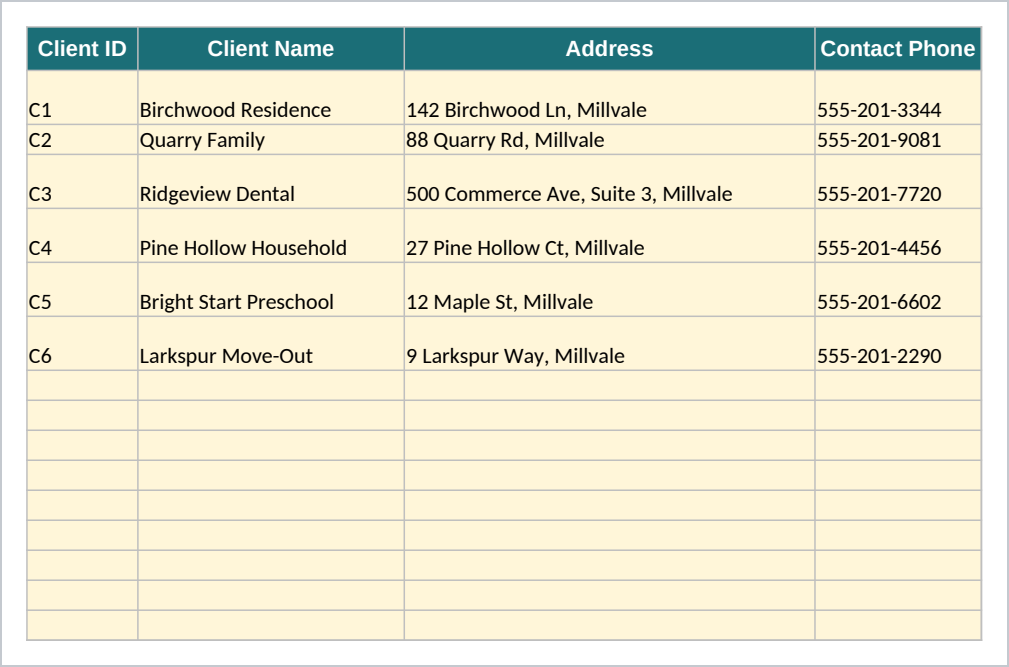
- Clients - one row per client: address, contact details, service type, how often
they are cleaned, their rate per visit, and access notes.
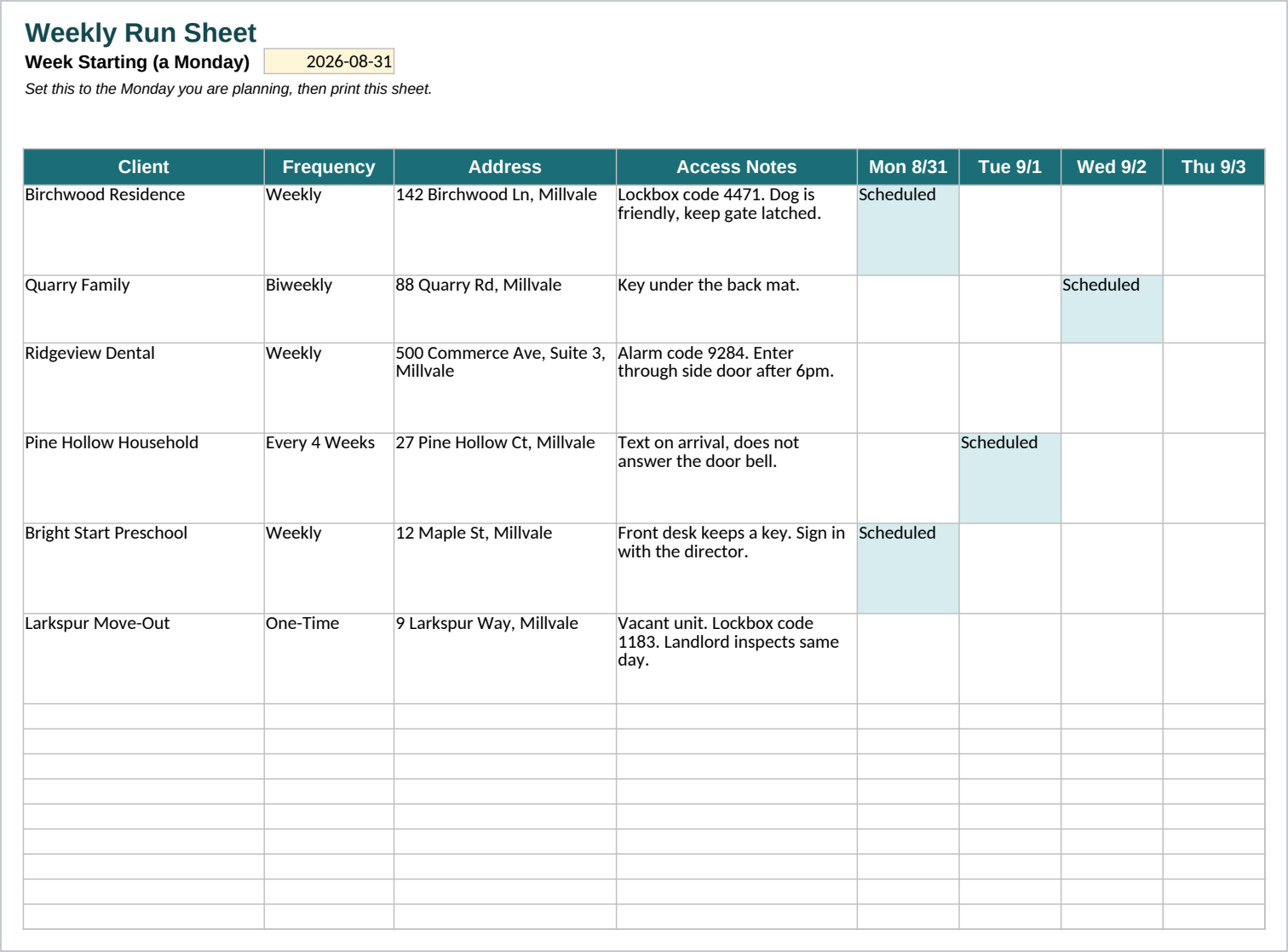
- Schedule - set one date and the grid shows which clients are due each day that
week, with each client's address and access notes, built from the Clients sheet and laid out to print as a run sheet.
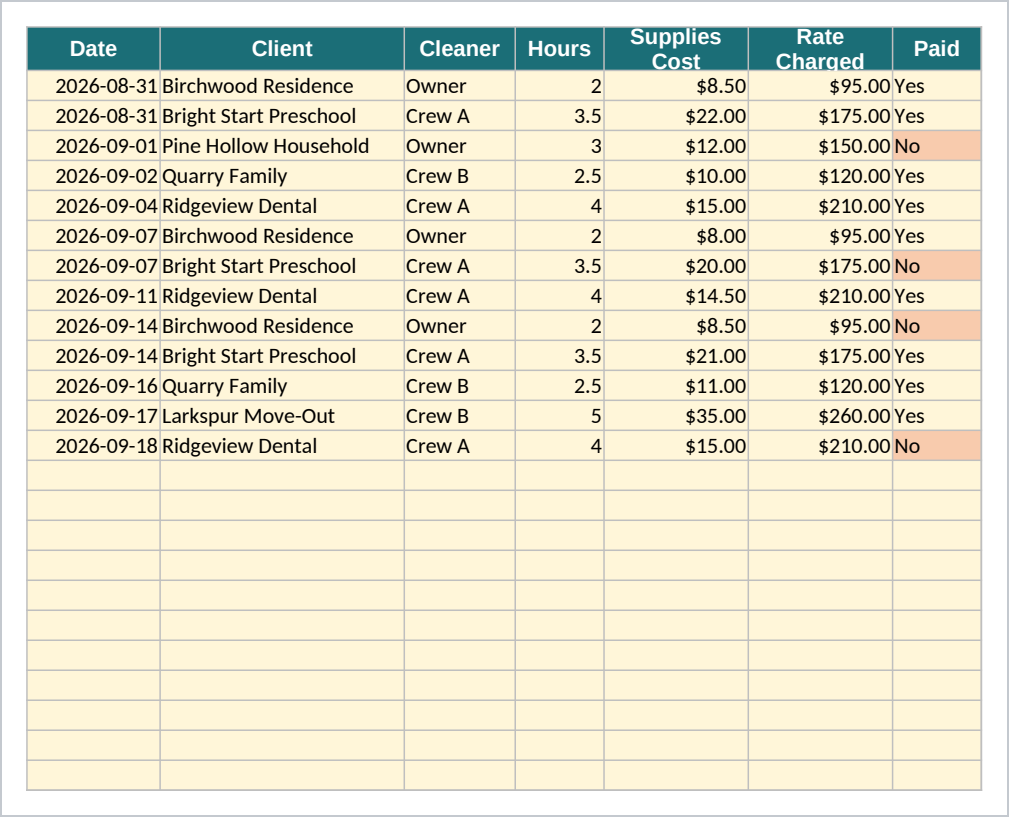
- Job Log - one row per completed visit: date, client, cleaner (picked from an
editable dropdown list), hours, supplies cost, the rate charged, and whether it has been paid.
- Supplies - what you keep on hand, with a warning that turns on once a supply
drops to its reorder point.
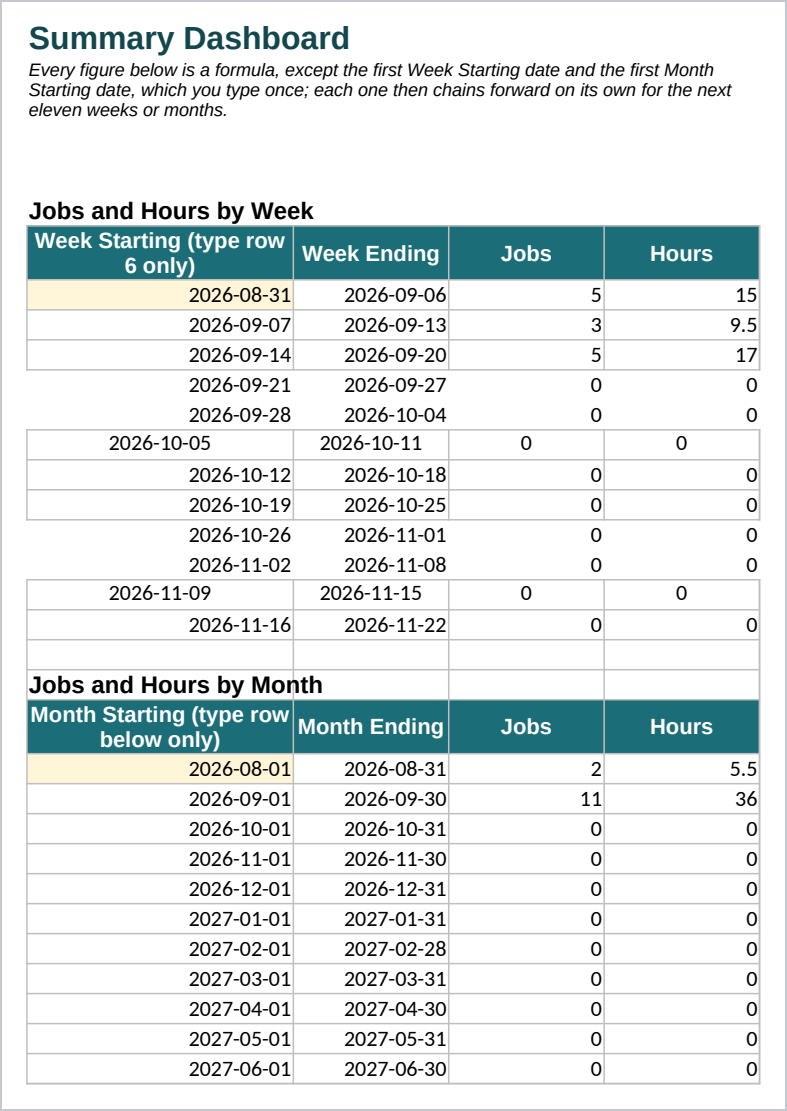
- Summary - jobs and hours by week and by month, invoiced versus paid by client,
outstanding balances, hours worked by each cleaner, and the average supplies cost per job. You set the first Week Starting date and the first Month Starting date once; every other row and total then follows by formula.
You enter your clients once, set the first Week Starting and Month Starting dates once, and update the Job Log as work happens. The Schedule and Summary sheets take it from there. It comes filled in with six sample clients and three weeks of sample jobs, so you can see every sheet working before you replace the sample rows with your own.
Who it is for
A residential or commercial cleaning business owner with one to fifteen clients, running the schedule and the books themselves, with one or a small crew of cleaners. It is not sized for a franchise operation with dozens of crews. It does not replace bookkeeping or payroll software for a business that already has one.
What it is not
This is a spreadsheet and a guide, not software. It does not send invoices or take payments. It does not sync with your bank, your phone calendar, or a scheduling app. It does not calculate payroll or taxes. You enter each client, each job, and each payment yourself; the workbook does the arithmetic from what you type in. It uses standard spreadsheet functions, so it opens in both Excel and Google Sheets, with the import steps in the Start Here guide.
Refunds
Refunds within 30 days, for any reason. Reply to your receipt and the payment goes back in full. You keep the files; there is nothing to return.