Break Even Calculator, Google Sheets, Excel and PDF Checklist
A spreadsheet that turns your own startup cost estimates into the number of sales you need each month to cover them, with a printable checklist for gathering those costs in the first place.
Refund policy
Refunds within 30 days, for any reason. Reply to your receipt and the payment goes back in full. You keep the files; there is nothing to return.
What it looks like
What it does
What you get
- Start Here - The instructions, the color key, the Google Sheets import steps and the license.
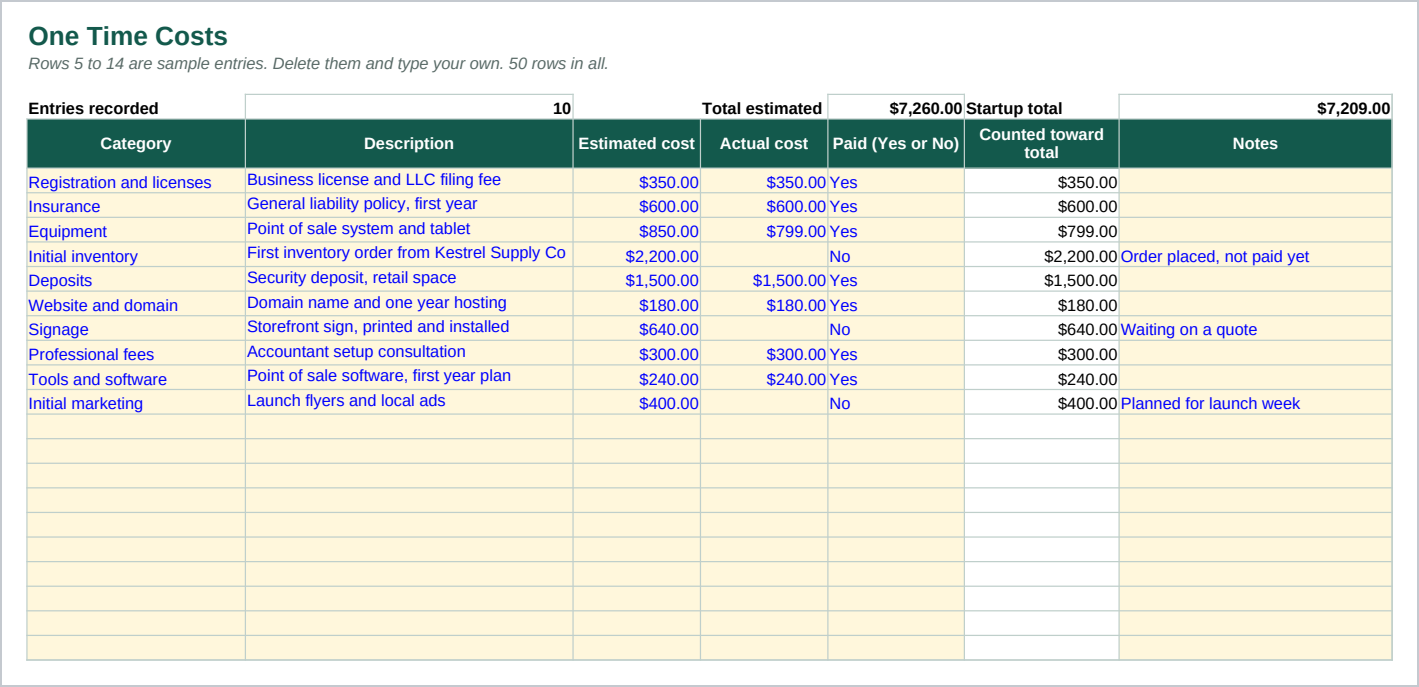
- One Time Costs - Fifty rows for everything you pay once to open: registration and licenses, insurance, equipment, initial inventory, deposits, a website, signage, professional fees, tools and software, and initial marketing. Ten categories come filled in as samples.
- Monthly Costs - Fifty rows for everything that recurs, each row marked Fixed or Variable. That split is what the break even math depends on.
- Unit Economics - Your price per sale, your variable cost per sale, and the contribution per sale, which is the difference between the two.
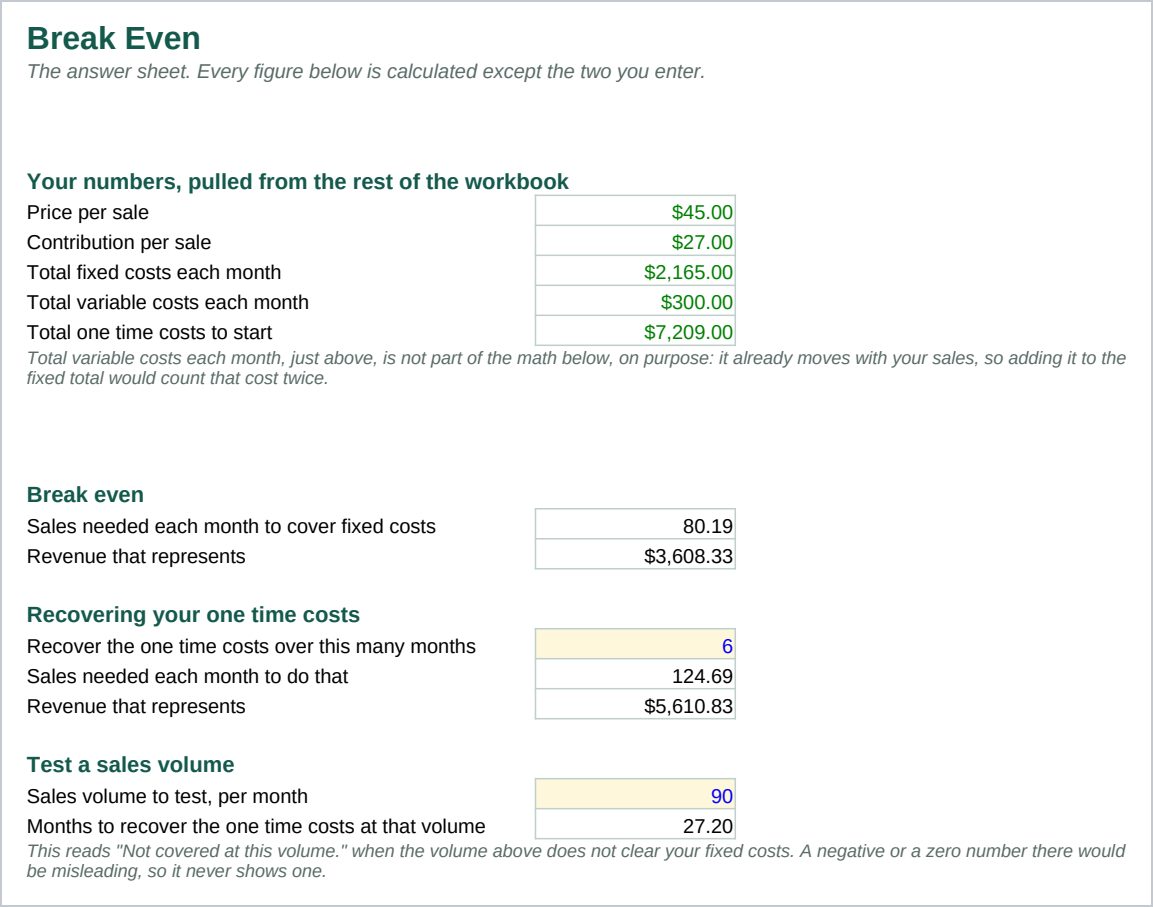
- Break Even - The answer sheet. Sales needed each month to cover your fixed costs, sales needed to also recover your one time costs over a number of months you choose, and how long recovery takes at a sales volume you enter.
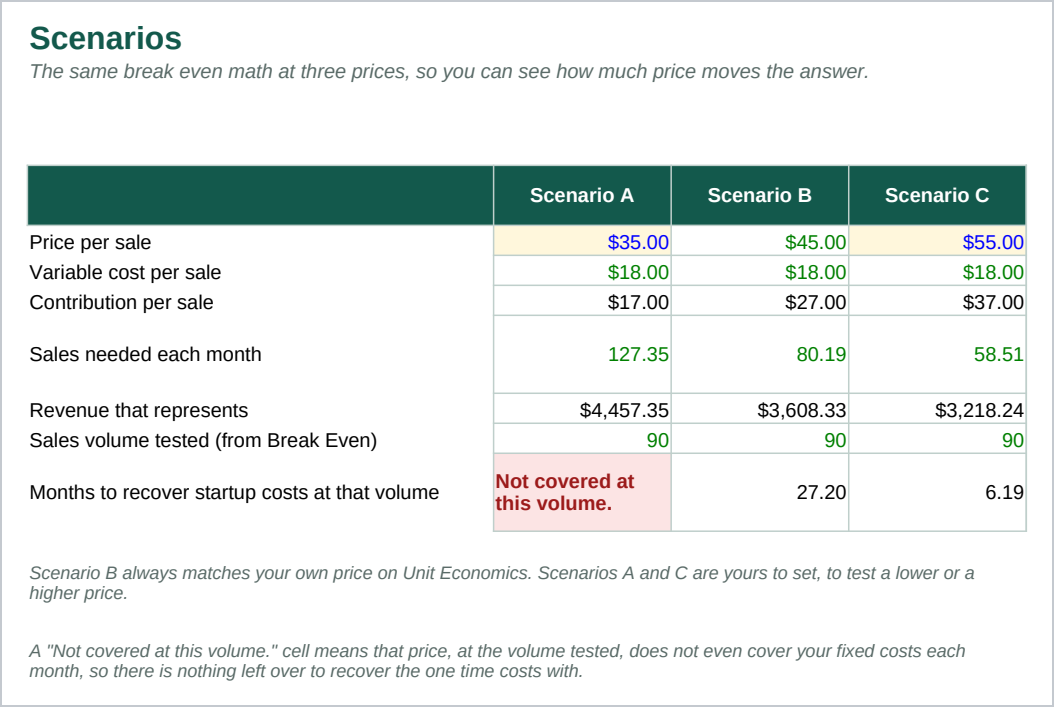
- Scenarios - The same break even numbers at three prices side by side, so you can see how much price moves the answer.
- startup-cost-checklist.pdf - A two page printable checklist of the same one time cost categories, grouped into sections, each with a box to check and a line for a figure, and a total line per section.
Every total on every sheet is a formula, not a typed number, so changing one cost or one price moves every figure that depends on it. The formulas use only functions that behave the same way in Excel 2016 and later and in Google Sheets.
Who it is for
Someone about to start a small, single location business, or a few months into one, who has a list of costs half remembered rather than written down anywhere. It suits one product or service and a short list of monthly bills. It is not built for a business with more than one location or a finance team already tracking this.
What it is not
This is not accounting software. It does not connect to a bank, it does not import a statement, and nothing in it updates on its own. You type your costs and your price in, and the sheet does the arithmetic on them.
It does not tell you whether your business will work. A break even figure only shows what follows from the numbers you typed. It is not a check on whether those numbers are realistic, and this file has no opinion on that question. It calculates no tax and gives no financial advice.
It is three files: a spreadsheet, a PDF and a guide. Nothing runs on its own, and nothing here is hosted anywhere.
Refunds
Refunds within 30 days, for any reason. Reply to your receipt and the payment goes back in full. You keep the files; there is nothing to return.